EasyManua.ls Logo

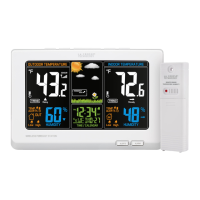
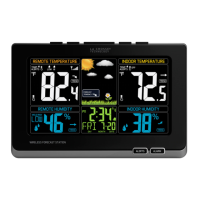
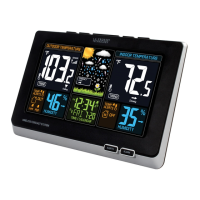
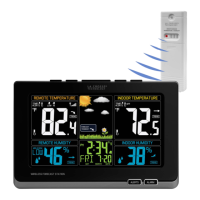
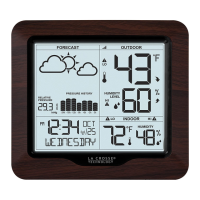
La Crosse Technology 308-1416 - User Manual

La Crosse Technology 308-1416
14 pages
Print Icon
To Next Page IconTo Next Page
Loading...
WIRELESS WEATHER STATION WITH BAROMETRIC PRESSURE
1 | PAGE
WIRELESS WEATHER STATION
WITH BAROMETRIC PRESSURE
INSTRUCTION MANUAL
MODELS: 3081416
DC: 092218
FIND MANUALS, FAQS, AND MORE UNDER THE
SUPPORT TAB HERE: bit.ly/308-1416
Question and Answer IconNeed help?

Do you have a question about the La Crosse Technology 308-1416 and is the answer not in the manual?

Summary

POWER UP

Settings Menu

Guide to configure language, time, units, and pressure settings.

BACKLIGHT MANAGEMENT

Adjustable Backlight

Adjust backlight brightness to 4 levels or turn it OFF.

Auto Dim Backlight

Program the backlight to dim automatically during specific hours.

WEATHER DATA PRESENTATION

Pressure History Graph & Number

Read barometric pressure trends from the past 24 hours via a graph.

Weather Forecast Icons

Understand forecast icons based on barometric pressure changes.

TEMPERATURE & HUMIDITY ALERTS

HI;LO TEMPERATURE & HUMIDITY RECORDS

SENSOR & DATA OPERATIONS

Temperature & Humidity Trend Arrows

Monitor temperature and humidity changes with directional arrows.

Sensor Search

Steps to search for the wireless outdoor sensor if connection is lost.

Change Batteries

Instructions for replacing batteries in the sensor and station.

SUPPORT & MAINTENANCE

Sensor Weather Shield

Information about an optional accessory for sensor protection.

Were Here to Help!

Contact information for additional support and inquiries.

Join the Conversation

Engage with the community on social media for setup videos and feedback.

Care and Maintenance

Guidelines for proper battery usage and device upkeep.

SPECIFICATIONS & WARRANTY

Specifications

Detailed technical data including ranges, requirements, and dimensions.

Warranty Info

Information regarding the product's 1-year limited warranty.

FCC STATEMENT

Summary

POWER UP

Settings Menu

Guide to configure language, time, units, and pressure settings.

BACKLIGHT MANAGEMENT

Adjustable Backlight

Adjust backlight brightness to 4 levels or turn it OFF.

Auto Dim Backlight

Program the backlight to dim automatically during specific hours.

WEATHER DATA PRESENTATION

Pressure History Graph & Number

Read barometric pressure trends from the past 24 hours via a graph.

Weather Forecast Icons

Understand forecast icons based on barometric pressure changes.

TEMPERATURE & HUMIDITY ALERTS

HI;LO TEMPERATURE & HUMIDITY RECORDS

SENSOR & DATA OPERATIONS

Temperature & Humidity Trend Arrows

Monitor temperature and humidity changes with directional arrows.

Sensor Search

Steps to search for the wireless outdoor sensor if connection is lost.

Change Batteries

Instructions for replacing batteries in the sensor and station.

SUPPORT & MAINTENANCE

Sensor Weather Shield

Information about an optional accessory for sensor protection.

Were Here to Help!

Contact information for additional support and inquiries.

Join the Conversation

Engage with the community on social media for setup videos and feedback.

Care and Maintenance

Guidelines for proper battery usage and device upkeep.

SPECIFICATIONS & WARRANTY

Specifications

Detailed technical data including ranges, requirements, and dimensions.

Warranty Info

Information regarding the product's 1-year limited warranty.

FCC STATEMENT

La Crosse Technology 308-1416 Specifications

General IconGeneral
BrandLa Crosse Technology
Model308-1416
CategoryWeather Station
LanguageEnglish

Related product manuals