This document provides user manuals for two La Crosse Technology weather stations: the 308-1414B-INT Wireless Atomic Digital Color Forecast Station with Alerts, Black, and the C85845-INT Weather Station, Black. Both manuals offer detailed instructions for setup, operation, and maintenance.
La Crosse Technology 308-1414B-INT Wireless Atomic Digital Color Forecast Station with Alerts, Black
Function Description:
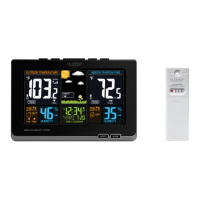
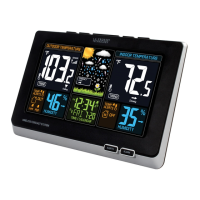
This device is a wireless atomic digital color forecast station that displays indoor and outdoor temperature and humidity, along with a color forecast. It includes alert functions for temperature and an atomic time signal for accurate timekeeping.
Important Technical Specifications:
- Indoor Temperature Range: 32°F to 122°F (0°C to 50°C)
- Indoor Humidity Range: 10%-99% (RH)
- Outdoor Temperature Range: -40°F to 140°F (-40°C to 60°C)
- Alkaline Batteries: -20°F to 140°F (-28.8°C to 60°C)
- Lithium Batteries: -40°F to 140°F (-40°C to 60°C)
- Temperatures below -20°F (-28.8°C) require Lithium batteries in the outdoor sensor.
- Outdoor Humidity Range: 10%-99% (RH)
- Transmission Distance: Over 300 ft. (91 meters) RF 433MHz (open air)
- Power:
- Weather Station: 5-volt AC power adapter (included), optional 3-AAA, IEC, LR3 batteries (not included) for backup.
- TX141TH-BV2 Sensor: 2-AA, IEC, LR6 batteries (not included).
- Battery Life:
- Weather Station (with AC adapter): Over 36 months
- Weather Station (battery backup): Over 12 months (with reputable brands)
- TX141TH-BV2 Sensor: Over 12 months (with reputable brands)
- Dimensions:
- Weather Station: 8.34" L x 1.03" W x 5.48" H (211.836 x 26.162 x 139.192mm)
- TX141TH-BV2 Sensor: 1.57" x 0.79" x 5.12" (40 x 20 x 130mm)
Usage Features:
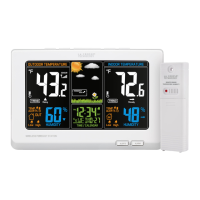
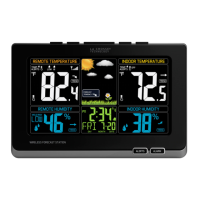
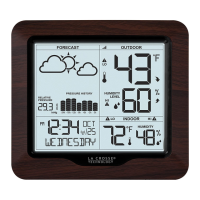
- Front View Display: Shows outdoor temperature and trends, outdoor humidity and trend, indoor temperature and trends, indoor humidity and trend, animated forecast and trends, time, and calendar.
- Buttons: TIME SET, SNOOZE/LIGHT (HI-LOW-OFF), HEAT/DEW, ALERTS, ALARM.
- Setup: Requires a 5-volt AC power adapter for the station (included), optional 3 AAA batteries for backup, and 2 AA batteries for the TX141TH-Bv2 sensor. The sensor should be placed in a shaded outdoor location after 5 minutes.
- Time and Date Setting: Hold TIME SET for 3 seconds to enter set mode. Adjust values with ▲ or ▼ buttons and confirm with TIME SET. Settings include WWVB ON/OFF, Time Zone (AST, EST, CST, MST, PST, AKT, HAT), Daylight Saving Time, 12/24 Hour Time Format, Hour, Minutes, Year, Month, Date, and Fahrenheit/Celsius.
- Temperature Alerts: Hold ALERTS for 3 seconds to set. Order: Outdoor High, Outdoor Low, Indoor High, Indoor Low. Alerts can be armed/disarmed using the ▲/▼ buttons, indicated by an ALERT BELL ICON. When active, the station beeps once per minute with a flashing bell icon. Any button stops the alert sound.
- Time Alarm: Hold ALARM to set alarm time (hours and minutes). Press ALARM to view, activate, or deactivate the alarm.
- Snooze: Press LIGHT/SNOOZE when the alarm sounds to silence for 10 minutes. The alarm icon Zz will flash. Any button stops the alarm for one day. The alarm is a crescendo sound and will shut off after 2 minutes if not stopped.
- Forecast Icons: Displays Sunny, Partly Sunny, Cloudy, Rainy, Stormy, Snowy (below 32°F/0°C). The station uses changing atmospheric pressure for 12-hour forecasts with 70-75% accuracy. Requires 7 days for barometer calibration.
- Forecast Trend Indicator: Shows Rising Pressure (weather improves), Steady Pressure (weather stays same), or Falling Pressure (weather worsens).
- Heat Index/Dew Point: Press HEAT/DEW once for Heat Index, twice for Dew Point.
- Backlight: Adjustable (HI-LOW-OFF) when using AC power. With battery power only, backlight comes on for 10 seconds when pressed.
- MIN/MAX Values: Automatically resets daily at midnight. Press ▼ to view minimums, hold ▼ for 5 seconds to reset. Press ▲ to view maximums, hold ▲ for 5 seconds to reset.
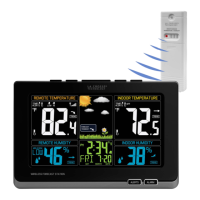
- Outdoor Sensor Search: Hold HEAT/DEW for 3 seconds. The signal icon animates until a signal is received or for 3 minutes.
- Temperature/Humidity Trend Indicators: Updates every 30 minutes or less, showing if temperature (2°F/1°C) and humidity (3% RH) have risen, fallen, or not changed in the past 3 hours.
- WWVB Radio-Controlled Time Search: Press TIME SET to start/stop a manual search. The WWVB icon flashes during search and is solid when connected. Searches automatically at UTC 7:00, 8:00, 9:00, 10:00, and 11:00.
Maintenance Features:
- Low Battery Icon: Indicates low battery for the station or sensor. Replace batteries next to outdoor temperature (sensor) or indoor temperature (weather station).
- Position Outdoor Sensor: Mount on a north-facing wall or in a well-shaded area, preferably under an eave or deck rail. Maximum transmitting range is over 300 feet in open air.
- Care and Maintenance:
- Do not mix old and new batteries, or different types (Alkaline, Standard, Lithium, Rechargeable).
- Use correct size and grade of battery.
- Replace all batteries of a set at the same time.
- Clean battery contacts.
- Ensure correct polarity (+ and -).
- Remove batteries if not used for an extended period.
- Promptly remove expired batteries.
- If not working properly, change batteries and/or check AC cord.
- Warranty: 1-year limited warranty for manufacturing defects.
- Support: Phone: 1-608-782-1610, Online Product Support: www.lacrossetechnology.com/support.
La Crosse Technology C85845-INT Weather Station, Black
Function Description:
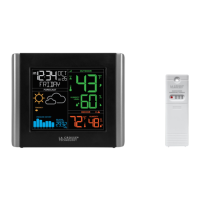
This is a wireless color weather station that displays indoor and outdoor temperature and humidity, along with a forecast. It features an atomic time signal, comfort charts, and programmable alerts.
Important Technical Specifications:
- Indoor Temperature Range: 32°F to 122°F (0°C to 50°C)
- Indoor Humidity Range: 10% to 99% RH
- Outdoor Temperature Range: -40°F to 140°F (-40°C to 60°C)
- Outdoor Humidity Range: 10% to 99% RH
- Transmission Range: 330 ft (100 meters) 433MHZ (open air)
- Power Requirements:
- Station: AC6: GPU280500150WA00 (included), optional 3 “AA” Batteries (not included)
- Sensor: 2 “AA” Batteries (not included)
- Dimensions:
- Station: 8.98" L x 1.0" W x 5.43” H (22.8cm L x 2.6 cm W x 13.8cm H)
- TX141TH-Bv3 Sensor: 1.57” L x 0.79” W x 5.12” H (4.0cm L x 2.0cm W x 13.0cm H)
Usage Features:
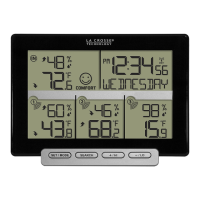
- LCD Features: Displays alerts (HI-LO-OFF), temperature trend, indoor temperature, low battery indicator, indoor humidity, humidity trend, comfort chart, forecast trend, forecast symbols, AM/PM, atomic time, alarm/snooze, weekday, month/date, atomic reception, outdoor temperature, sensor strength, outdoor humidity.
- Power Up: Insert 2-AA batteries into the outdoor sensor. Insert the 5-volt power cord into the station, optionally insert 2-AA batteries for backup. Adjust time and date. Place the outdoor sensor in a shaded location.
- WWVB Atomic Time Signal: Station searches for atomic signal at UTC 7:00, 8:00, 9:00, 10:00, and 11:00. The Atomic Time Signal Icon flashes while searching and is solid when connected. After initial reception, it searches after midnight. Manual search can be initiated by pressing SET. Time zone must be selected for accurate atomic time.
- Settings Menu: Hold SET for 5 seconds to enter. Use + or - to adjust values, SET to confirm. BACKLIGHT button exits settings. Settings order: Language (English/Español), Beep ON/OFF, Atomic ON/OFF, Time Zone (AST, EST, CST, MST, PST, AKT, HAT), DST ON/OFF, 12H/24H, Hour, Minutes, Year, Month, Date, Fahrenheit/Celsius.
- Adjustable Backlight: HI-LOW-OFF when using power cable. With batteries only, backlight comes on briefly when BACKLIGHT button is pressed.
- Comfort Charts: Displays indoor and outdoor humidity levels with a bar indicator (DRY, GOOD, HUMID).
- Temperature & Humidity Alerts: Programmable alerts for outdoor high/low temperature/humidity and indoor high/low temperature/humidity. Hold ALERTS for 3 seconds to enter set mode. Use + or - to arm/disarm and set values. ALERTS button confirms and moves to the next alert. BACKLIGHT button exits.
- Alert Sounds: Beeps 5 times per minute when armed alert value is reached. Flashing alert icon indicates HI or LO alert. Any button stops the sound, but the icon continues flashing until out of range. Disarm alert to stop flashing.
- HI/LO Temperature & Humidity Records: All records reset automatically at 12:00 (midnight). Press TEMP to view HI/LO indoor/outdoor temperature/humidity, outdoor heat index, and outdoor dew point.
- Heat Index & Dew Point Explained: Heat Index combines heat and humidity to show apparent temperature. Dew Point is the saturation point of air, indicating moisture content.
- Temperature & Humidity Trend Arrows: Updates every 15 minutes, looking back over the past hour. Indicates if temperature (2°F/1°C) and humidity (3% RH) have risen, fallen, or not changed.
- Sensor Search: If outdoor temperature shows dashes, check sensor batteries. Hold TEMP for 3 seconds to search. Sensor Reception icon flashes then becomes solid. If connection is lost, RX displays last data for 10 minutes, then dashes. After 30 minutes, it automatically searches again.
- Forecast Icons: Predicts 12-hour weather conditions (70-75% accuracy) based on atmospheric pressure changes. Icons include Sunny, Partly Sunny, Cloudy, Rain, Storms, Snow (below 32°F/0°C). The station learns and requires 7-10 days for barometric calibration.
- Low Battery Indicators: Icon next to outdoor temperature means sensor batteries need replacement. Icon next to indoor temperature means station batteries need replacement.
Maintenance Features:
- Factory Restart: Removes all power (batteries and AC) from sensor and station. Press any button on the station at least 20 times to clear memory. Verify station screen is blank. Leave units without power for 15 minutes. Insert AC power cord into station. Insert fresh batteries into outdoor sensor. Press TX button on sensor. Keep sensor 5-10 feet from station. Allow 15 minutes for strong connection. Do not press buttons for 15 minutes.
- Sensor Weather Shield (Not Included): Available for purchase (http://bit.ly/925-1418) to protect the outdoor sensor from rain, snow, and limited sun heat.
- Care and Maintenance:
- Do not mix old and new batteries, or different types (Alkaline, Standard, Lithium, Rechargeable).
- Purchase correct size and grade of battery.
- Replace all batteries of a set at the same time.
- Clean battery contacts.
- Ensure correct polarity (+ and -).
- Remove batteries if not used for an extended period.
- Promptly remove expired batteries.
- Warranty: 1-year limited warranty for manufacturing defects.
- Support: Phone: 1.855.605.6888, Online support request form: bit.ly/contact_techsupport. Support team available Monday-Friday, 8am-6pm CST.
- FCC Statement: Complies with Part 15 of FCC Rules. Operation is subject to two conditions: no harmful interference, and acceptance of any interference received. Caution against unauthorized changes.
- California Proposition 65 Warning: Product may expose to chemicals including styrene, known to cause cancer. (www.P65Warnings.ca.gov)

 Need help?
 General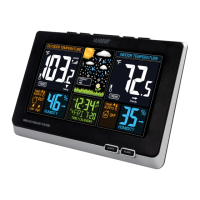


 To Next Page