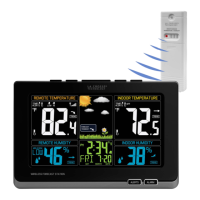
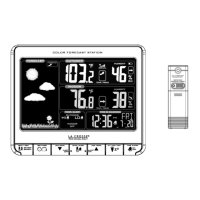
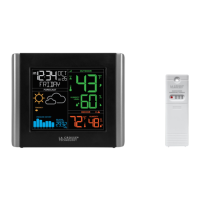
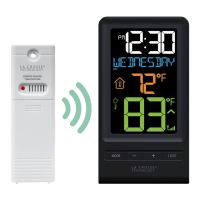
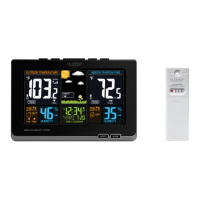
The La Crosse Technology Wireless Color Weather Station (Models: 308-1414WBV2 & 308-1414WV2) is a comprehensive home weather monitoring system designed to provide real-time indoor and outdoor temperature and humidity readings, along with a weather forecast. The system consists of a main Weather Station display unit and an Outdoor Sensor (TX141TH-Bv2 or TX141TH-Bv3).
Function Description:
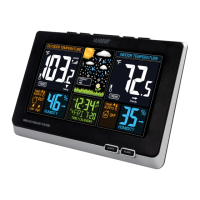
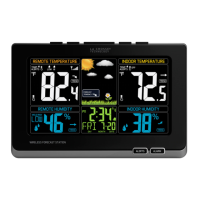
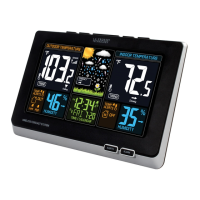
The primary function of this device is to monitor and display various weather-related data. The main display unit shows outdoor temperature, outdoor humidity, indoor temperature, indoor humidity, a weather forecast icon, forecast tendency arrows, time, and calendar information. It also features an alarm function, adjustable backlight, and temperature alerts. The outdoor sensor wirelessly transmits temperature and humidity data to the main station. The station can receive the WWVB Atomic Time Signal for automatic time synchronization, ensuring accurate timekeeping. It also tracks MIN/MAX records for temperature and humidity, which reset daily at midnight. Additionally, it calculates and displays Heat Index and Dew Point temperatures.
Important Technical Specifications:
- Indoor Temperature Range: 32°F to 122°F (0°C to 50°C)
- Indoor Humidity Range: 10% - 99% RH
- Outdoor Temperature Range: -40°F to 140°F (-40°C to 60°C)
- Outdoor Humidity Range: 10% - 99% RH
- Transmission Range: Over 330 feet (100 meters) in open air at RF 433MHz
- Power Requirements (Weather Station 308-1414Bv2 / 308-1414WV2):
- 5-volt power adapter (included, AC6: GPU280500150WA00) as primary power.
- Optional: 3 “AAA” LR6 Batteries (not included) for backup.
- Power Requirements (Outdoor Sensor TX141TH-Bv3): 2 “AA” LR6 Batteries (not included).
- Battery Life:
- Weather Station (with power cord as primary power): Over 36 months.
- Outdoor Sensor (with reputable batteries): Over 12 months.
- Dimensions (Weather Station 308-1414Bv2 / 308-1414WV2): 8.34" L x 1.03” W x 5.48” H (21.18cm L x 2.62cm W x 13.92cm H).
- Dimensions (Outdoor Sensor TX141TH-Bv3): 1.57” L x 0.82" W x 5.11” H (3.98cm L x 2.08cm W x 12.98cm H).
- Weather Forecast Accuracy: 70-75% for the next 12 hours, after 7-10 days of barometric calibration.
Usage Features:
- Easy Setup: Requires inserting batteries into the outdoor sensor, plugging in the power cord for the main station (with optional backup batteries), and adjusting time/date settings.
- Settings Menu: Accessible by holding the TIME SET button, allowing users to configure WWVB ON/OFF, Time Zone (AST, EST, CST, MST, PST, AKT, HAT), DST ON/OFF, 12/24 Hour format, Hour, Minutes, Year, Month, Date, and Fahrenheit/Celsius display. Weekday automatically sets after date configuration.
- WWVB Atomic Time Signal: Manual search for the atomic time signal by pressing and releasing the TIME SET button. The tower icon flashes during search and becomes solid upon reception.
- Alarm Function: Set by holding the ALARM button. Features a crescendo alarm that increases in volume and automatically shuts off after 2 minutes if no buttons are pressed. Snooze function (10 minutes) is activated by pressing SNOOZE/LIGHT.
- Adjustable Backlight: Two levels of brightness (HI/LOW) and an OFF option, controlled by the HI/LOW/OFF button.
- Temperature Alerts: Users can set high and low alerts for outdoor and indoor temperatures. Alerts are armed/disarmed with the ▲/▼ buttons and indicated by an ALERT BELL ICON. An active alert triggers beeps and a flashing bell icon.
- Weather Forecast Icons: Six icons (Sunny, Partly Sunny, Cloudy, Rain, T-Storm, Snow) predict weather conditions based on barometric pressure. Snow icon displays when outdoor temperature is below 32°F and forecast is RAIN or T-STORM.
- Forecast Tendency Arrows: Indicate rising, steady, or falling barometric pressure, suggesting improving, stable, or worsening weather.
- Heat Index & Dew Point: Viewable by pressing the HEAT/DEW button.
- MIN/MAX Records: Displays minimum and maximum temperature and humidity values. Records automatically reset daily. Users can view and reset these values manually.
- Temperature & Humidity Trend Arrows: UP/DOWN arrows indicate changes over the past 3 hours (temperature changes every 2°F, humidity every 3% RH). A STEADY arrow indicates no change. Arrows update every 30 minutes.
- Sensor Search: If outdoor temperature displays dashes, users can initiate a sensor search by holding the HEAT/DEW button for 3 seconds. The Sensor Reception icon flashes during search.
- Battery Indicator: Icons on the display indicate when batteries need to be changed for both the outdoor sensor and the main station.
Maintenance Features:
- Battery Replacement: The station is designed for convenience, allowing battery changes without losing data or powering down the station.
- For the Outdoor Sensor: Replace batteries when the indicator shows next to the Outdoor Temperature, then hold HEAT/DEW for 3 seconds to search for the sensor.
- For the Main Station: Replace batteries when the indicator shows next to the Indoor Temperature, while keeping the power cord connected. No further action is needed as backup batteries maintain time/date during power outages.
- General Battery Care:
- Do not mix old and new batteries.
- Do not mix Alkaline, Standard, Lithium, or Rechargeable batteries.
- Purchase the correct size and grade of battery.
- Replace all batteries of a set at the same time.
- Clean battery contacts before installation.
- Ensure correct polarity (+ and -).
- Remove batteries from equipment not used for extended periods.
- Promptly remove expired batteries.
- Optional Weather Shield: A Sensor Weather Shield (not included, available at bit.ly/925-1418) is designed to protect the outdoor sensor from rain, snow, and offer limited protection from sun's heat.
- Support Resources: Manuals, FAQs, and additional support are available online at bit.ly/308-1414bv2 and bit.ly/308-1414wv2. Customer support is available via phone (1.608-782-1610) or an online support request form (bit.ly/contact_techsupport) Monday-Friday, 8am-6pm CST. Social media channels are also available for questions, setup videos, and feedback.

 Need help?
 General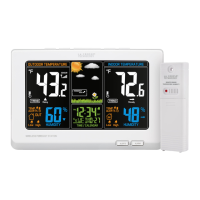


 To Next Page