EasyManua.ls Logo

La Crosse Technology 404-1235UA-PL - User Manual

La Crosse Technology 404-1235UA-PL
2 pages
Print Icon
To Next Page IconTo Next Page
Loading...
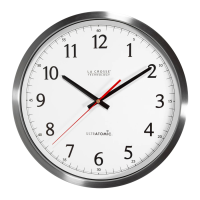
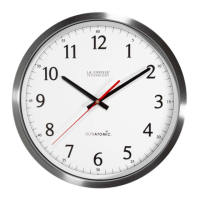
14” ULTRATOMIC WALL CLOCK
Model: 404-1235UA-PL | 404-1235UA-SS
DC:032218
Page | 2
FEATURES
Page | 3
POWER UP
1. Slide the Time Zone Switch to your time zone.
PT = Pacific, MT = Mountain, CT = Central, ET = Eastern
2. Select DST (Daylight Saving Time) setting ON/OFF.
When ON is selected, the clock will automatically adjust
for DST (most common).
3. Insert two or four fresh “C”, batteries according to
the polarity markings. Four batteries will extend battery
life.
Important: When batteries are installed, the hands will
move to 4 o’clock, 8 o’clock, or 12 o’clock position and the
clock will start receiving the Atomic Time signal from
Colorado. When signal is received, the hands will move to
the correct time for the selected time zone.
Custom Time Zone Setting:
Select time zones from +0 UTC to -11 UTC.
1. Slide Time Zone Switch to CUSTOM ET.
2. Press and release Manual Time Set button to advance time
in one hour increments until you reach desired time.
Eco-Mode:
· Eco-mode is a battery saving feature.
· When ON is selected: between the hours of 11pm-5am, the
second hand will stop at 12:00. The second hand will resume
running at 5am.
· When OFF is selected: the second hand runs normally.
Low Battery Indication:
When the batteries are low the second hand will stop at 6:00
and the hour and minutes hands will run as usual.
MANUAL TIME SET
1. Set DST switch to the OFF (Q-Set) and Time Zone switch to
the Q-MODE. The movement will move to 4, 8 or 12 o’clock
position and stop.
2. Press and release the SET button to change the time slowly.
Hold the SET button to set the time quickly.
3. When time is set, slide the DST switch to ON (Q-RUN)
position. The second hand will start running from 12:00 and
the clock will keep time as manually set.
Sleep
PT
MT
CT
ET
Q-Mode
Custom
Q-Mode
Q-Run
Q-Set
DST
ON
OFF
ECO Mode
ON
OFF
Set
Time
Zone
Eco Mode
ON/OFF
Manual
Time Set
DST ON/OFF
Question and Answer IconNeed help?

Do you have a question about the La Crosse Technology 404-1235UA-PL and is the answer not in the manual?

Summary

Power Up and Initial Setup

Manual Time Set

Clock Features and Operation

Custom Time Zone Setting

Select time zones from +0 UTC to -11 UTC using the Time Zone switch and manual adjustment.

Eco-Mode Functionality

Battery saving feature where the second hand stops from 11 PM to 5 AM.

Low Battery Indication

Second hand stops at 6:00 when batteries are low, while hour/minute hands continue.

Atomic Time Reception

Support and Specifications

Customer Support Information

Contact details and resources for obtaining manuals, FAQs, and additional help.

Technical Specifications

Details power requirements and battery life estimates in Eco Mode.

Warranty and Maintenance

Warranty Information

Provides details on the 1-year limited warranty and where to find full warranty terms.

Care and Maintenance Guidelines

Instructions for battery handling, cleaning, and general device upkeep.

Regulatory Statements

Canada Compliance Statement

States compliance with CNR Industry Canada license-exempt devices.

FCC Compliance Statement

Details FCC compliance for Class B digital devices and potential interference.

Overview

The 14" Ultratomic Wall Clock is a sophisticated timekeeping device designed for accuracy and convenience, leveraging advanced time reception technology and user-friendly features.

Function Description

The primary function of this clock is to display accurate time, automatically synchronizing with the Atomic Time signal broadcast from Colorado. It utilizes the NIST's newly enhanced phase-modulation based broadcast system, making it one of the first clocks to take advantage of this technology. The dual-antenna scheme further enhances signal reception, ensuring reliable timekeeping regardless of installation orientation. This atomic synchronization means the clock will automatically adjust for daylight saving time (DST) if enabled, and maintain precise time without manual intervention once set up.

Usage Features

The clock offers several user-friendly features for initial setup and ongoing operation:

  • Power Up:

    • Time Zone Selection: Users can easily select their desired time zone by sliding the Time Zone Switch to PT (Pacific), MT (Mountain), CT (Central), or ET (Eastern).
    • DST Setting: A DST (Daylight Saving Time) switch allows users to select ON or OFF. When ON is selected, the clock will automatically adjust for DST, which is the most common setting.
    • Battery Installation: The clock requires two or four fresh "C" batteries, inserted according to polarity markings. Using four batteries will extend the battery life. Upon battery installation, the hands will move to 4, 8, or 12 o'clock and begin receiving the Atomic Time signal. Once the signal is received, the hands will move to the correct time for the selected time zone.
  • Manual Time Set:

    • For manual time adjustment, the DST switch should be set to OFF (Q-Set) and the Time Zone switch to Q-MODE. The movement will then stop at 4, 8, or 12 o'clock.
    • The SET button can be pressed and released to change the time slowly, or held down to set the time quickly.
    • Once the time is set, sliding the DST switch to ON (Q-RUN) position will start the second hand running from 12:00, and the clock will keep time as manually set.
  • Custom Time Zone Setting:

    • This feature allows for selection of time zones from +0 UTC to -11 UTC.
    • To use this, slide the Time Zone Switch to CUSTOM ET.
    • Pressing and releasing the Manual Time Set button will advance the time in one-hour increments until the desired time is reached.
  • Eco-Mode:

    • Eco-mode is a battery-saving feature.
    • When Eco-mode is ON, the second hand will stop at 12:00 between 11 PM and 5 AM, resuming normal running at 5 AM.
    • When Eco-mode is OFF, the second hand runs normally without interruption.
  • Low Battery Indication:

    • When the batteries are low, the second hand will stop at 6:00, while the hour and minute hands continue to run as usual, signaling that battery replacement is needed.

Maintenance Features

Proper care and maintenance ensure the longevity and optimal performance of the Ultratomic Wall Clock:

  • Battery Management:

    • Avoid mixing old and new batteries.
    • Do not mix different types of batteries (Alkaline, Lithium, standard, or rechargeable).
    • Always purchase the correct size and grade of battery most suitable for the intended use.
    • Clean the battery contacts on both the device and the batteries prior to installation to ensure good conductivity.
    • Ensure batteries are inserted with the correct polarity (+ / -).
    • Remove batteries from the equipment if it will not be used for an extended period to prevent leakage and damage.
    • Promptly remove expired batteries.
  • Warranty and Support:

    • La Crosse Technology provides a 1-year limited time warranty covering manufacturing defects in materials and workmanship from the date of purchase.
    • Customer support is available Monday-Friday, 8 AM-6 PM CST, via phone at 1.608.782.1610 for assistance.
    • Additional resources, including full manuals, FAQs, and support information, are available online.
    • Users are encouraged to join the conversation on social media outlets to ask questions, watch setup videos, and provide feedback.

The Ultratomic Wall Clock is designed to be a reliable and low-maintenance timekeeping solution, offering both automatic precision and manual control options to suit user preferences.

La Crosse Technology 404-1235UA-PL Specifications

General IconGeneral
Model404-1235UA-PL
Display TypeLCD
Alarm FunctionYes
Snooze FunctionYes
Time SignalWWVB
ColorBlack
TypeAtomic Clock
Time Format12/24-hour
Temperature DisplayYes (Indoor)
Power SourceBattery
Wireless TechnologyAtomic Time Reception

Related product manuals