EasyManua.ls Logo

La Crosse Technology 513-113 - User Manual

La Crosse Technology 513-113
2 pages
Print Icon
To Next Page IconTo Next Page
Loading...
Page 3Page 2
MODEL: 513113
DC: 082619
For more product information visit: bit.ly/laxtech_support
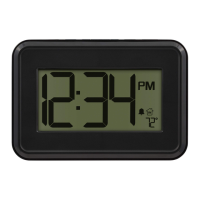
DIGITAL WALL CLOCK
WITH INDOOR TEMPERATURE & TIMER
POWER UP SETTINGS
1. Hold the TIME SET button to enter the Settings Menu.
2. Press the + or - button to adjust values.
3. Press the TIME SET button to confirm and move to next item.
4. Press the SNOOZE button any time to exit.
Settings Menu Order:
• Hour
• Minutes
• Fahrenheit/Celsius
1. Insert 3-AAA batteries into your Wall Clock.
2. Configure your basic settings.
CUSTOM DISPLAY
Press the MODE button to select you custom display.
Time/Seconds Time/Indoor Temperature
Time/Alarm Time Timer
ALARM
1. Hold the ALARM button to enter the Alarm Settings.
2. Press the + or - button to adjust values.
3. Press the ALARM button to confirm and move to next item.
4. Press the SNOOZE button at any time to exit.
Alarm Settings Order:
• Hour
• Minutes
Activate/Deactivate:
• Press the ALARM button to activate or deactivate the alarm or
silence a sounding alarm.
• The Alarm Icon will show when active.
Snooze:
• Press the SNOOZE button to silence an alarm for 10 minutes.
• Alarm Icon will flash while snoozing.
• Snooze may be repeated.
Question and Answer IconNeed help?

Do you have a question about the La Crosse Technology 513-113 and is the answer not in the manual?

Summary

Power Up

Custom Display Options

Settings Menu

Settings Menu Order

Lists available settings like Hour, Minutes, and Temperature unit.

Alarm Functions

Alarm Settings Order

Specifies the sequence for setting alarm parameters.

Activate;Deactivate Alarm

How to turn the alarm on or off.

Alarm Icon Indicator

Indicates the presence and behavior of the alarm icon.

Snooze Functionality

Details on how to use the snooze feature and its behavior.

Timer Operation

Countdown Timer Display

Notes that the timer replaces the time display when active.

Sounding Timer Behavior

Describes what happens when the timer reaches zero.

Stop and Reset Timer

Instructions on how to stop and reset the timer.

Count Up Timer Behavior

Explains behavior when 20 hours are reached and how to reset.

Timer Arrow Indicators

Explains the meaning of Up and Down arrows for the timer.

Support and Information

Customer Support Contact

Information on how to get help and support for the product.

Social Media Engagement

Invitation to join conversations on social media platforms.

Low Battery Indicator

Explanation of the indicator that signals a low battery status.

Product Specifications

Details on temperature range, power, battery life, and dimensions.

Summary

Power Up

Custom Display Options

Settings Menu

Settings Menu Order

Lists available settings like Hour, Minutes, and Temperature unit.

Alarm Functions

Alarm Settings Order

Specifies the sequence for setting alarm parameters.

Activate;Deactivate Alarm

How to turn the alarm on or off.

Alarm Icon Indicator

Indicates the presence and behavior of the alarm icon.

Snooze Functionality

Details on how to use the snooze feature and its behavior.

Timer Operation

Countdown Timer Display

Notes that the timer replaces the time display when active.

Sounding Timer Behavior

Describes what happens when the timer reaches zero.

Stop and Reset Timer

Instructions on how to stop and reset the timer.

Count Up Timer Behavior

Explains behavior when 20 hours are reached and how to reset.

Timer Arrow Indicators

Explains the meaning of Up and Down arrows for the timer.

Support and Information

Customer Support Contact

Information on how to get help and support for the product.

Social Media Engagement

Invitation to join conversations on social media platforms.

Low Battery Indicator

Explanation of the indicator that signals a low battery status.

Product Specifications

Details on temperature range, power, battery life, and dimensions.

Overview

This document describes the La Crosse Technology Digital Wall Clock with indoor temperature and timer, model 513-113 (DC: 082619).

Function Description

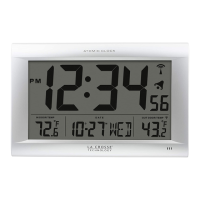
The Digital Wall Clock is a versatile device designed to display time, indoor temperature, and function as a timer. It features a clear digital display that can be customized to show different combinations of information. The clock includes an alarm function with snooze capability and a timer that can operate in both countdown and count-up modes.

Important Technical Specifications

  • Power: Requires 3 "AAA" (LR3, IEC) batteries (sold separately).
  • Battery Life: Over 24 months.
  • Temperature Range: +32°F to 122°F (0°C to 50°C).
  • Dimensions: 7.15" L x 0.85" W x 4.90" H (18.16cm L x 2.16cm W x 12.44cm H).
  • Timer Range:
    • Countdown: 1 minute to 19 hours 59 minutes.
    • Count-up: Up to 20 hours.
  • Alarm Duration: Beeps 5 times every 15 seconds for up to 1 minute when sounding.
  • Snooze Duration: 10 minutes.

Usage Features

Power Up

  1. Insert 3-AAA batteries into the Wall Clock.
  2. Configure basic settings.

Settings

To enter the Settings Menu, hold the TIME SET button. Use the + or - buttons to adjust values and the TIME SET button to confirm and move to the next item. Press the SNOOZE button to exit at any time. The settings menu order includes Hour, Minutes, and Fahrenheit/Celsius.

Custom Display

The clock allows for a custom display. Press the MODE button to select the desired display combination. Examples shown include:

  • Time/Seconds (e.g., 12:34 PM 58)
  • Time/Indoor Temperature (e.g., 12:34 PM 72°)
  • Time/Alarm Time (e.g., 12:34 PM 6:30 AM)
  • Timer (e.g., 30:00)

Alarm

To enter the Alarm Settings, hold the ALARM button. Use the + or - buttons to adjust values and the ALARM button to confirm and move to the next item. Press the SNOOZE button to exit at any time. The alarm settings order includes Hour and Minutes.

Activate/Deactivate Alarm

Press the ALARM button to activate or deactivate the alarm, or to silence a sounding alarm. The Alarm Icon will be displayed when active.

Snooze

Press the SNOOZE button to silence an alarm for 10 minutes. The Alarm Icon will flash while snoozing, and snooze can be repeated.

Countdown Timer

  1. Hold the TIMER button to set the Countdown Timer.
  2. Press the + or - button to adjust values (from 1 minute to 19 hours 59 minutes).
  3. Press the TIMER button to confirm and start the countdown. The Timer Icon will show.
    • Note: The Timer display will replace the time display while active.
  4. Sounding Timer: When the Timer reaches zero, the clock will beep 5 times every 15 seconds for up to 1 minute. The Timer and Arrow will flash.
  5. Stop/Reset Timer: Press the TIMER button to stop and reset the timer to zero. Press any button besides TIMER to exit back to the normal time display.

Count Up Timer

  1. Press the TIMER button to reset the Timer to zero.
  2. Press the TIMER button again, and the timer will start counting up from 00.
  3. When 20 hours is reached on count up, the timer will stop and return to the normal time display.
  4. Press the TIMER button to stop and reset the timer to zero.

Timer Arrows

  • The Up Arrow will show when the timer is counting up.
  • The Down Arrow will show when the timer is counting down.

Low Battery Indicator

A Low Battery Indicator will appear on the display, signaling that batteries need to be replaced.

Maintenance Features

Care + Maintenance

  • Do not mix old and new batteries.
  • Do not mix Alkaline, Lithium, standard, or rechargeable batteries.
  • Always purchase the correct size and grade of battery most suitable for intended use.
  • Clean the battery contacts and also those of the device prior to battery installation.
  • Ensure the batteries have the correct polarity (+/-).
  • Remove batteries from equipment that will not be used for an extended period.
  • Promptly remove expired batteries.

Support

For additional support, users can contact the customer support team based out of La Crosse, WI.

  • Phone: 1-608-782-1610
  • Online: bit.ly/contact_techsupport
  • Availability: Monday-Friday, 8am-6pm CST.
  • Users are encouraged to join the conversation on social media for questions, detailed setup videos, and feedback.

Warranty

La Crosse Technology, Ltd. provides a 1-year limited time warranty from the date of purchase, covering manufacturing defects in materials & workmanship. For full warranty details, visit: www.lacrossetechnology.com/support.

FCC Statement

This device complies with part 15 of the FCC Rules. Operation is subject to two conditions: (1) This device may not cause harmful interference, and (2) This device must accept any interference received, including interference that may cause undesired operation. The manufacturer is not responsible for radio or TV interference caused by unauthorized changes or modifications to the equipment.

Warning

This product can expose you to chemicals including styrene, which is known to the State of California to cause cancer. For more information go to: www.P65Warnings.ca.gov.

La Crosse Technology 513-113 Specifications

General IconGeneral
BrandLa Crosse Technology
Model513-113
CategoryClock
LanguageEnglish

Related product manuals