EasyManua.ls Logo

La Crosse Technology 513-1311OT - User Manual

La Crosse Technology 513-1311OT
10 pages
Print Icon
To Next Page IconTo Next Page
Loading...
La Crosse Technology, Ltd Page 1
513-1311OT FAQS
The links below will work in most PDF viewers and link to the topic area by clicking the link. We
recommend Adobe Reader version 10 or greater available at: http://get.adobe.com/reader
CONTENTS
513-1311OT FAQS .................................................................................................................... 1
Batteries ................................................................................................................................... 2
Digital Atomic Clock Factory Restart ..................................................................................... 2
Outdoor Temperature Sensor ................................................................................................. 3
Compatible Outdoor Sensors ................................................................................................. 3
Fahrenheit/Celsius.................................................................................................................. 3
Flashing Outdoor Temperature ............................................................................................... 3
Dashes shown for Outdoor Temperature ................................................................................ 3
Quick Connect ........................................................................................................................ 3
Outdoor Temperature Changes Constantly ............................................................................ 5
Inaccurate Outdoor Temperature Reading ............................................................................. 3
Intermittent Outdoor Temperature .......................................................................................... 4
Outdoor Temperature Is Stuck or LL.L. HH.H ......................................................................... 4
Outdoor Sensor Fell and No Longer Works ............................................................................ 4
Outdoor Sensor Drains Batteries Quickly ............................................................................... 5
Mounting/Positioning Outdoor Sensor .................................................................................... 5
Position Digital Atomic Clock .................................................................................................. 5
Distance/Resistance/Interference ........................................................................................... 6
Digital Atomic Clock ................................................................................................................ 6
How tall are the Time Numbers? ............................................................................................ 6
Supported Time Zones ........................................................................................................... 6
12-Hour or 24-Hour Time Format ........................................................................................... 7
Power Requirements .............................................................................................................. 7
Does the Clock Have a Backlight? .......................................................................................... 7
Dashes, LL.L or Stuck Indoor Temperature ............................................................................ 7
Inaccurate Indoor Temperature Reading ................................................................................ 8
Time is off by hours ................................................................................................................ 8
Daylight Saving Time .............................................................................................................. 9
Is There a Booster Antenna .................................................................................................... 9
Can the Clock Attach to a Timer? ........................................................................................... 9
Set Time Alarm ....................................................................................................................... 8
Activate/Deactivate Time Alarm .............................................................................................. 8


Other manuals for La Crosse Technology 513-1311OT

Question and Answer IconNeed help?

Do you have a question about the La Crosse Technology 513-1311OT and is the answer not in the manual?

Summary

Outdoor Temperature Sensor

Inaccurate Outdoor Temperature Reading

Troubleshooting steps for inaccurate outdoor temperature readings.

Intermittent Outdoor Temperature

Explains intermittent outdoor temperature readings and troubleshooting.

Outdoor Temperature Is Stuck or LL.L. HH.H

Addresses outdoor temperature readings stuck on specific values.

Outdoor Sensor Fell and No Longer Works

Troubleshooting steps when the outdoor sensor stops working after a fall.

Mounting;Positioning Outdoor Sensor

Guidelines for optimal mounting and placement of the outdoor sensor.

Digital Atomic Clock

Manually Set Time;Date: Program Menu

Step-by-step guide for manually setting the clock's time and date.

Dashes, LL.L or Stuck Indoor Temperature

Troubleshooting for indoor temperature display issues like dashes or stuck values.

Inaccurate Indoor Temperature Reading

Steps to diagnose and correct inaccurate indoor temperature readings.

Time is off by hours

Troubleshooting steps when the clock time is incorrect by several hours.

No WWVB Tower Icon

Addresses issues when the WWVB time signal icon is not displayed.

Daylight Saving Time

Information on how Daylight Saving Time affects the clock and adjustments.

Summary

Outdoor Temperature Sensor

Inaccurate Outdoor Temperature Reading

Troubleshooting steps for inaccurate outdoor temperature readings.

Intermittent Outdoor Temperature

Explains intermittent outdoor temperature readings and troubleshooting.

Outdoor Temperature Is Stuck or LL.L. HH.H

Addresses outdoor temperature readings stuck on specific values.

Outdoor Sensor Fell and No Longer Works

Troubleshooting steps when the outdoor sensor stops working after a fall.

Mounting;Positioning Outdoor Sensor

Guidelines for optimal mounting and placement of the outdoor sensor.

Digital Atomic Clock

Manually Set Time;Date: Program Menu

Step-by-step guide for manually setting the clock's time and date.

Dashes, LL.L or Stuck Indoor Temperature

Troubleshooting for indoor temperature display issues like dashes or stuck values.

Inaccurate Indoor Temperature Reading

Steps to diagnose and correct inaccurate indoor temperature readings.

Time is off by hours

Troubleshooting steps when the clock time is incorrect by several hours.

No WWVB Tower Icon

Addresses issues when the WWVB time signal icon is not displayed.

Daylight Saving Time

Information on how Daylight Saving Time affects the clock and adjustments.

Overview

This document provides a comprehensive FAQ for the 513-1311OT Digital Atomic Clock, covering its functions, technical specifications, usage, and maintenance.

Function Description:

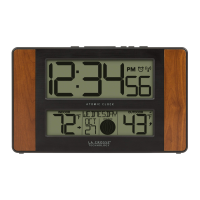
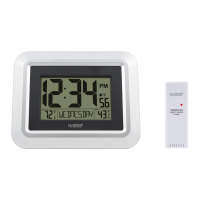
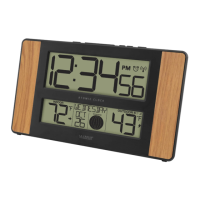
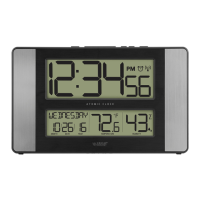
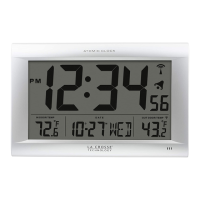
The 513-1311OT is a digital atomic clock that displays time and outdoor temperature. It receives a time signal from the WWVB (National Institute of Standards and Technology) radio station in Fort Collins, Colorado, to automatically set and maintain accurate time. The clock also features an outdoor temperature sensor for remote temperature readings. It includes an alarm function with a snooze feature.

Important Technical Specifications:

  • Time Zones: Supports four North American time zones: Pacific (P), Mountain (M), Central (C), and Eastern (E).
  • Time Format: Displays time in either 12-hour (with AM/PM) or 24-hour format.
  • Outdoor Temperature Sensor: Uses the KW5012FSK outdoor sensor (915MHz). This is the only compatible sensor.
  • Temperature Display: Displays temperature in Fahrenheit (°F) or Celsius (°C).
  • Outdoor Temperature Range: The sensor reads down to -4°F. Below this, it may show OFL, HH.H, or dashes.
  • Indoor Temperature Accuracy: Indoor temperature readings should be within 4° of tolerance compared to an accurate thermometer.
  • WWVB Reception: Designed for best reception when facing Fort Collins, Colorado.
  • Wireless Range: Maximum transmitting range in open air is over 200 feet (60 meters) between the outdoor sensor and the clock. Obstacles like walls, windows, stucco, concrete, and large metal objects can reduce this range.
  • Power Requirements (Clock): Three "C" (LR14) alkaline batteries.
  • Power Requirements (Outdoor Sensor): Alkaline batteries (or Lithium for temperatures below -20°F/-28.8°C).
  • Battery Life: Over 24 months for both Alkaline and Lithium batteries with reputable brands; over 12 months for the clock.
  • Time Number Height: The time numbers on the display are 4 ½ inches tall.
  • Backlight: The clock does not have a backlight and does not use an A/C power cord.
  • Water Resistance: Outdoor sensors are water resistant but not waterproof.

Usage Features:

  • Factory Restart: A crucial troubleshooting step involving removing batteries from both units, pressing clock buttons 20 times, leaving units unpowered for 15 minutes, then reinserting fresh batteries (clock first, then sensor), pressing the sensor's TX button, and allowing 15 minutes for connection without pressing buttons.
  • Fahrenheit/Celsius Selection:
    • Clock: Hold the -/°C/°F button for 5 seconds.
    • Sensor: Press the °C/°F button under the battery cover.
  • Quick Connect: To establish a connection between the sensor and clock, bring them 5-10 feet apart indoors, hold the clock's SEARCH button for 5 seconds, press the sensor's TX button, and wait 2 minutes.
  • Manual Time/Date Setting: Access the program menu by holding the MODE/SET button for 3 seconds. Use the + or - buttons to adjust HOUR, MINUTES, SECONDS, YEAR, MONTH/DAY FORMAT, MONTH, DATE, and DAYLIGHT SAVING TIME (DST).
  • Time Zone Selection: Hold the + 12/24 button for 3 seconds to cycle through the four supported time zones.
  • 12-Hour/24-Hour Format Switch: Press and release the + 12/24 button.
  • Alarm Setting: Press and release MODE/SET to enter Alarm Mode ("AL" displayed). Hold MODE/SET to set alarm HOUR and MINUTES using + or - buttons.
  • Alarm Activation/Deactivation: Press and release the ALARM ON/OFF button. An alarm icon appears when active.
  • Snooze Function: Press the SNOOZE button when the alarm sounds for a 5-minute snooze. Can be repeated up to seven times.
  • Mounting:
    • Clock: Features a foldout table stand and a hanging hole for wall mounting. For wall mounting, install a screw leaving 3/16 inch (5mm) extended.
    • Outdoor Sensor: Mount vertically under an overhang, on the north side, at least 6 feet in the air, and within range of the clock. Avoid metal fences, electrical wires, transmitting antennas, and excessive moisture/dirt. Install one mounting screw, leaving 1 ½ inch (12.7mm) extended, and lock the sensor into place.

Maintenance Features:

  • Battery Replacement: Use fresh, name-brand alkaline batteries. For outdoor sensors in very cold temperatures, lithium batteries are recommended. Ensure correct polarity.
  • Troubleshooting Battery Issues: Many display issues (missing segments, dim display, blank screen, quick battery drain, stuck/dashing indoor temperature) are power-related. A factory restart with fresh batteries is often the solution.
  • Checking Battery Voltage: When installing new batteries, note the date and voltage. When batteries fail, note the date and voltage again to help diagnose problems.
  • Cleaning: If the display appears cloudy, it may be due to sunlight exposure.
  • Scratch Guard Removal: For new clocks with distorted or "frozen" displays, check for thin plastic scratch guard films on the upper and lower screen and peel them off.
  • Optimizing WWVB Reception: Position the clock near an exterior wall, with the front or back facing Fort Collins, Colorado. Hold the TOWER button to initiate a signal search, especially at night. Allow up to 5 nights for signal reception.
  • Optimizing Outdoor Sensor Reception: Reposition the clock (turn 90 degrees) or the sensor to improve reception. Ensure no more than one wall is between the units.
  • Addressing Inaccurate Temperature Readings:
    • Outdoor: Perform a side-by-side test by placing the sensor next to the clock indoors for 2 hours. If readings are accurate, the outdoor placement is the issue (e.g., direct sunlight, heat sources, poor ventilation).
    • Indoor: Perform a side-by-side test with the outdoor sensor. Look for heat sources or drafts affecting the clock's placement.
  • Intermittent Connection: Often caused by distance/resistance/interference or low batteries. Try quick connect, factory restart, or repositioning.
  • No Booster Antenna: There is no booster antenna available for either the WWVB time signal or the outdoor sensor signal.
  • No Timer Circuit: The clock cannot be attached to a timer circuit; modifications will void the warranty.

La Crosse Technology 513-1311OT Specifications

General IconGeneral
BrandLa Crosse Technology
Model513-1311OT
CategoryClock
LanguageEnglish

Related product manuals