EasyManua.ls Logo

La Crosse Technology 513-1417BS - User Manual

La Crosse Technology 513-1417BS
5 pages
Print Icon
To Next Page IconTo Next Page
Loading...
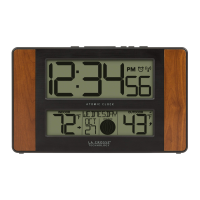
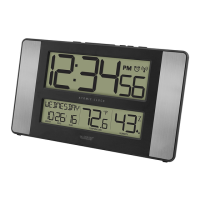
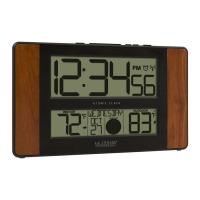
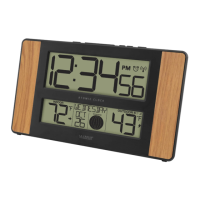
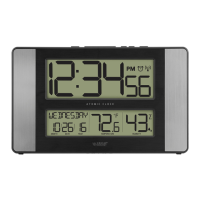
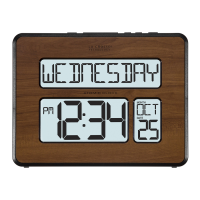
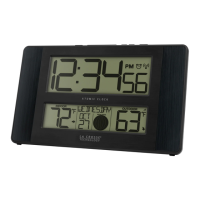
Atomic Digital Clock
with Temperature and Moon Phase
Model: 513-1417BS
D.C. 100220

Other manuals for La Crosse Technology 513-1417BS

Question and Answer IconNeed help?

Do you have a question about the La Crosse Technology 513-1417BS and is the answer not in the manual?

Summary

Setup Guide

Power Up Procedure

Insert 2-AA batteries into the sensor and clock, ensuring correct polarity.

Basic Settings Configuration

Hold SET for 3 seconds to enter the menu. Use +/- to adjust values and SET to confirm.

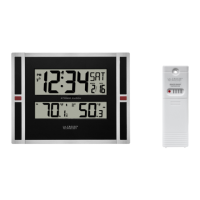
Outdoor Sensor Placement

Mount the outdoor sensor in a shaded location to receive weather information accurately.

Atomic Time Signal

The station searches for the atomic time signal automatically or manually. Set DST ON/OFF.

Clock Display and Features

Moon Phase Indicator

Displays lunar calendar-based moon phases, calculated using Year, Month, and Date settings.

Temperature Monitoring

View HI and LO temperatures. Records reset at midnight. Select Fahrenheit or Celsius.

Time Alarm Functionality

Set, activate, deactivate, and snooze alarms. A clock icon indicates an active alarm.

Clock Placement and Sensor Management

Optimal Clock Positioning

Use the pullout stand or wall mount. Orient for best atomic time reception and avoid electronics.

Sensor Reception and Icons

Hold button to search for sensor. Signal icon flashes until received, then shows solid.

Mounting the Outdoor Sensor

Mount sensor on a shaded wall or under an eave. Max transmission range is 330ft in open air.

Device Restart Procedure

Procedure for when outdoor readings show dashes, involving battery removal and button presses.

Product Specifications and Maintenance

Device Specifications

Details power requirements, temperature ranges, battery life, and dimensions for clock and sensor.

Care and Maintenance Guidelines

Guidelines for battery use, cleaning, and general upkeep to ensure product longevity.

Warranty and Support Information

Customer Support and Warranty

Contact customer support or visit online for assistance and full 1-year limited warranty details.

FCC Compliance Statement

FCC Regulations and Compliance

Equipment tested for Class B digital device limits, compliance with Part 15 of FCC Rules.

Summary

Setup Guide

Power Up Procedure

Insert 2-AA batteries into the sensor and clock, ensuring correct polarity.

Basic Settings Configuration

Hold SET for 3 seconds to enter the menu. Use +/- to adjust values and SET to confirm.

Outdoor Sensor Placement

Mount the outdoor sensor in a shaded location to receive weather information accurately.

Atomic Time Signal

The station searches for the atomic time signal automatically or manually. Set DST ON/OFF.

Clock Display and Features

Moon Phase Indicator

Displays lunar calendar-based moon phases, calculated using Year, Month, and Date settings.

Temperature Monitoring

View HI and LO temperatures. Records reset at midnight. Select Fahrenheit or Celsius.

Time Alarm Functionality

Set, activate, deactivate, and snooze alarms. A clock icon indicates an active alarm.

Clock Placement and Sensor Management

Optimal Clock Positioning

Use the pullout stand or wall mount. Orient for best atomic time reception and avoid electronics.

Sensor Reception and Icons

Hold button to search for sensor. Signal icon flashes until received, then shows solid.

Mounting the Outdoor Sensor

Mount sensor on a shaded wall or under an eave. Max transmission range is 330ft in open air.

Device Restart Procedure

Procedure for when outdoor readings show dashes, involving battery removal and button presses.

Product Specifications and Maintenance

Device Specifications

Details power requirements, temperature ranges, battery life, and dimensions for clock and sensor.

Care and Maintenance Guidelines

Guidelines for battery use, cleaning, and general upkeep to ensure product longevity.

Warranty and Support Information

Customer Support and Warranty

Contact customer support or visit online for assistance and full 1-year limited warranty details.

FCC Compliance Statement

FCC Regulations and Compliance

Equipment tested for Class B digital device limits, compliance with Part 15 of FCC Rules.

La Crosse Technology 513-1417BS Specifications

General IconGeneral
DisplayLCD
Time Format12/24 hour
Alarm FunctionYes
SnoozeYes
Temperature DisplayYes
Power SourceBattery
TypeDigital
Batteries2 x AA
Time SignalAtomic (WWVB)

Related product manuals