
 Need help?
Do you have a question about the La Crosse Technology 515-1912 and is the answer not in the manual?
Details the functions of TIMER, PLUS, MINUS, and SET buttons.
Configure DST, Time Zone, Hour, Minute, Year, Month, Date, and Temperature Unit.
Select between Outdoor Temp/Humidity, Indoor Temp/Seconds, or Timer views.
Covers setting, starting, pausing, resuming, stopping, and sound alerts for the timer.
Instructions for searching and reconnecting the outdoor sensor.
Details temperature/humidity ranges, transmission, power, battery life, and dimensions.
Provides support contact details and online request options.
Information on social media interaction for feedback and support.
Details the product warranty, care instructions, and battery guidelines.
Includes Canada and FCC statements for device operation.
Contains important cautionary and warning statements regarding product use.
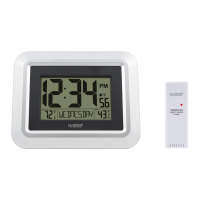
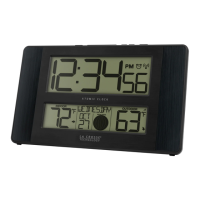
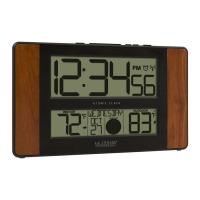
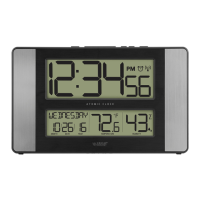
This document describes a splash-proof atomic clock with outdoor temperature and humidity display, designed for outdoor use. The clock, model 515-1912, comes with a remote sensor (TX191TH) and offers various features for timekeeping and environmental monitoring.
The primary function of this device is to provide accurate timekeeping through its atomic clock feature and to display both indoor and outdoor temperature and humidity. The atomic clock automatically synchronizes with the WWVB Atomic Time Signal, ensuring precise time without manual adjustment. It also includes a timer function for various timing needs. The splash-proof design makes it suitable for outdoor environments, providing reliable performance in different weather conditions.
To begin using the clock, two AA batteries must be inserted into the outdoor sensor and two AA batteries into the atomic clock itself. After battery installation, basic settings need to be configured. Once the sensor establishes a connection with the clock, it should be placed outdoors in a shaded location for accurate readings. A video on sensor mounting is available for guidance.
The clock features several buttons for easy navigation and setting adjustments:
The clock automatically searches for the WWVB Atomic Time Signal at specific UTC times (7:00, 8:00, 9:00, 10:00, and 11:00). During the search, the Atomic Time Indicator will flash; once connected, it will remain solid. Users can manually initiate a search for the atomic time signal by pressing the SET button from the normal time display.
The settings menu allows users to customize various aspects of the clock:
The MINUS (-) button allows users to cycle through different display views:
The clock includes a versatile timer:
If the outdoor sensor loses connection with the clock, "NO" will be displayed after 30 minutes. The clock will automatically search for the sensor for 3 minutes every hour to re-establish connection. To manually search for the outdoor sensor, hold the PLUS (+) button until the Reception Icon begins to flash.
The clock provides low battery indicators for both the main unit and the outdoor sensor. A low battery icon next to the time indicates that the clock's batteries need replacement. A low battery icon next to the outdoor temperature indicates that the sensor's batteries need replacement.
To ensure the longevity and optimal performance of the device, users should adhere to the following guidelines:
La Crosse Technology offers customer support for any issues or questions. Users can contact their friendly customer support team based in La Crosse, Wisconsin, by phone or by filling out an online support request form. The support team is available Monday-Friday, 8 am-6 pm CST. Additionally, users are encouraged to join the conversation on social media outlets to ask questions, watch detailed setup videos, and provide feedback.
La Crosse Technology, Ltd. provides a 1-year limited time warranty from the date of purchase, covering manufacturing defects in materials and workmanship. Full warranty details are available online.
The device complies with Industry Canada license-exempt devices regulations, meaning its operation is subject to two conditions: it must not cause interference, and it must accept any interference, including that which may cause undesired operation. It also complies with FCC Class B digital device limits, designed to provide reasonable protection against harmful interference in a residential installation. Users are advised on measures to correct interference, such as reorienting the receiving antenna, connecting to a different circuit, or increasing separation between equipment. The manufacturer is not responsible for interference caused by unauthorized changes or modifications to the equipment.
A warning is provided regarding the product's potential exposure to chemicals, specifically styrene, which is known to the State of California to cause cancer. Further information is available through a provided link.
 General
| Display Type | LCD |
|---|---|
| Temperature Range | 32°F to 122°F (0°C to 50°C) |
| Humidity Range | 10% to 99% RH |
| Time Signal Reception | WWVB |
| Time Display | 12/24 Hour |
| Type | Atomic Clock |
| Time Zones | 7 time zones |


 To Next Page
