Model: B86012 www.lacrossetechnology.com/support pg. 5
CITY SELECTION-SUNRISE/SUNSET TIMES
Select a city location closest to you in a North/South line, even
a city in another state or country. This will provide the most
accurate sunrise/sunset times for your location.
COUNTRY:
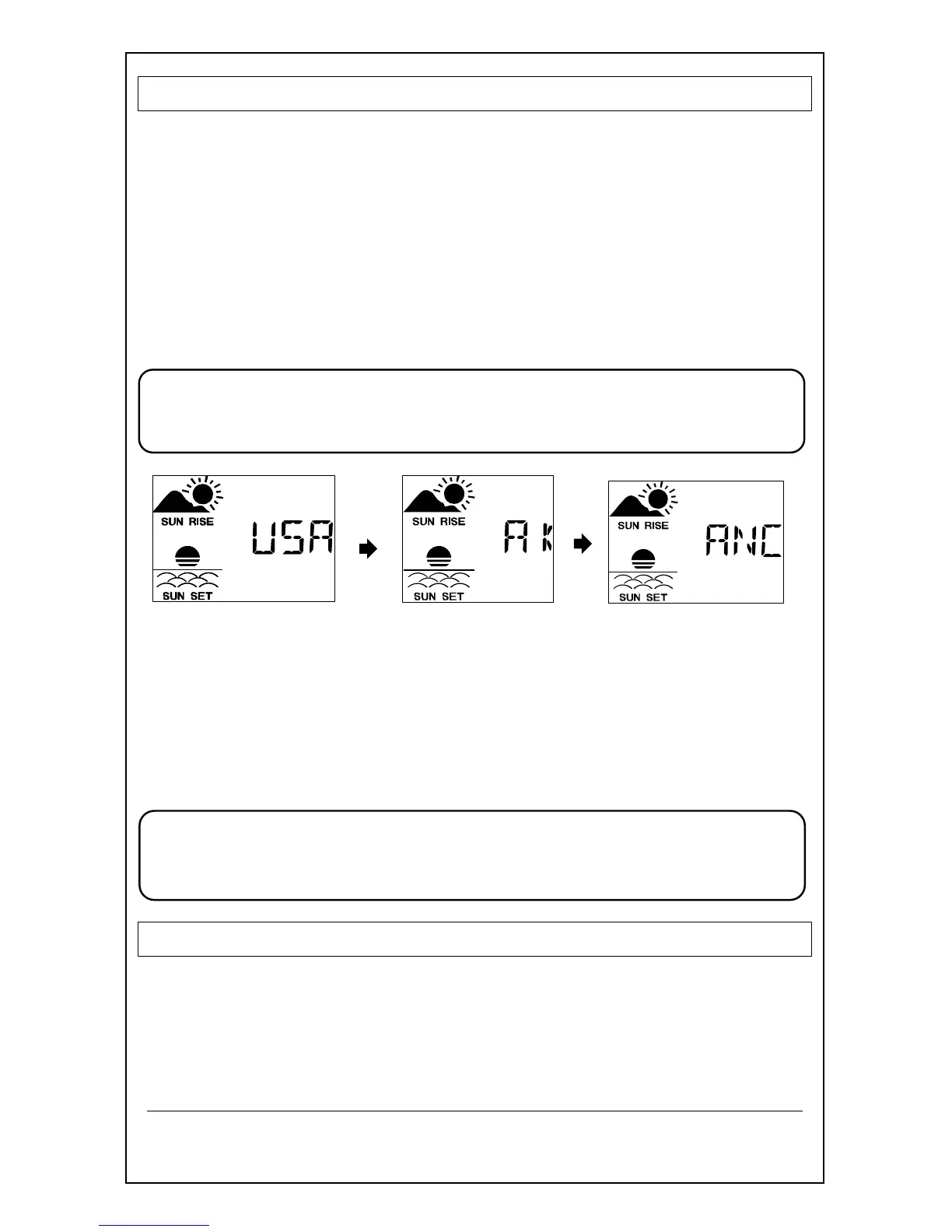
1. Hold the CITY button and the Country will flash.
2. Press the + or - button to select the country.
(USA, Canada or Mexico)
3. Press the CITY button to confirm and enter state
selection.
Note: When either Canada or Mexico is chosen you will move
directly to city selection. Preset City abbreviations are at
the end of this guide.
STATE:
4. Press the + or - button to select the state.
5. Press the CITY button to confirm and enter city selection.
CITY:
6. Press the + or - button to select the city.
7. Press the CITY button to confirm and exit.
Note: Use the city location closest to you in a North/South
line even a city in another state or country, for the most
accurate sunrise/sunset times for your location.
COMFORT STATEMENT
The comfort statement is based on the indoor humidity.
WET: Humidity is above 70%
COMFORTABLE: Temperature is between 68°F and 82°F.
Humidity is between 40% and 70%
DRY: Humidity is below 40%



 To Next Page