17
PRODUCT DETECTOR SET-UP
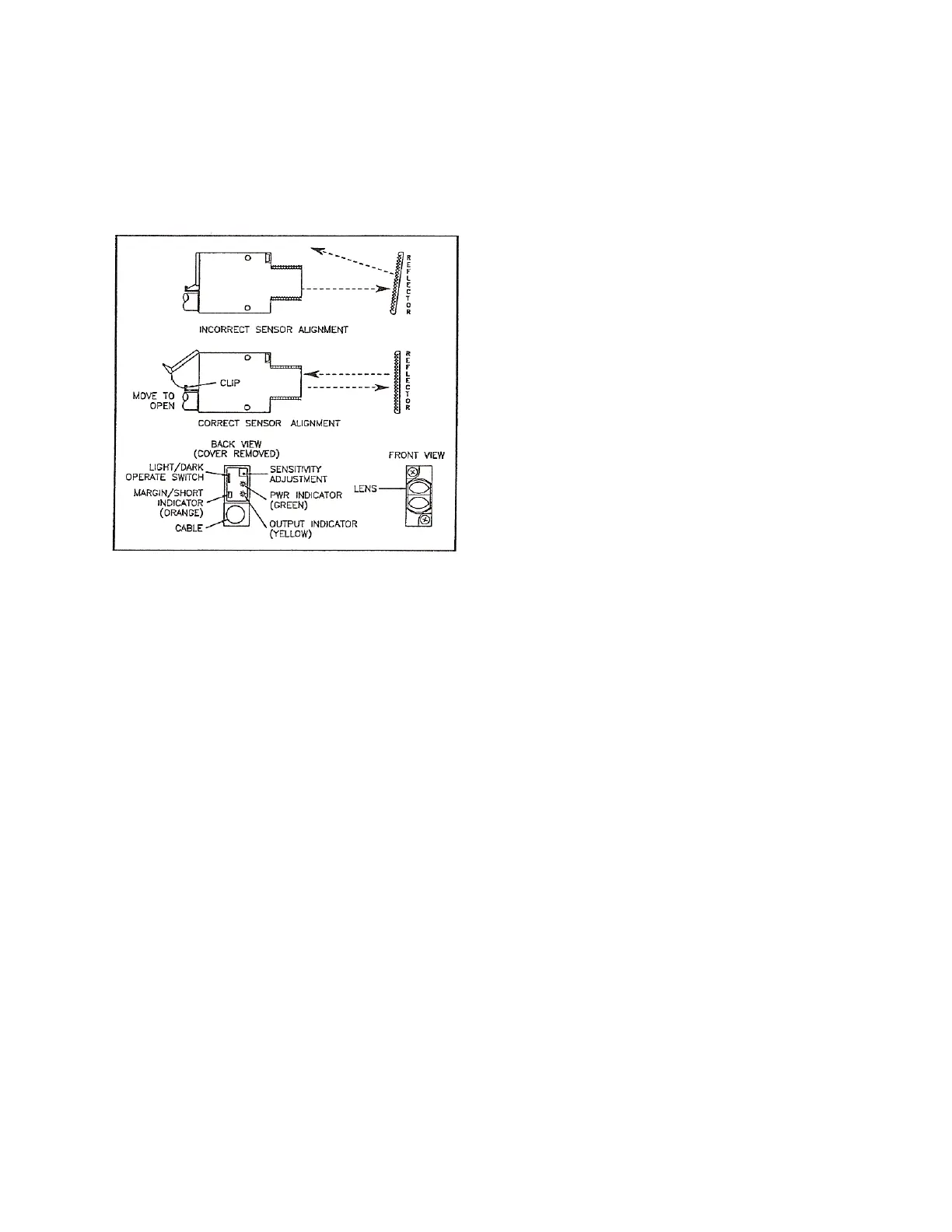
ThisapplicatorusestheAllenBradleythroughbeam(P/N760000 5‐802)astheproductde tector.Follow
theset‐upinstructionsbelow.
Figure7throughBeamProductDetector
PRODUCTDETECTOR#1
1.Pressthe[CUSTOM]buttontillthetam pDISABLE appearsonthemenuscreen.
2.RefertoFigure7.Alignthedetectorwiththereflector.Thereflector shouldbeparalleltothedetector.
3.Connecttheproductde tectortotheproductde tector#1con nectorontheapplicator.
4.Therearcoverwindowon
thedetectormustbeopenedbeforeanyadjustmentscanbemade.See
Figure7.Presstheflexibleretainingclipagainstthecabletoopenthecoverwindow.
5.GentlyslidetheUNOperateswitchonthebackofthedetectortoL(towardstheretainingclip)for
LightOperation.
6.Align
theproductdetectorwiththereflector.Theyellowlightontherearofthedetectorwillindicate
thatthedetectorandreflectorareinalignment.Secureinposition.
7.Iftheorangeindicatorisalsolit,usea3/32inchflatbladescrewdrivertoturnthesensitivity
adjustmentscrewcounterclockwiseuntil
theorangeindicatorgoes out.
8.Usea3/32inchflatbladescrewdrivertoturnthesensitivityadjustmentscrewuntiltheorange
indicatorjustgoeson.


 To Next Page