EasyManua.ls Logo

Label EVOLUS-90T - General Programming Menu and Password Management

Default Icon
16 pages
To Next Page IconTo Next Page
To Previous Page IconTo Previous Page
Loading...
8
F1
»
F1
»
F1
»
F1
»
5”
UNUSED
UNUSED
F1
»
F1
»
F1
»
“LANGUAGE"
SECTION
“PASSWORD MANAGEMENT"
SECTION
EXIT EXIT EXIT EXIT
ENTER
EXIT EXIT EXITEXIT
ENTER
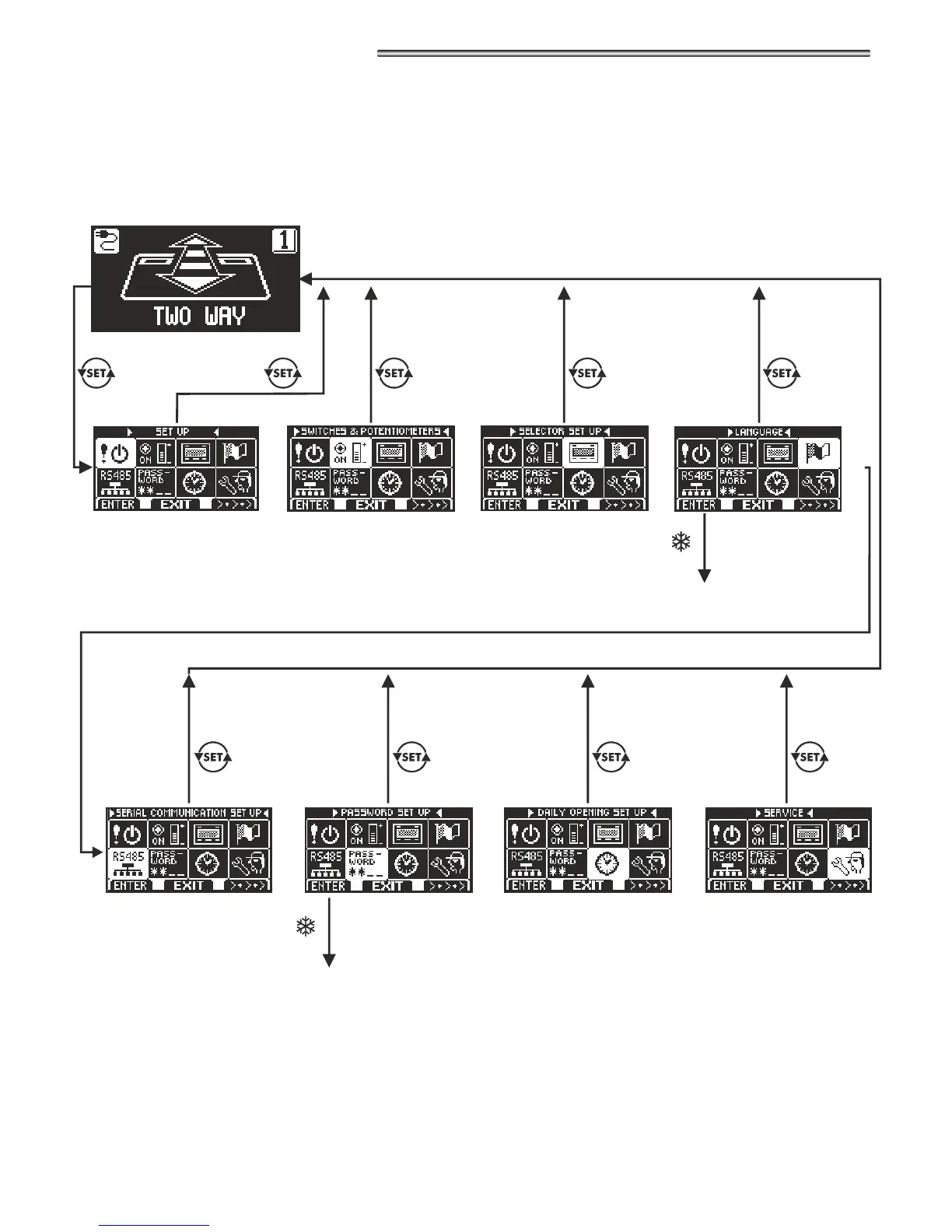
DIAGRAM 1
4.2.1) GENERAL PROGRAMMING MENU
The user can enter the general programming menu when he wishes to select the desired language for the texts that appear on the display, or
when he wishes to enable a password to prevent any unauthorised access to the N-DSEL digital programmer.
SECTION
RESERVED FOR
TECHNICAL STAFF
SECTION
RESERVED FOR
TECHNICAL STAFF
SECTION
RESERVED FOR
TECHNICAL STAFF
SECTION
RESERVED FOR
TECHNICAL STAFF
The paragraphs below explain the procedure to be followed to manage the user password and to select the language.

Related product manuals