AATCC M6D Drying Machine Operation Instruction Version 2.0 Date: August 31, 2020.
IV. OPERATION
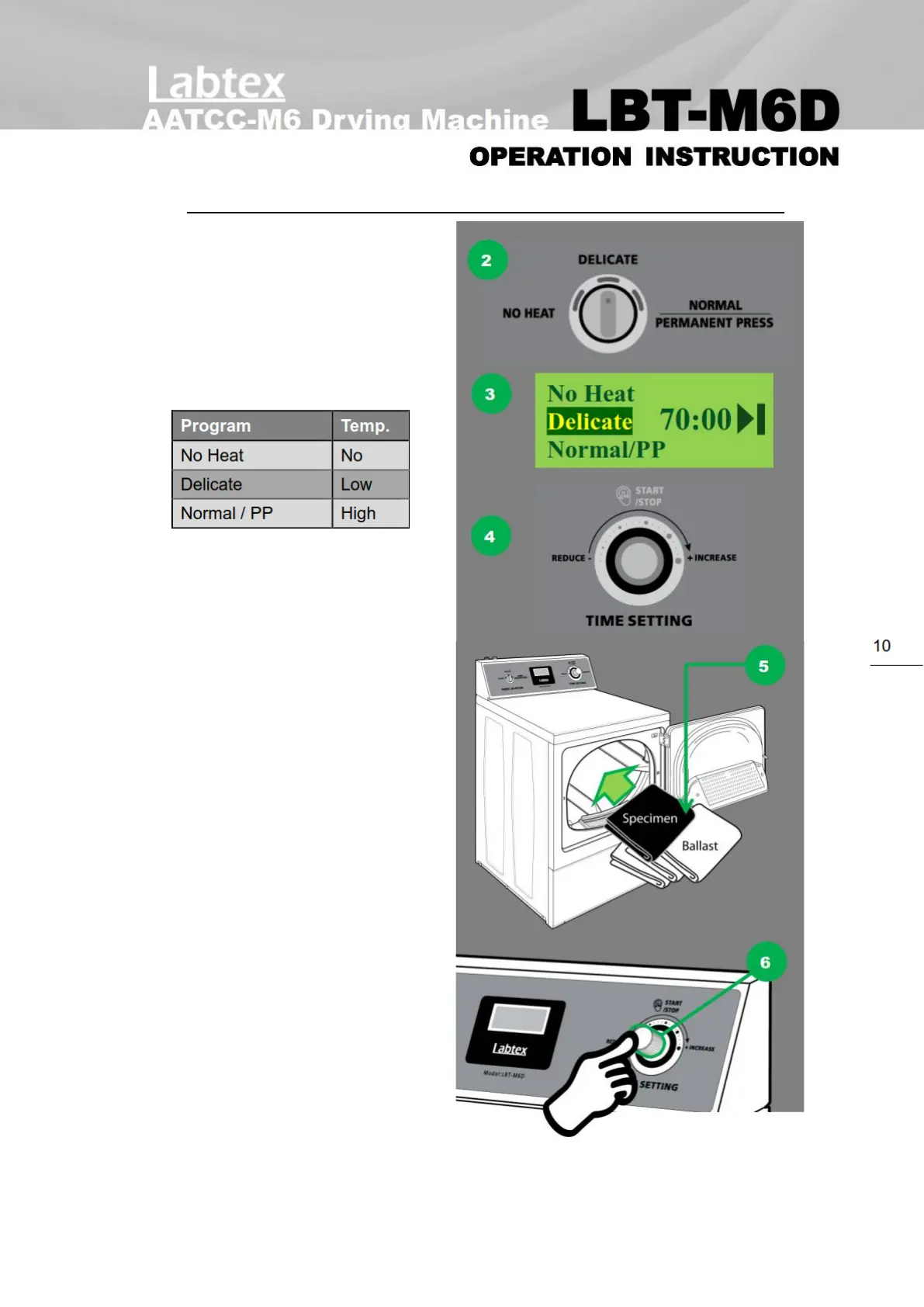
Follow below example:
1. Make sure the machine power is on.
2. Select the drying temperature
mode by turn the knob of
“FABRIC SELECTOR”:
3. The middle display screen will
shows the selected mode in
dark color background.
4. Rotate the “TIME SETTING” control
knob to select the time duration in
minutes.
5. Put the washed load (test
specimen and ballast) into the
tumble drying machine.
6. Press the “TIME SETTING” knob to
start, the machine runs
automatically. Press the knob 1
more time to pause/stop the
machine. If press and hold the
knob in 3 seconds, the program
cancel and return to main screen.
7. The drying time duration presetted
to add 10 minutes of cooling down
after confirmed for “Normal / PP”
and “Delicate” mode, except “NO HEAT”.


 To Next Page