Getting To Know Your LaCie Big Disk
page 8
LaCie Big Disk
2. Getting To Know Your LaCie Big Disk
What can your external hard drive system do?
• Store and exchange data between several computers.
• Back up your computers’ internal hard drive.
• Store files created by your various applications.
2.1 Minimum System Requirements
Hardware Requirements:
• Mac or PC equipped with FireWire/IEEE 1394/iLink interface card (SBP-2 compatible) that supports mass storage devices.
Note: If you only have a 4-pin connector on your FireWire interface card, you will need to purchase a 4-to-6
pin FireWire cable.
System Requirements:
• Mac OS 8.6, 9.x (Apple FireWire support 2.3.3 and greater) and 10.x
• Windows 98 SE, Windows Me, Windows 2000 and Windows XP
• Intel Pentium II/350MHz-compatible processor or greater; minimum 64MB RAM
2.2 LaCie Big Disk - Views
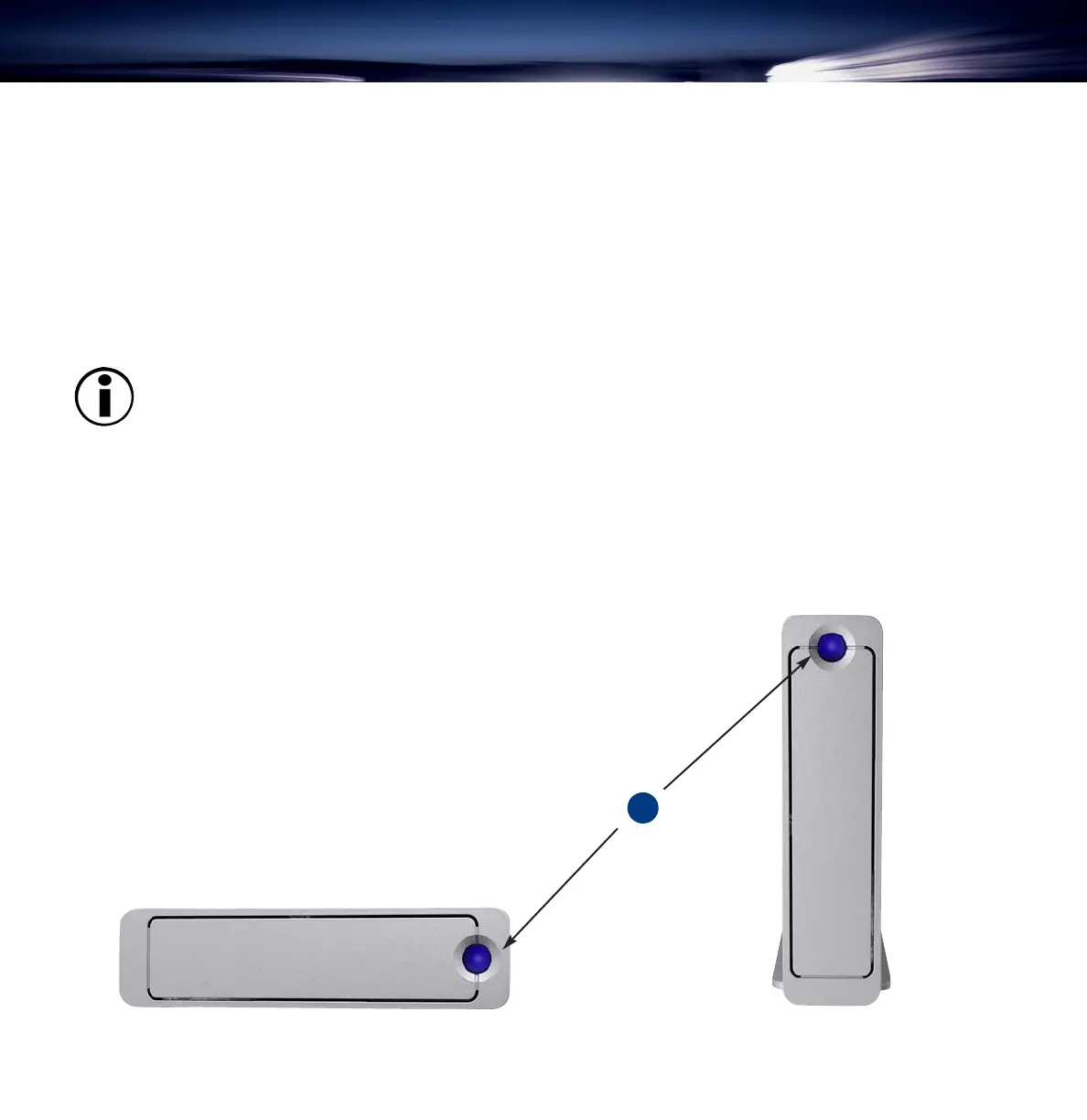
Front View
1 – On/Off Button / Power LED /Activity LED
Push the button to power the drive on. The LED remains lit to
show that the drive is on, and blinks to indicate drive activity.
1
with stand
without stand





 To Next Page