Rugged Mini User Manual 4
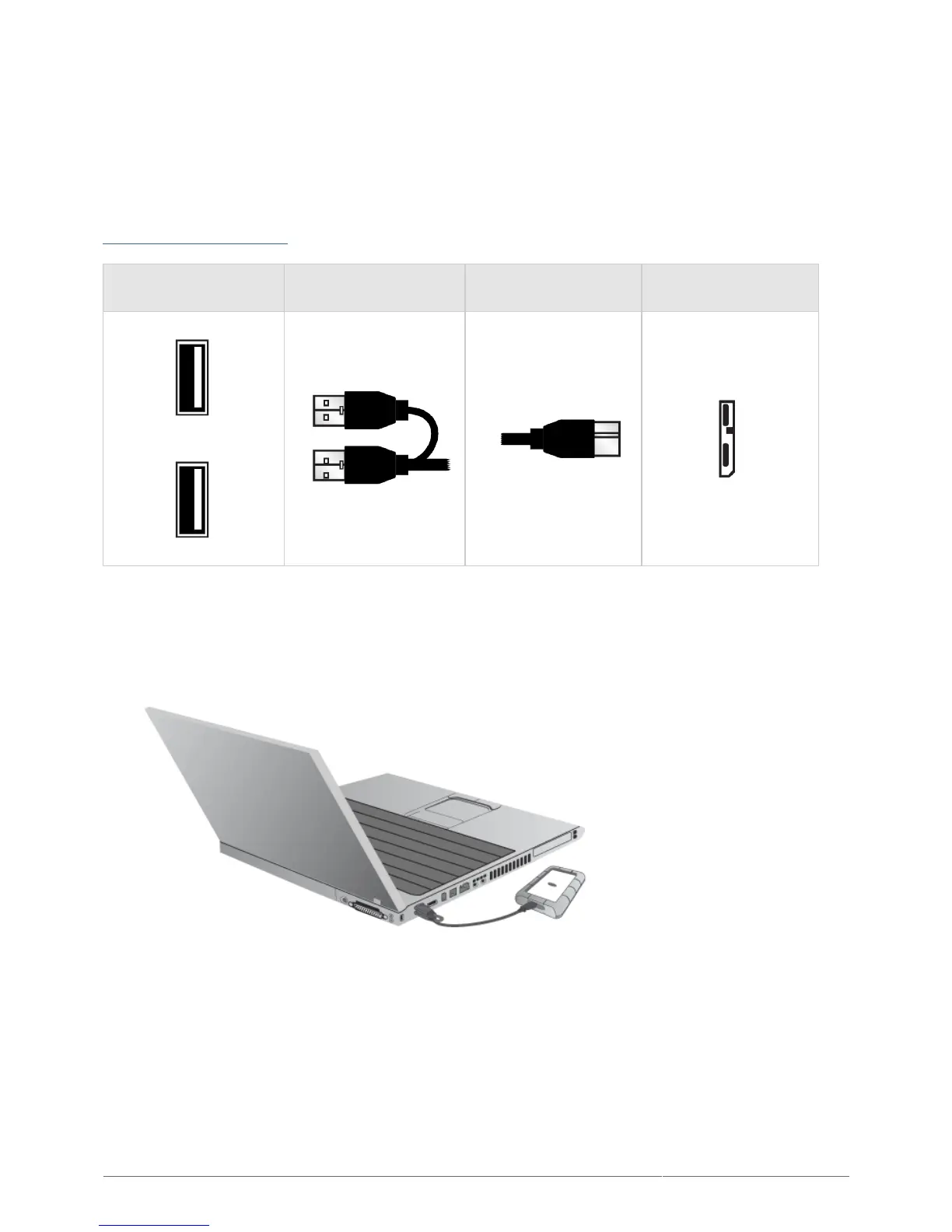
USB-Y CABLE
In the event that the USB bus on your computer does not provide the necessary power to operate your mobile
LaCie hard disk, you can connect a USB-Y cable to the drive and to your computer's USB 3.0 or USB 2.0 ports to
ensure adequate power. If a USB-Y cable is not included in the packaging, you can purchase one from
www.lacie.com/accessories/.
Connector Face
(to Computer)
Cable End
(to Computer)
Cable End
(to Hard Drive)
Connector Face
(to Hard Drive)
Power
Data
Attach the single connector end of the USB-Y cable to the back of your LaCie drive.1.
Attach the double connector end of the USB-Y cable to two USB ports on your computer.2.












 To Next Page