EasyManua.ls Logo

Laica PS5050 - User Manual

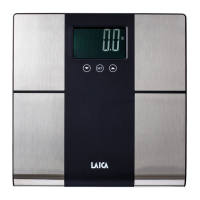
Laica PS5050
12 pages
Print Icon
To Next Page IconTo Next Page
Loading...
DIGITAL SCALE
WITH BODY FAT %, WATER %, MUSCLE MASS % (SKELETAL MUSCLE %)
AND BASAL METABOLISM INDICATOR
Instructions and warranty
DIGITAL SCALE WITH BODY FAT %, WATER %, MUSCLE MASS % (SKELETAL MUSCLE %) AND
BASAL METABOLISM INDICATOR
Instructions et garantie
PÈSE-PERSONNE NUMÉRIQUE AVEC INDICATION DU % MASSE GRAISSEUSE, % D'EAU, % DE
MASSE MUSCULAIRE (% DE MASSE OSSEUSE) ET DU MÉTABOLISME DE BASE
EN
FR
PS5050
PÈSE-PERSONNE NUMÉRIQUE
AVEC INDICATION DU % MASSE GRAISSEUSE, % D'EAU, % DE MASSE
MUSCULAIRE (% DE MASSE OSSEUSE) ET DU MÉTABOLISME DE BASE

Questions and Answers

  • J
    jamestranAug 5, 2025
    What to do if my Laica PS5050 Scales display shows "Err"?
    • R
      Ryan DelacruzAug 6, 2025
      If your Laica Scales display shows "Err", it means the weight on the scale exceeds its maximum capacity. To prevent damage, immediately step off the scale and verify its maximum weight limit.
  • C
    Courtney RogersAug 13, 2025
    How to turn on Laica Scales?
    • C
      Christopher McclainAug 13, 2025
      If your Laica Scales don't turn on, make sure you're stepping on it correctly with your feet in a parallel position. Remember, the scale should only be activated after you step on it. If that doesn't work, the batteries might be worn and need replacement.
  • R
    Rachel AdamsAug 21, 2025
    Why Laica PS5050 show "Lo" or the battery symbol?
    • T
      Timothy MitchellAug 21, 2025
      If your Laica Scales display shows "Lo" or the battery symbol, it indicates that the batteries are low and need to be replaced.
  • A
    Amanda HardingAug 27, 2025
    What to do if Laica Scales display shows "Err2"?
    • K
      kellermichaelAug 27, 2025
      If your Laica Scales display shows "Err2", there are a few potential causes: 1. Ensure you are stepping on the scale with bare feet. 2. Slightly dampen your feet if the skin is too dry. 3. Only use the scale to measure body weight, as the personal data entered might not fall within the device's software calculation range.

Summary

LAICA PS5050 Digital Scale Introduction

PRODUCT OVERVIEW AND COMPONENTS

Scale Components Identification

Identifies display, electrodes, buttons, and battery compartment.

Scale Functionality Overview

Lists measured parameters: weight, body fat, water, muscle, BMR.

SAFETY, USAGE, AND BATTERY GUIDELINES

General Safety Precautions

Crucial precautions for safe product operation and handling.

User Suitability and Warnings

Lists individuals for whom the scale may not be suitable.

Battery Safety and Handling

Guidelines for battery insertion, use, and disposal.

BODY COMPOSITION ANALYSIS AND TECHNICAL DATA

Body Composition Parameters

Explains body fat, water, muscle, and BMR measurements.

Body Fat Reference Table

Provides normal ranges for body fat percentage.

Scale Technical Specifications

Key performance and physical attributes of the scale.

OPERATING AND USING THE SCALE

Initial Setup and First Use

Steps for initial setup and battery insertion.

User Data Entry and Management

Guide to storing user profiles for composition analysis.

Measurement Procedures

Instructions for basic weight and body composition measurement.

Unit Selection and Battery Replacement

How to change units and replace batteries.

MAINTENANCE, TROUBLESHOOTING, AND WARRANTY

Maintenance and Cleaning Guide

Recommendations for keeping the scale in good condition.

Troubleshooting Common Errors

Solutions for problems like scale not turning on or error messages.

Product Warranty Information

Details on warranty coverage and claims.

Laica PS5050 Specifications

General IconGeneral
Maximum weight capacity5 kg
Accuracy1 g
DisplayLCD
Power source2 x AAA batteries
Units of measurementg, kg, lb, oz, ml

Related product manuals