Sensor Settings
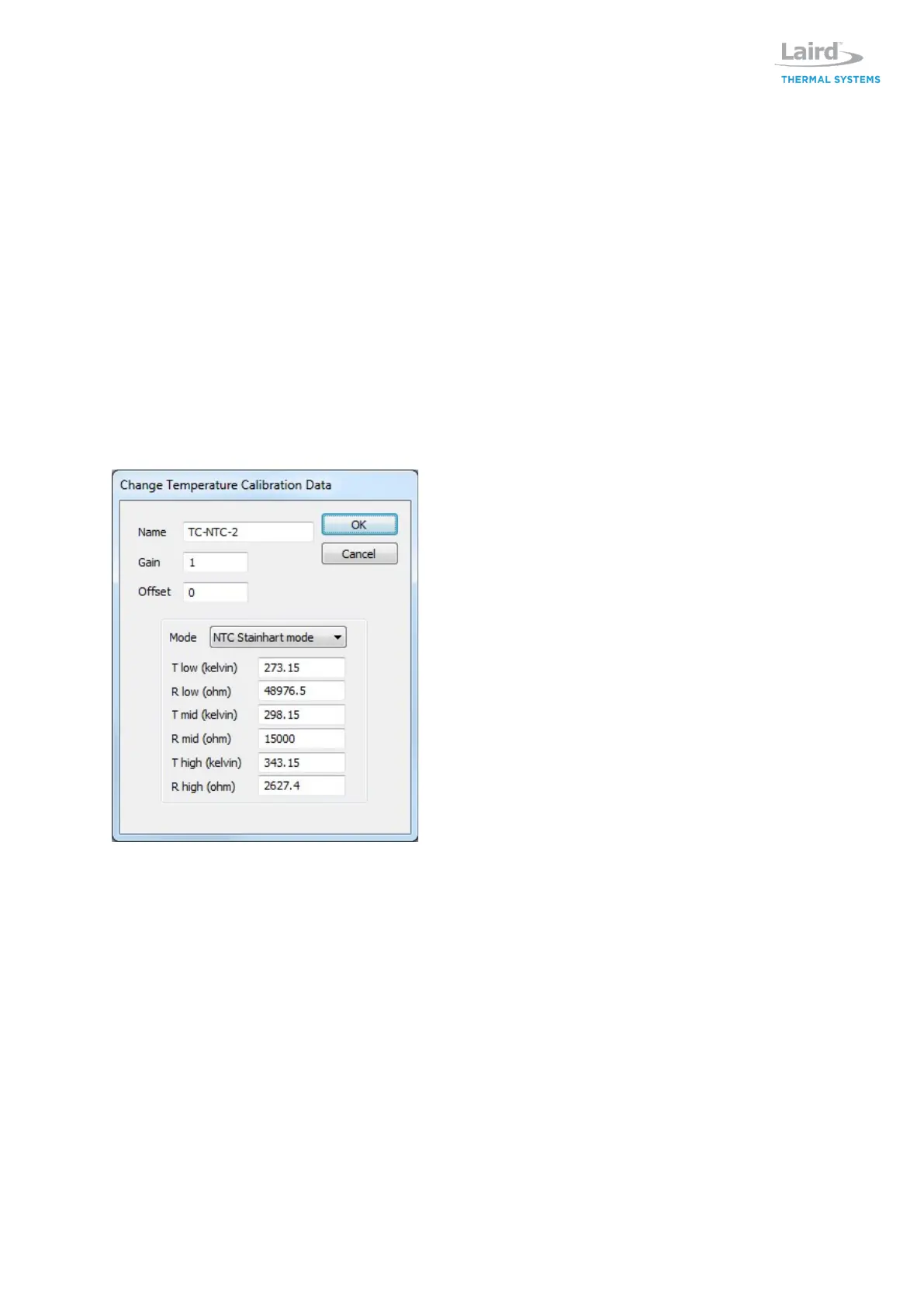
The Sensor tab allows user to specify thermistor. Laird Thermal Systems has programmed six
standard thermistors into the software. Alternate thermistors can be specified by inputting Steinhart
mode coefficients of thermistor from manufacturer’s datasheet specification. Temperature values are
entered in Kelvin. Resistance values are entered in Ohms. Select a sensor from the drop selection
list. After selecting it is possible to edit this selection by clicking on the EDIT button. The edit mode
differs for sensor one, and the other sensors.
Use Copy and Paste to copy settings from one sensor to another. Right click in the sensor view, and
then copy or paste the sensor values.
Upload parameters will replace the sensor settings at position 0, with the values found in the
regulator. At the same time the name will be renamed to "Uploaded".
NTC-1
This is the main sensor used for closed loop feedback control. If necessary it is possible to change
the name and parameters in the edit box that are used to define the sensor and calculate the
temperature.
Name
Change the name on the sensor settings. The name is used in the drop list to easily remember the
sensor settings.
Gain
Is used to adjust the sensor value. Any value other than 1.0 will affect the sensor value, even if
Stainhart mode is selected. If unsure, choose Gain 1.0
Offset
Is used to offset the sensor value. Any value other than 0.0 will affect the sensor value, even if
Stainhart mode is selected. If unsure, choose Offset 0.0
Mode
Select to match the sensor mode. For NTC type select Steinhart mode and for PT type select PT
mode. If a custom NTC is used and parameters are set manually, then set the low and high values to
match the expected temperature range in the application. This will result in obtaining best accuracy.
If a PT sensor is used, select PT mode and assemble the jumper on the PR-59 board, ref the product


 To Next Page