- 7 -
›
The GPS module records speed and GPS coordinates, and warns of stationary
speed cameras and red light crossings.
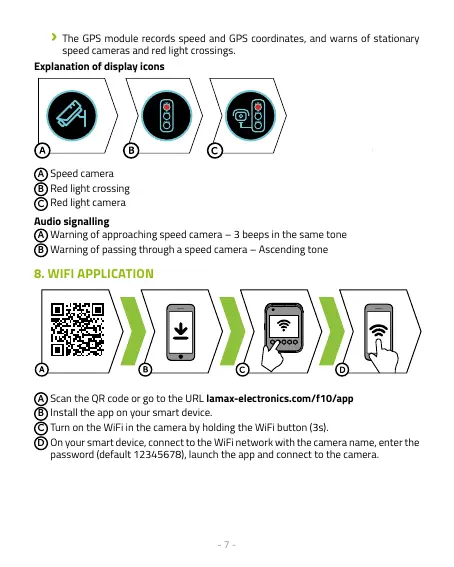
Explanation of display icons
A
Speed camera
B
Red light crossing
C
Red light camera
Audio signalling
A
Warning of approaching speed camera – 3 beeps in the same tone
B
Warning of passing through a speed camera – Ascending tone
8. WIFI APPLICATION
A
Scan the QR code or go to the URL lamax-electronics.com/f10/app
B
Install the app on your smart device.
C
Turn on the WiFi in the camera by holding the WiFi button (3s).
D
On your smart device, connect to the WiFi network with the camera name, enter the
password (default 12345678), launch the app and connect to the camera.



 To Next Page