3
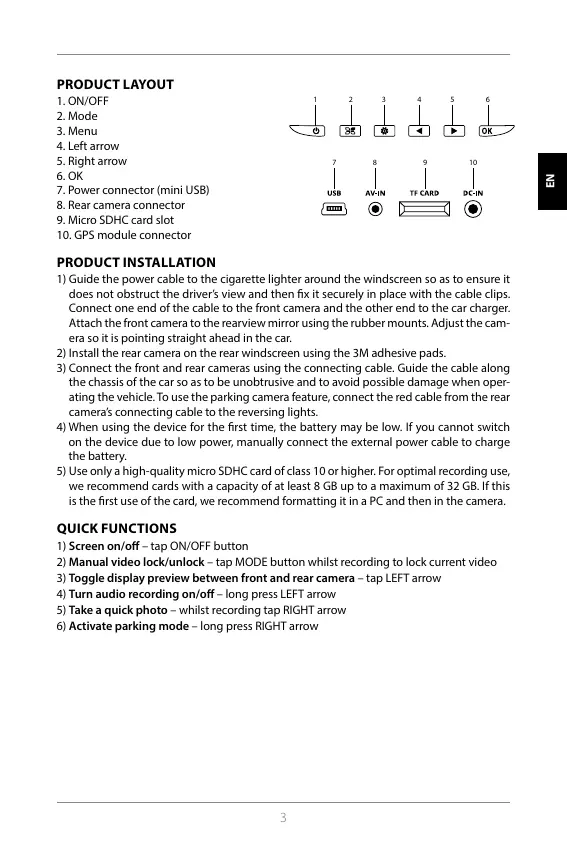
PRODUCT LAYOUT
1. ON/OFF
2. Mode
3. Menu
4. Left arrow
5. Right arrow
6. OK
7. Power connector (mini USB)
8. Rear camera connector
9. Micro SDHC card slot
10. GPS module connector
7 8 9 10
1 2 3 4 5 6
PRODUCT INSTALLATION
1) Guide the power cable to the cigarette lighter around the windscreen so as to ensure it
does not obstruct the driver’s view and then x it securely in place with the cable clips.
Connect one end of the cable to the front camera and the other end to the car charger.
Attach the front camera to the rearview mirror using the rubber mounts. Adjust the cam
-
era so it is pointing straight ahead in the car.
2) Install the rear camera on the rear windscreen using the 3M adhesive pads.
3) Connect the front and rear cameras using the connecting cable. Guide the cable along
the chassis of the car so as to be unobtrusive and to avoid possible damage when oper
-
ating the vehicle. To use the parking camera feature, connect the red cable from the rear
camera’s connecting cable to the reversing lights.
4) When using the device for the rst time, the battery may be low. If you cannot switch
on the device due to low power, manually connect the external power cable to charge
the battery.
5) Use only a high-quality micro SDHC card of class 10 or higher. For optimal recording use,
we recommend cards with a capacity of at least 8 GB up to a maximum of 32 GB. If this
is the rst use of the card, we recommend formatting it in a PC and then in the camera.
QUICK FUNCTIONS
1) Screen on/o – tap ON/OFF button
2) Manual video lock/unlock – tap MODE button whilst recording to lock current video
3) Toggle display preview between front and rear camera – tap LEFT arrow
4) Turn audio recording on/o – long press LEFT arrow
5) Take a quick photo – whilst recording tap RIGHT arrow
6) Activate parking mode – long press RIGHT arrow
HR SLO LT HU PL SK CZ DE EN
HR SLO LT HU PL SK CZ DE EN



 To Next Page