- 11 -
Wi-Fi app to connect your camera and phone
The X9.1 camera can be controlled via a free app for smartphones and other devices with
Android and iOS operating systems (available from Google Play and the App Store).
iOS / Android
NOTE: The application LAMAX may not be available at the time of sale. We apologise for
any potential complications.
HOW TO CONNECT
1. Turn on camera Wi-Fi (press “Up”), which is indicated by an icon in the top right corner.
2. Turn your phone Wi-Fi on and you should see the X91 network (unless you changed the
Wi-Fi name in the camera settings). Connect to the network and enter the password:
1234567890. The password is valid unless you changed it in the camera menu.
3. After connecting successfully, run the application and you can control the camera remotely
using your mobile device.
Remote control
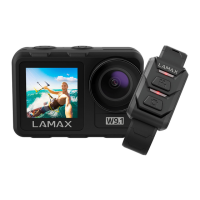
The camera can be remotely controlled using the remote control, which comes as part of the
basic package. The remote control connects to the camera automatically. Caution: the remote
control is not waterproof.


 To Next Page