5
Back to contents
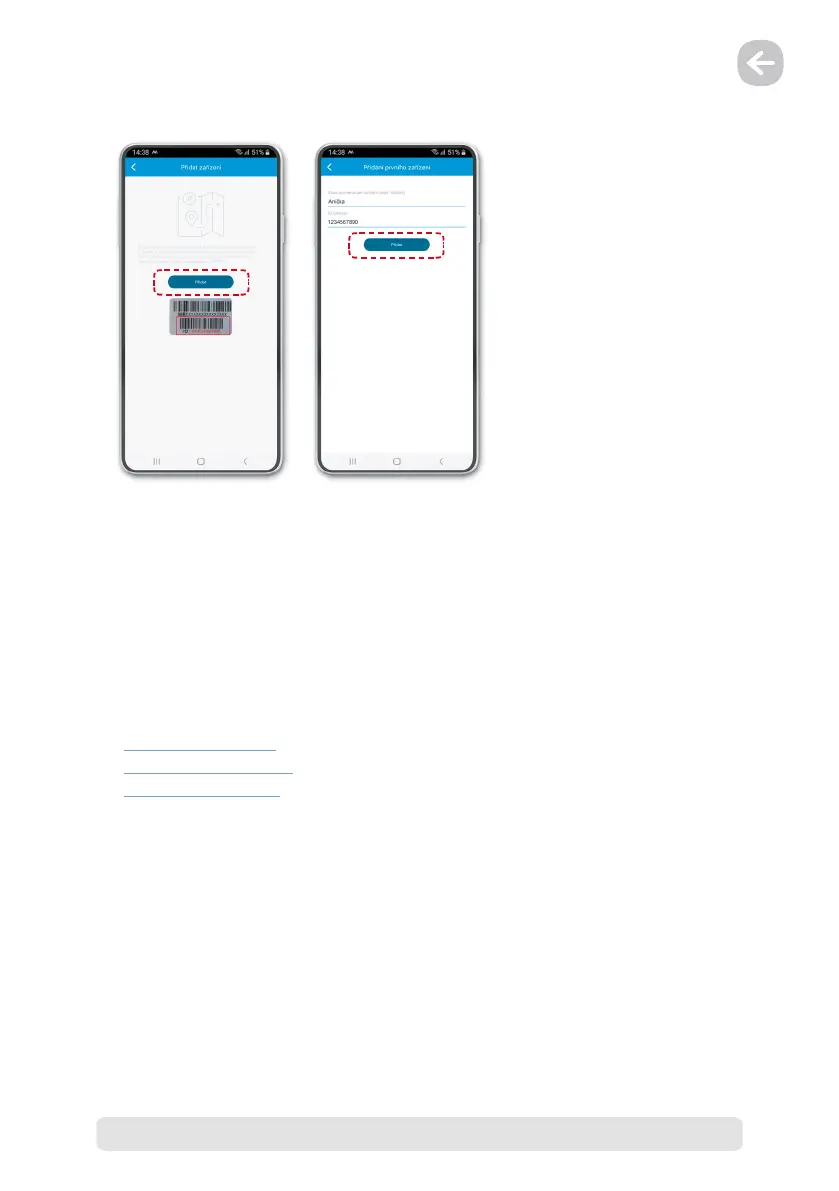
3) Device registration
To add a device to your account, locate the device ID, which can be found on the box or under
the APP & ID icon in the LAMAX WatchY2 device menu.
After successful registration of the device, a setup wizard will be opened in the application, in
which you can enter all the necessary data. If it is skipped, follow the procedure below.
4) Minimum device settings
As an absolute minimum, we recommend going through and setting up the LAMAX WatchY2
device according to the points below:
1. Section 4.5 „Contacts“
2. Section 5.1 „SOS button“
3. Section 6 „Positioning“


 To Next Page