+
+
-
-
PCB-BOARD PRESET
ON
OFF
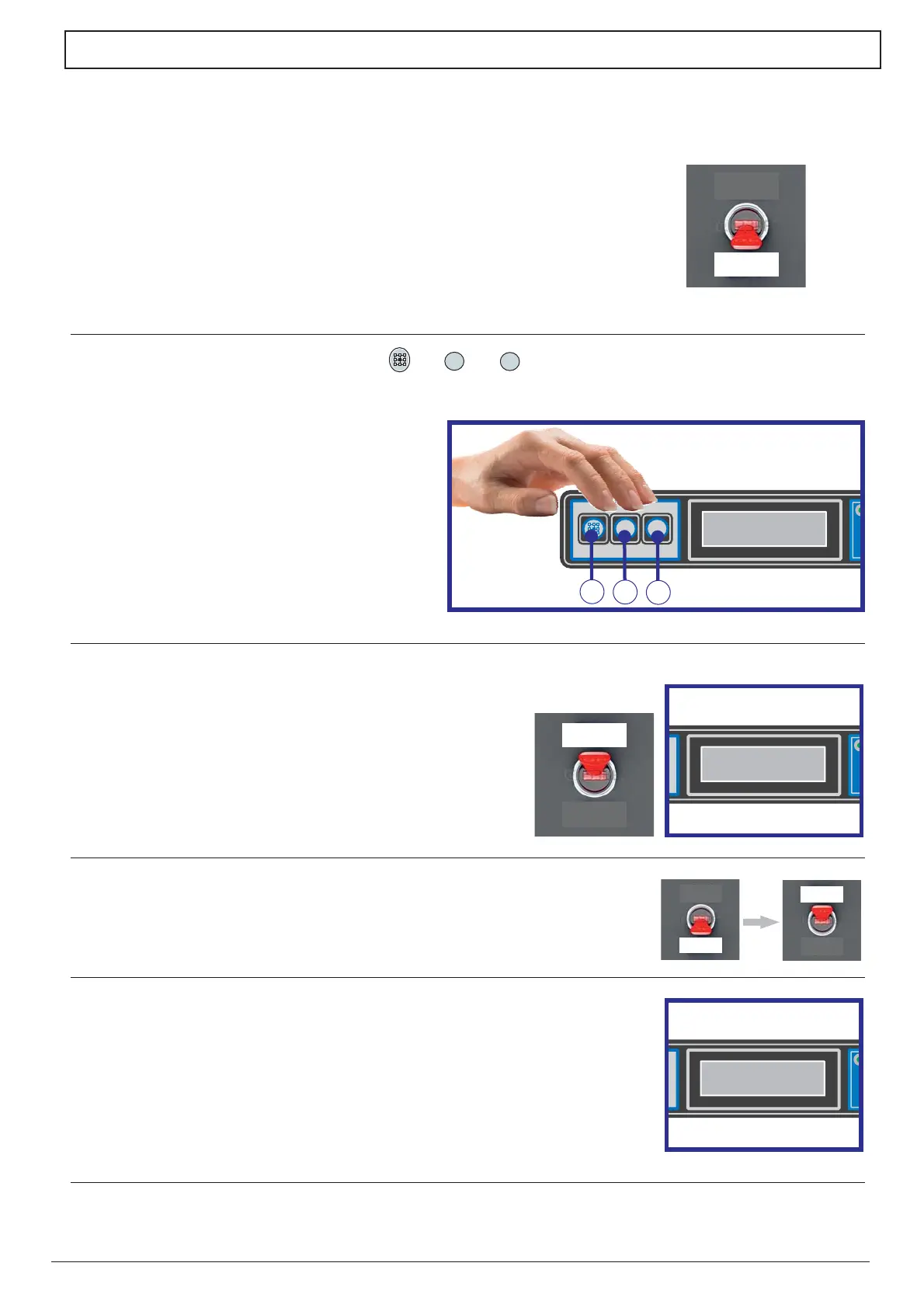
Please follow the instructions below for the PRESET (reset of the factory settings) of the PCB-board:
When the machine is turned off, disconnect the wall switch.1)
The machine is now programmed to work on the basis of the factory settings.
2) Press at the same time the pushbuttons 1, ,2 ,3
as per picture on the side.
3) Always keeping pressed the pushbuttons 1,2,3 give tension
to the wall switch and wait for the writing «PRESET DATI COMPLETATO».
(DATA PRESET ACCOMPLISHED) to be displayed.
Release the pushbuttons.4)
Disconnect the wall switch and then connect it again.
On the display will appear the model of the machine and the5)
version number of the software.
PRESET DATI
COMPLETATO
PRESET DATI
COMPLETATO
X.XXX.X
vers. X.XX
X.XXX.X
vers. X.XX
ON
OFF
( )
( )
( )
+
+
-
-
PRESET DATI
COMPLETATO
PRESET DATI
COMPLETATO
1
2
3


 To Next Page