30
5 Operating Control and Displays
Valve leakage test period
1. Use cursor keys to select menu and press ENTER to confirm.
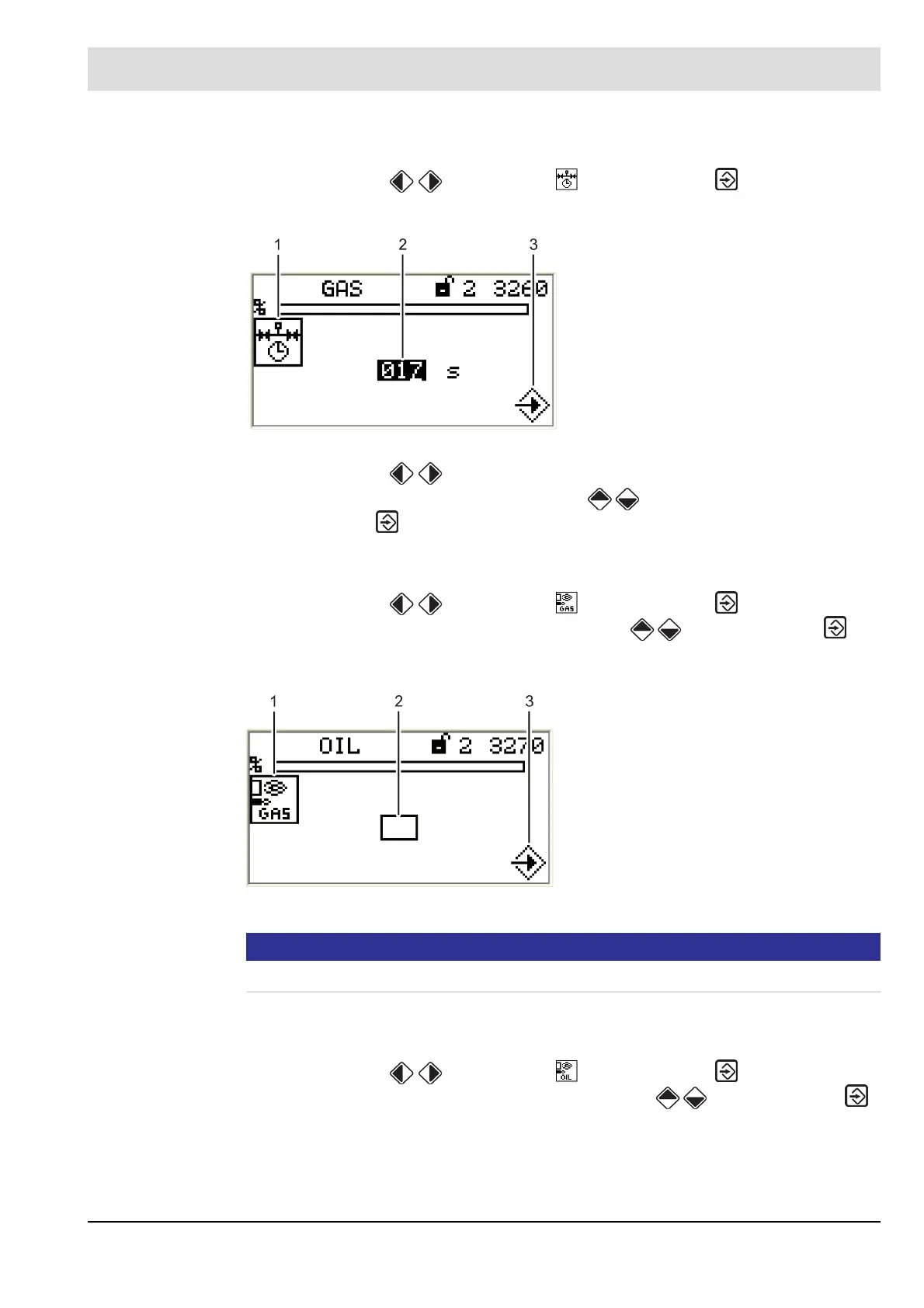
The display shows the valve leakage test period menu.
2. Use cursor keys to select the number you wish to change.
3. Change the numerical value with cursor keys .
4. Press ENTER to confirm.
Accept or discard the entry!
Activate pilot burner in gas operation
1. Use cursor keys to select menu and press ENTER to confirm.
2. Change functional state ON/OFF using cursor keys and press ENTER to
confirm.
The display shows the menu: "pilot burner in gas operation".
NOTICE!
You require access level 2 to make settings in this function!
Accept or discard the entry!
Set pilot burner in oil operation
1. Use cursor keys to select menu and press ENTER to confirm.
2. Change functional state ON/OFF using the cursor keys and press ENTER
to confirm.
The display shows the menu: "pilot burner in oil operation".
Fig. 5-34 Valve leakage test menu
1 Valve leakage test period pictogram
2 Set valve leakage test period
3 Press ENTER to accept settings
Fig. 5-35 Pilot burner in gas operation menu
1 Pilot burner in gas operation pictogram
2 Activate the pilot burner in gas operation
3 Press ENTER to accept settings



 To Next Page