3.5.13) Wi-Fi connection configuration of the router with the target wireless
network
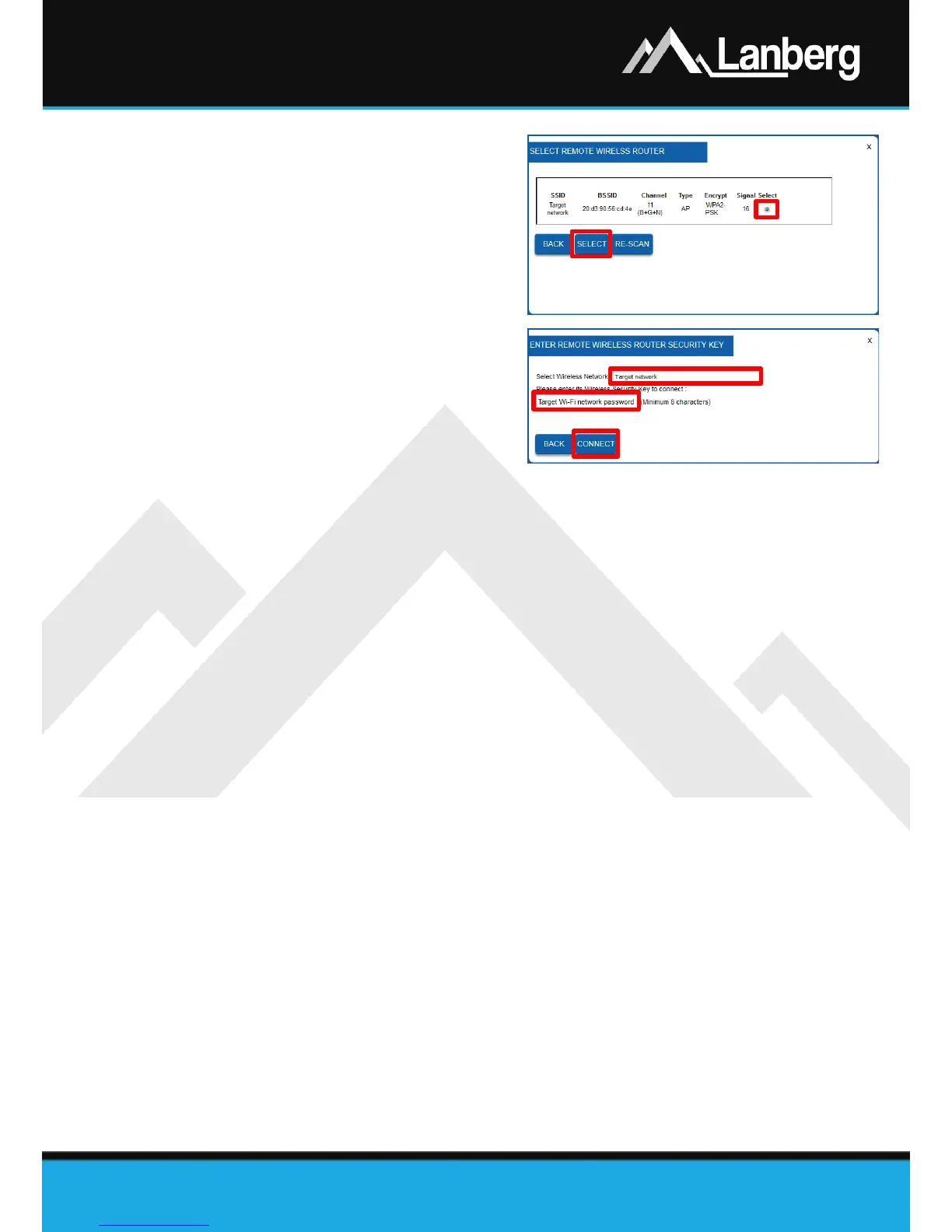
Step 1) On the newly opened window, select
the target wireless network to which
you want to connect the router, by
marking the flag in the „Select” column
and then pressing the „Select” button,
Step 2) If the target network is secured, please
input in 2nd field the current password
for the target Wi-Fi network with which
you want to connect the router. Then
press the „Connect”. You will attempt
to connect,
Step 3) If the connection is successful, press the
button „Reboot Now”. The router will
apply the new settings in approx. 30
seconds.
ANNOTATION NO. 1: The DHCP server service will be disabled and access to the WAN section will be
hidden. If the customer’s end device (e.g. a PC / Laptop) loses connection with the router, set the
computer's static IP address to one that will be in the same network as the router and will not be assigned
to any other device.



 To Next Page