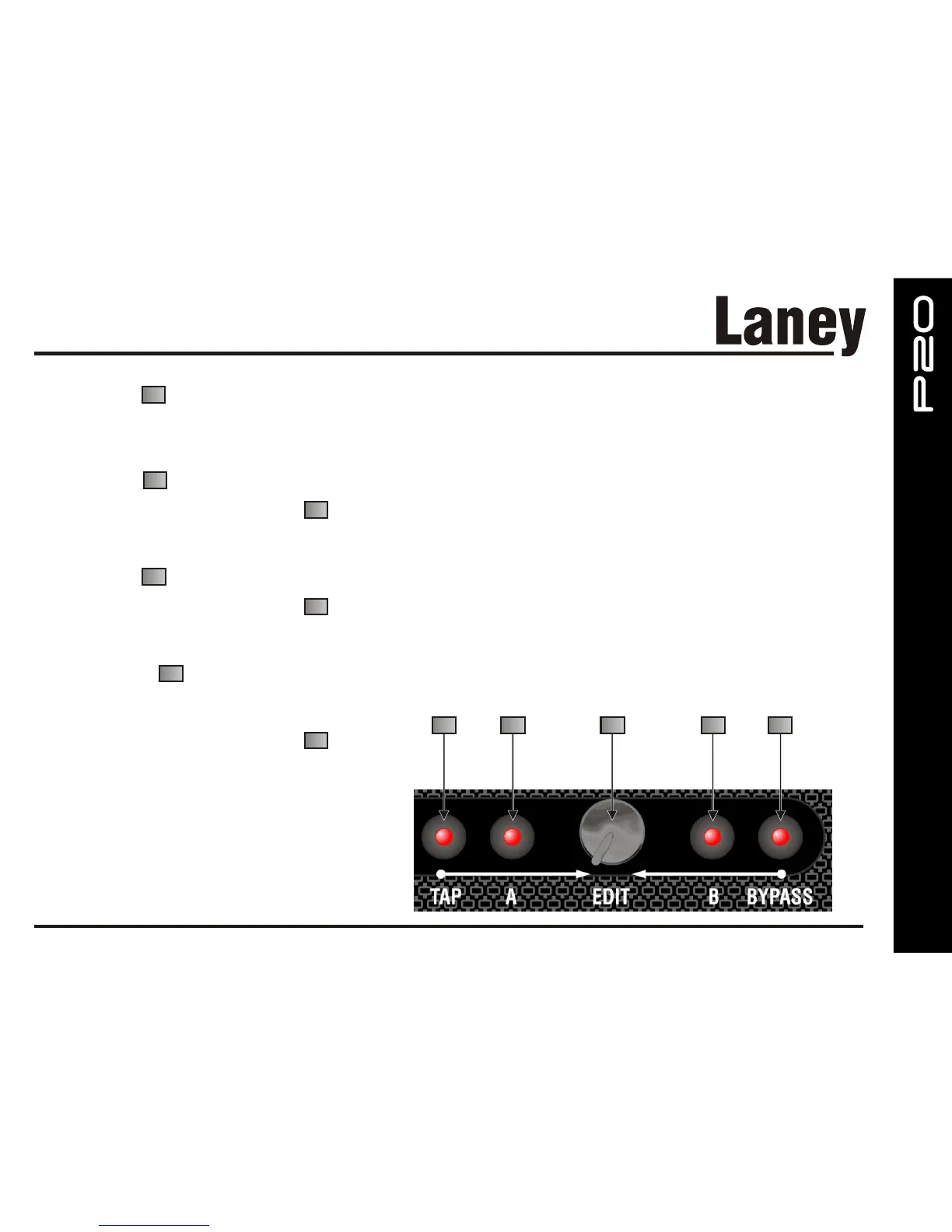
EDIT Control
This is the primary edit control for the effects. It generally controls Mix level or time/rate depending on the effects selected.
(See Effects edit notes)
A Edit Button
Press and hold for1second and then turn EDIT to adjust parameters in the Effects bank.
(See Effects edit notes)
B Edit Button
Press and hold for1second and then turn EDIT to adjust more parameters in the Effects bank.
(See Effects edit notes)
BYPASS Button
When pressed momentarily will turn off the
Effects.
Press and hold for1second and then turn
EDIT, allow further effects parameter edits. (See
Effects edit notes)
22
21
22
23
22
24
22
20
21
22
23
24
19


 To Next Page