Tuner Operation
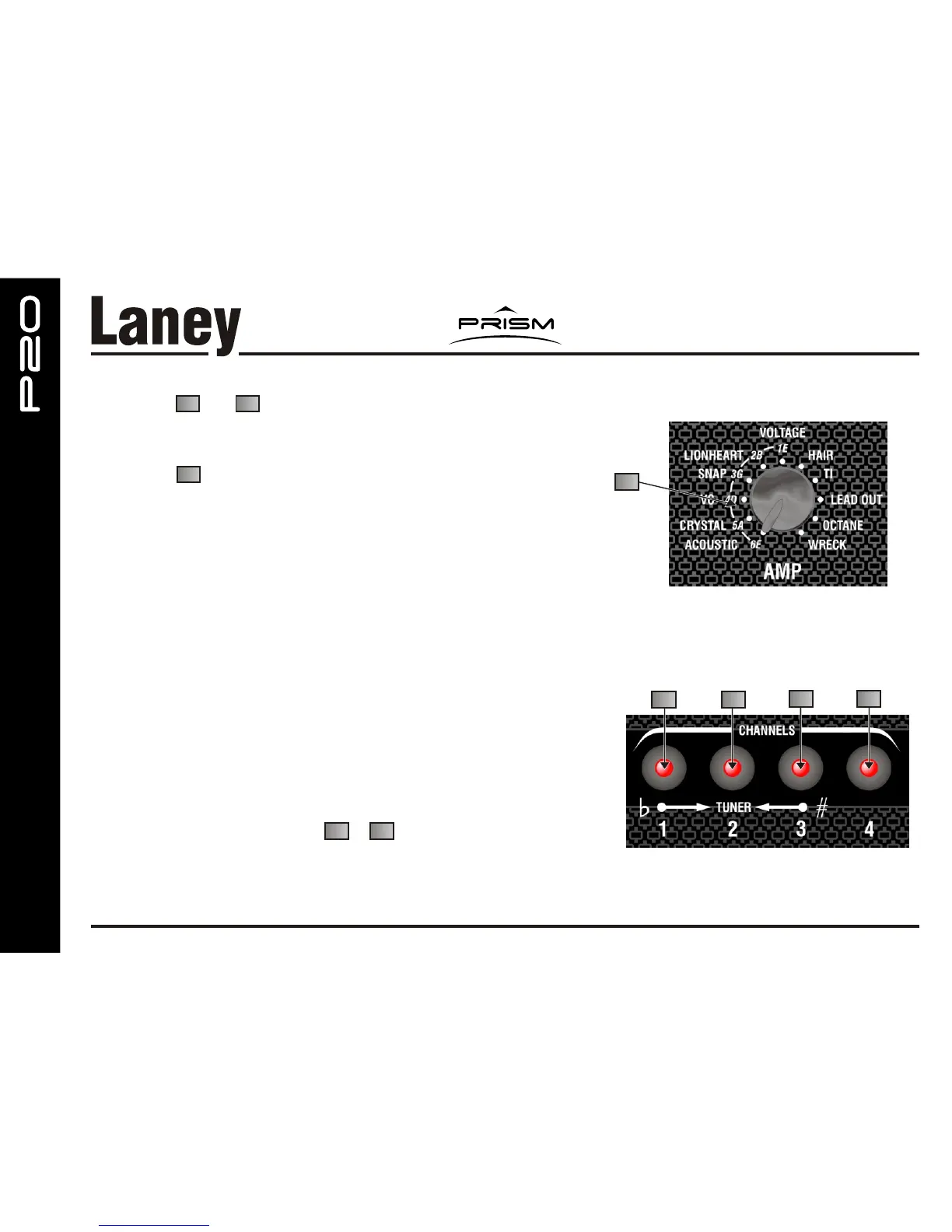
By pressing and (Channel 1 & 3) at the same time the amplifier will
Mute and the tuner function will be activated. (Note any signal connected to the
Auxiliary input will not be muted)
The LED in (Channel 2) will flash to indicate Tuner operation.
The AMP selector should then be used to select each string in turn to be
tuned.
These are E,B,G,D,A,E and numbered 1-6 with 1 being the High “E” and 6
being Low “E”
Adjust the string tension to make just the centre LED light.
(As the tune is approached, the centre LED and the LED from the direction
of tune will speed up flashing to show you are getting close to the in tune
position.
When in tune the LEDs will stop flashing and only the Centre LED will
be continuously lit.
Repeat this for each string and then go back through them again to make
final adjustments if required.
To exit the tuner function press & at the same time again.
Alternatively remove the input jack and replace.
(You will be returned to the amp model and sound settings prior to tuning.)
16 18
17
16 18
TUNER OPERATION
3
16
17
18
19
22



 To Next Page