10
INITIAL START UP
Pre-Power On
After the oven is installed and connected to power, prior to turning on, verify the following
• The door opens and closes freely
• All racks are in the oven correctly
• All packing materials have been removed from the inside of the oven
Power On
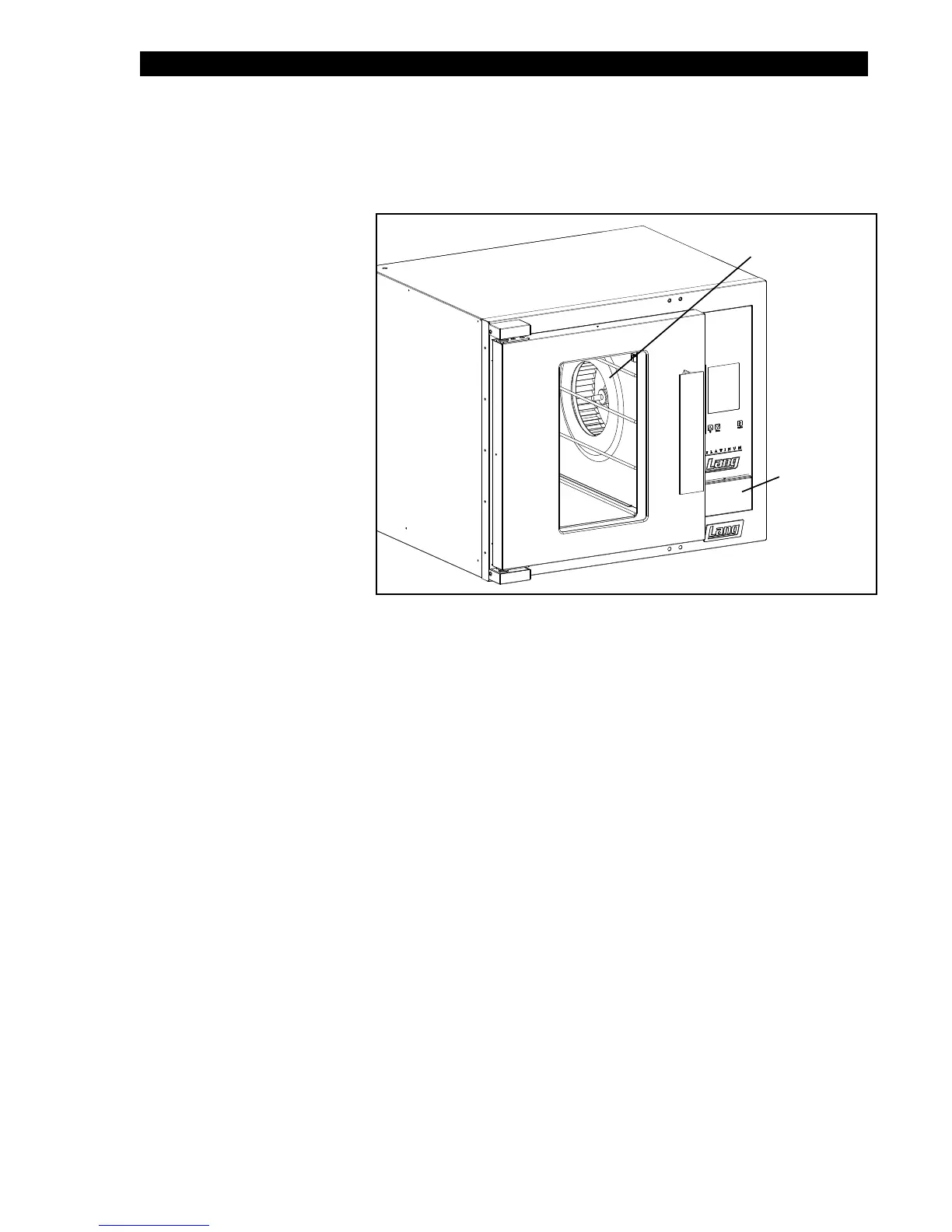
Once the oven has been turned
on verify that the blower wheel
is spinning freely in a clockwise
position and that the elements
are heating properly.
Switch the back-up controls on
and make certain it can run the
unit,
Conrm that the thermostat
knob in the back-up controls is
move freely.
USB Connection
Units are now supplied with a
USB connection, located with
the the Back-Up Controls. This
is for future programming needs
of your unit and is not part of
the units initial start-up or daily
operation.
Duringtherstfewhoursofoperationyoumaynoticeasmallamountofsmoke
coming from the oven, and a faint odor from the smoke.
Thisisnormalforanewunitandwilldisappearaftertherstfewhoursofuse.
IL1456
Back-Up Controls
Blower Wheel
NOTICE


 To Next Page