4 Operation
1. Standby mode : Press the power button to enter standby
mode. When in standby mode the signal light willturn blue
and blink .
2.Operating Mode: To activate operating mode press the M
button for 5 seconds. To go back to standby mode press the
M button again for 5 seconds.
3. Reverse mode : ln standby mode press the
RIGHT button
for
8 seconds. Inverted mode light indicates inverted mode
is activated. Repeat this to return to regular mode.
4.Reset unit : In standby mode press the
DOWN button for
5 seconds, a red light blinks and all settings are restored to
factory default.
5. Sensor calibration : ln standby mode press the
LEFT
button for 5 seconds and a green light starts blinking. Once
the calibration is done the green light turns to red.
Balance the platform before calibration.
5 Power Display
Power Indicator Status
Indicator Status
75%-100%
50%-75%
25%-50%
Below 25%
Light blinks 4 times
Light blinks 3 times
Light blinks 2 times
Light flashes continously
Note : For better performance change the battery when the power is below
25%, as it might affect the stability of the platform.
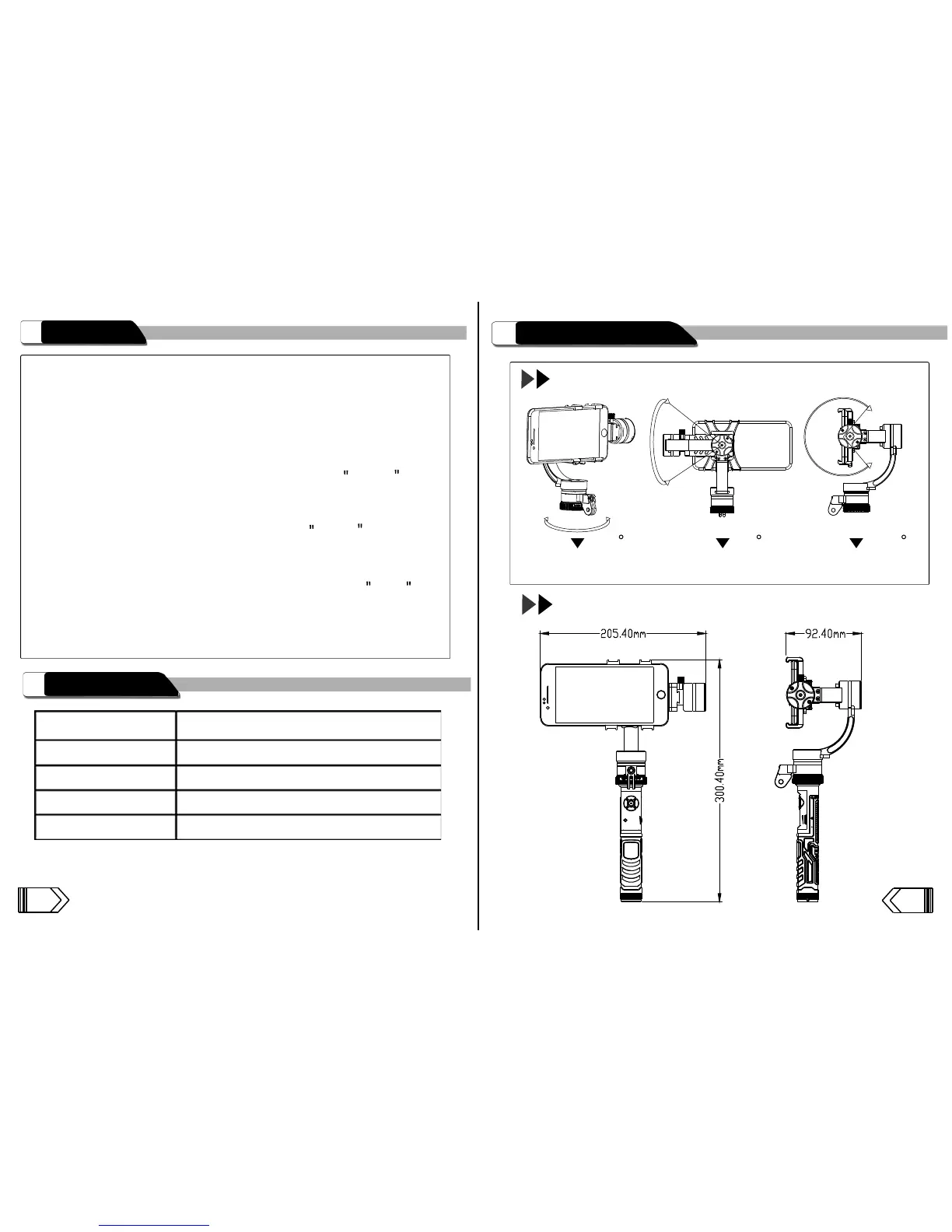
6 Gimbal Basic Parameters
Rotation Angles
Yaw
Roll
Pitch
Size
Weight : 414.5g
(w/o battery)
315 70 140
54



 To Next Page