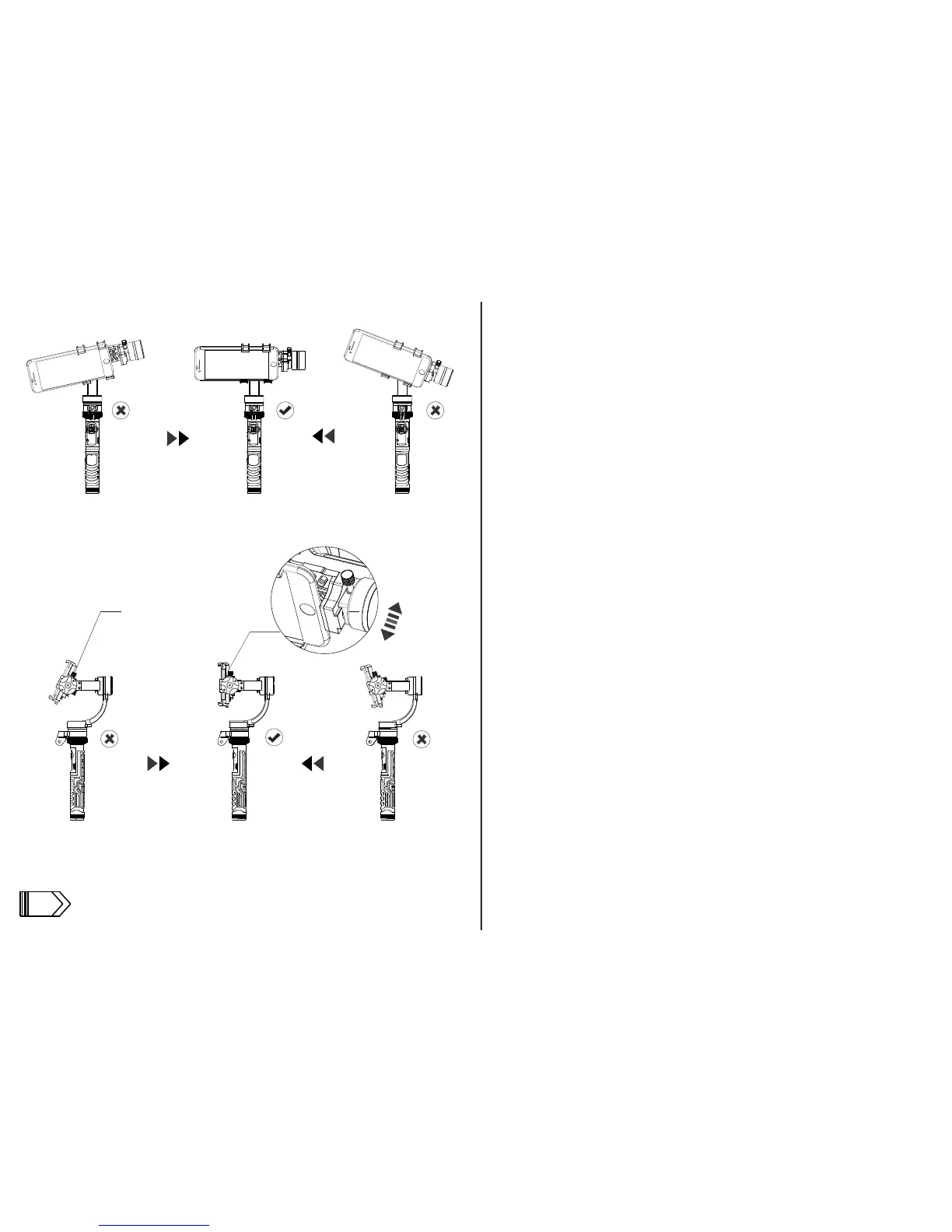
b. Now set the gimbal down.Make sure the counterweight is on the far left.
Slide the phone left to right until it is horizontally balanced.
c. Loosen the vertical axis adjustment screw and move the phone forward
or backward until it is vertically balanced. The gimbal is now ready to be
powered on.
For iPhone 6 plus, 6s plus and similar size smartphones
a. Remove the counterweiter
b and c same as above (except the counterweight)
the vertical axis adjustment screw
12



 To Previous Page