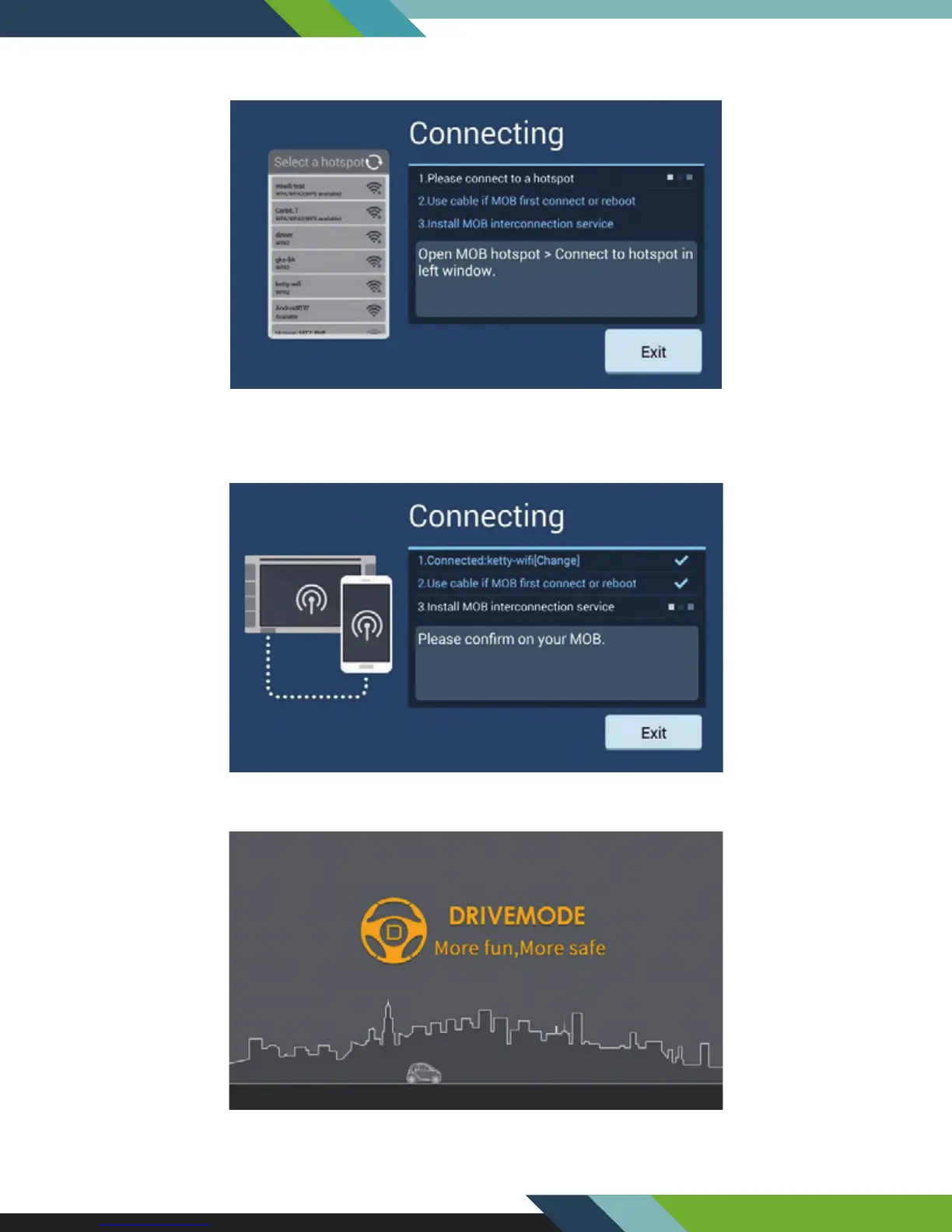
Select the mobile phone hotspot enabled just now from the box on the left side, and enter a password for
connection.
Enter connection authentication by USB connection manner for mobile phone connection for the rst time or
after mobile phone restart to ensure the connection security. Refer to [Android USB Connection].
Enter the welcome interface of Drivemode successfully, which means successful connection.
26
www.Lanzar.com


 To Next Page