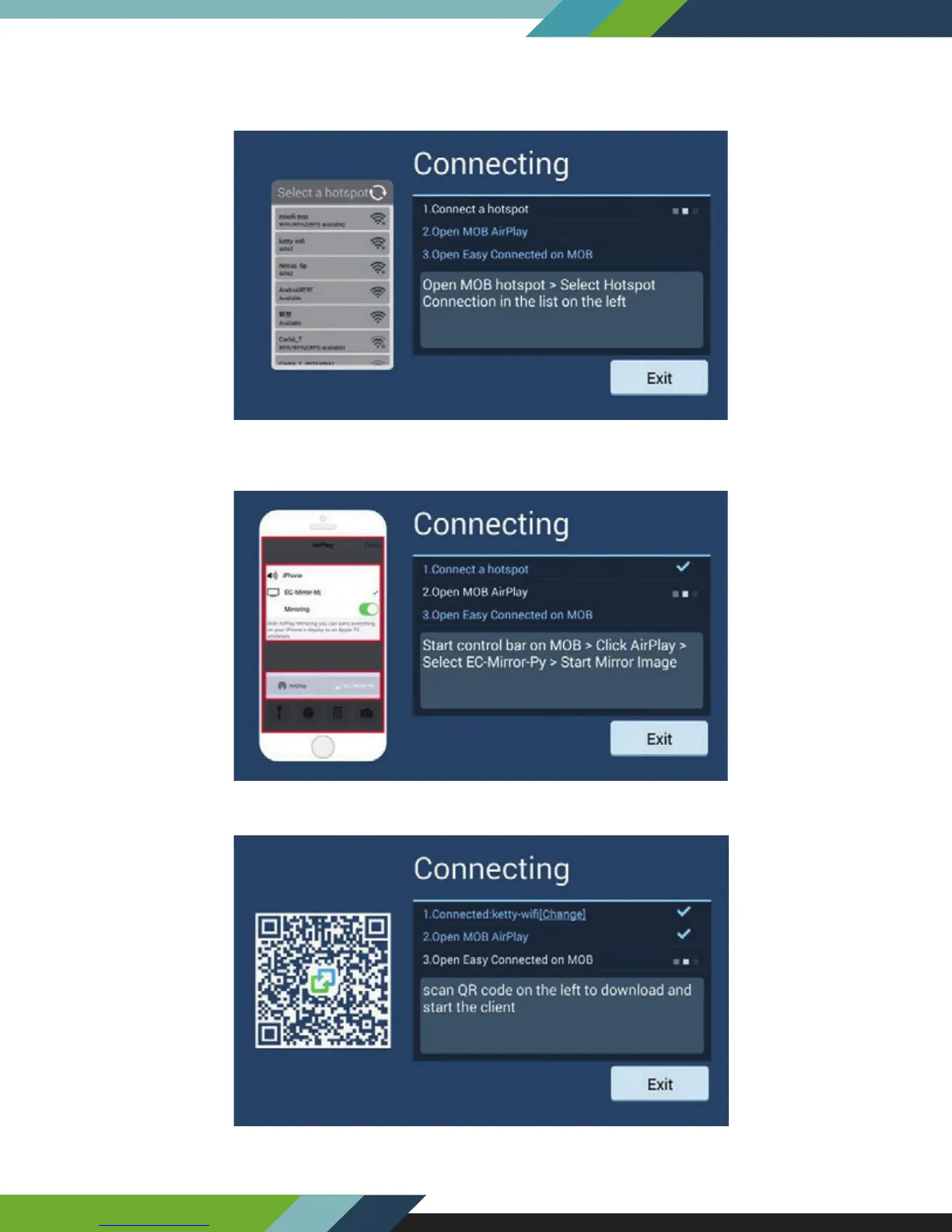
5.2.3. IOS Wi-Fi Connection
Enable the personal hotspot function of mobile phone, record the name of mobile phone hotspot , and use the
mobile phone Wi-Fi as hotspot for vehicle navigator connection.
Slide on the screen of mobile phone to open the control bar, click Airplay to select EC-Mirror-**, and then enable
mirror switch.
Open Drvie mode APP on the phone, if don't have, you can scan QR code and download.
27
www.Lanzar.com


 To Next Page