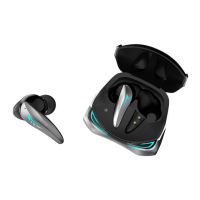
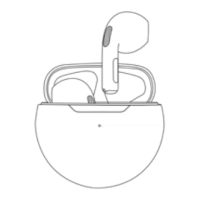
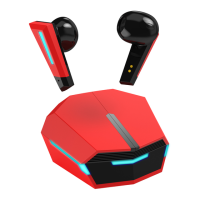
Charing case battery capacity:350mAh,751535
Playing time:7-8hours(High quality music and volume may accelerate battery
consumption)
Talk time:6-7hours
Earphone charging time: about 1.5 hours
Charging times for the headset: about 3 times
Product Weight:earphone 4.5g,charging case 41g
Size of earphone & charging case:earphone 39.67*22.24*26.92mm,charging case
65.1*53.3*32.3mm
Paring
1: Auto Pairing
Opening the charging case and take earphones out, and then the earphones will
automatically turn on and pair,master earphone flash cool blue light 1 time every 1 second,
another earphone flash 1 time per 5 seconds.Open up Bluetooth setting on your smart
device and scan for GT96 ANC+ENC, The 2 Earbuds will pair with your device
successfully.(Please be noted that the earbuds will automatically power off if they
are not paired to any device in about 5 minutes )
Operation
1: Power on/off
1. Open the charging case and take out earphones, automatically turn on;
Place earphones into charging case and close the case, automatically turn off.
2. Long press 3 seconds to turn on
Long press 5 seconds to turn off.
2: Play/Pause music
When listening to music.
Tap left/right earphones once to play or pause the music.
3: Previous /Next Song
When listening to music.
Quick double tap left earphones to go to previous song.
Quick double tap right earphones to go to next song.
4: ANC Mode
When taking the earphones out of the charging case, it is regular Bluetooth mode.
Long press right earphones for 2 seconds to enter Transparent mode;
Long press right earphones for 2 seconds again to enter Noise reduction mode;
Long press right earphones for 2 seconds again to enter regular Bluetooth mode.


 To Next Page
 Loading...