This document is a user manual for the LASER 3 in 1 Audio Bundle, model AO-EVDBL-019, which includes headphones, earbuds, and a speaker.
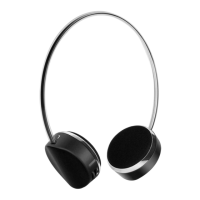
Headphones
The headphones are a wireless audio device designed for personal listening. They feature controls for playback, volume, and call management, as well as an indicator light, USB-C charging port, 3.5mm Aux port, and microphone.
Technical Specifications:
- Bluetooth version: v5.3
- Battery capacity: 200mAh
- Effective distance: 10M
- Play time: Up to 20 hours
- Charging time: Approximately 2 Hours
Usage Features:
- Power On/Off: Press and hold the Play/Pause button for 3 seconds.
- Play/Pause Music: Press the Play/Pause button.
- Volume Up/Down: Press the + or - button.
- Next/Previous Song: Double press the +/► button for the next song; double press the -/◄ button twice for the previous song.
- Answer/Hang Up Call: Press the Play/Pause button.
- Reject Call: Long press the Play/Pause button.
- Activate Voice Assistant: Double press the Play/Pause button (double press again to quit).
- Pairing: Turn on headphones, enable Bluetooth on your device, select "AO-EVDBL-H".
- Disconnecting/Unpairing: Turn off Bluetooth on the device/headphones, or "Forget" the device in Bluetooth settings.
- AUX Input: Connect a 3.5mm audio cable (not supplied) from an external device to the headphone's AUX port.
Maintenance Features:
- Charging: Fully charge before first use. Switch off headphones before recharging. Disconnect cable when fully charged. Use the supplied USB-C cable and a 5V 1A USB power adaptor (not included) or a PC/laptop USB port. The indicator light is red during charging and turns off when complete.
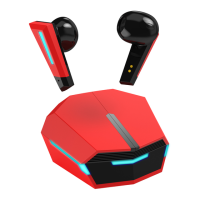
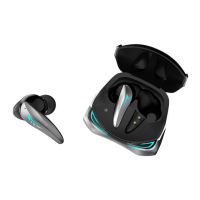
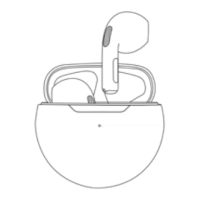
Earbuds
The earbuds are wireless in-ear audio devices that come with a charging case. They feature a tap area for controls and an indicator light.
Technical Specifications:
- Bluetooth version: v5.3
- Playtime: 2-3 hours per charge
- Working Range: 10m
- Case's battery capacity: 200mAh
- Earbud's battery capacity: 30mAh
- Charge Time: about 2 hours
Usage Features:
- Power On/Off (Method 1): Open the charging case and remove earbuds to turn on; place them back in the case and close it to turn off.
- Power On/Off (Method 2): Press and hold the button for 3 seconds to turn on; press and hold for 5 seconds to turn off.
- Play/Pause Music: Tap the left/right earbud twice.
- Volume Up/Down: Double tap the left earbud to decrease volume; double tap the right earbud to increase volume.
- Next/Previous Song: Tap the left earbud 3 times twice for the previous song; tap the right earbud 3 times for the next song.
- Answer/Hang Up Call: Tap the left or right earbud twice.
- Reject Call: Press and hold the left/right earbud.
- Activate Voice Assistant: Press and hold the left/right earbud for 2 seconds (hold again to quit).
- Pairing: Turn on earbuds, remove from case (right LED flashes), enable Bluetooth on your device, select "AO-EVDBL-T".
- Disconnecting/Unpairing: Turn off Bluetooth on the device/earbuds, or "Forget" the device in Bluetooth settings.
Maintenance Features:
- Charging: Fully charge the case and earbuds before first use. Recharge earbuds while the case is closed. Disconnect cable when fully charged. Use the supplied USB-C cable and a 5V 1A USB power adaptor (not included) or a PC/laptop USB port. LEDs on the case and earbuds flash during charging and turn off when complete.
Speaker
The speaker is a portable wireless audio device. It features a Power button, USB-C charging port, and an indicator light.
Technical Specifications:
- Bluetooth version: v5.3
- Input power: 5V, 1A
- Battery capacity: 400mAh
- Effective distance: 10M
- Speaker output: 3W
- Play time: About 3 hours
- Charging time: About 2 hours
Usage Features:
- Power On/Off: Press and hold the On/Off button for 3 seconds.
- Play/Pause Music: Press the Power button.
- Volume Up/Down: Control via the connected device.
- Answer/Hang Up Call: Press the Power button.
- Reject Call: Long press the Power button.
- Pairing: Turn on speaker, enable Bluetooth on your device, select "AO-EVDBL-S".
- Disconnecting/Unpairing: Turn off Bluetooth on the device/speaker, or "Forget" the device in Bluetooth settings.
- Bluetooth True Wireless Stereo (TWS) Connection: Pair two AO-EVDBL-019 speakers for stereo sound. Turn off Bluetooth on the connecting device, turn on both speakers, press the Power button on both speakers three times simultaneously to pair them. Then, turn on Bluetooth on your device and select "AO-EVDBL-S".
- Unpairing TWS Connection: Press the power button on the speaker three times to disconnect from TWS pairing mode.
Maintenance Features:
- Charging: Fully charge before first use. Recharge when switched off. Disconnect cable when fully charged. Lift the rubber flap next to the Power button, use the supplied USB-C cable, and a 5V 1A USB power adaptor (not included) or a PC/laptop USB port.
- Indicator Light: Flashes quickly for pairing, flashes slowly for music playing, and is always on for music on pause.
Troubleshooting (Common Issues for all devices):
- Devices do not turn on: Battery is discharged; recharge the battery.
- No sound from the speaker: Volume is low/muted (unmute/increase volume); no connected Bluetooth device (pair and connect).
- Cannot pair a Bluetooth device: Device is out of range (bring closer); speaker is not in Bluetooth mode (turn off/on to switch); Bluetooth name not found (refresh list, search again, wait up to 1 minute); already paired with another device (disconnect/unpair first).
For further assistance, users are directed to the LASER website (www.laserco.com.au) and YouTube channel (www.youtube.com/lasercoau).

 Need help?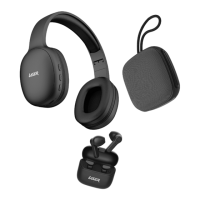

 To Next Page
 General