SPEAKER
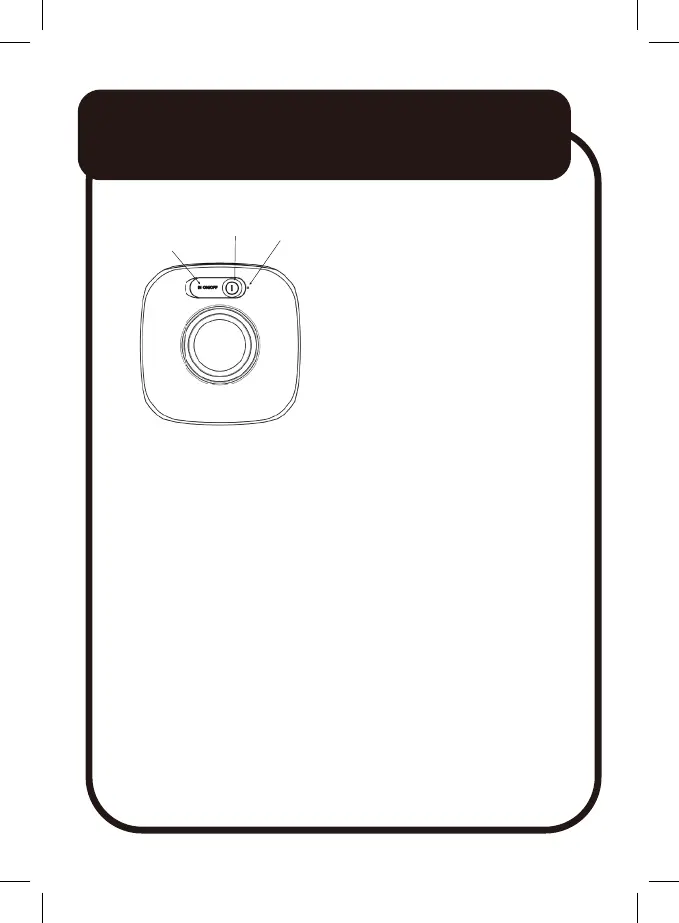
Controls and Ports
Blue indicator light:
Flashing quickly: waiting for pairing
Flashing slowing: Music playing
Always on: Music on pause
Charging
ⓘ Fully charge the speaker before first use.
ⓘ Recharge the speaker when it is switched off.
ⓘ Disconnect the cable when fully charged.
1. Lift the rubber flap next to the Power button.
2. Use the supplied cable. Connect the USB-C jack to the speaker.
Connect the other end to a USB power source.
A USB power adaptor (5V 1A, not included) is recommended for
charging, or a PC/laptop USB port can be used.
USB-C
Chargeing Port
Power button
Indicate Light
10


 To Next Page