QUICK START GUIDE MP4-P20-BLK
ON SCREEN ICONS
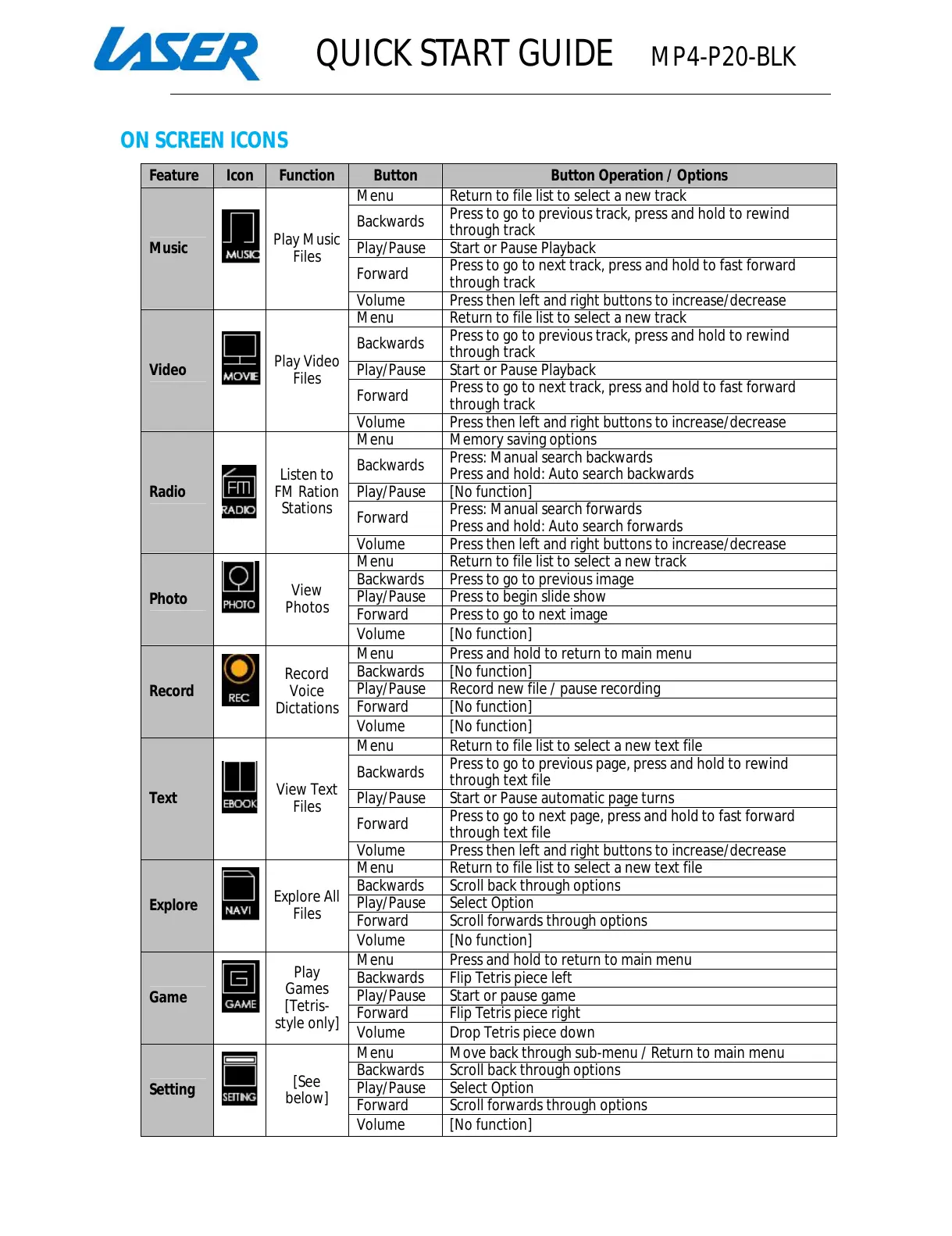
Feature Icon Function Button Button Operation / Options
Music
Play Music
Files
Return to file list to select a new track
Press to go to previous track, press and hold to rewind
ess to go to next track, press and hold to fast forward
Press then left and right buttons to increase/decrease
Return to file list to select a new track
previous track, press and hold to rewind
Press to go to next track, press and hold to fast forward
Press then left and right buttons to increase/decrease
Radio
Listen to
FM Ration
Stations
Press: Manual search backwards
Press and hold: Auto search
Press and hold: Auto search
Press then left and right buttons to increase/decrease
Return to file list to select a new track
Volume [No function]
Record
Record
Voice
Dictations
Press and hold to return to main menu
Record new file / pause recording
Volume [No function]
Text
View Text
Files
Return to file list to select a new text file
Press to go to previous page, press and hold to rewind
Start or Pause automatic page turns
Press to go to next page, press and hold to fast forward
Press then left and right buttons to increase/decrease
Explore
Explore All
Files
Return to file list to select a new text file
Scroll back through options
Volume [No function]
Game
Play
Games
[Tetris-
style only]
Press and hold to return to main menu
Volume Drop Tetris piece down
Setting
[See
below]
Scroll back through options
All manuals and user guides at all-guides.com



 To Next Page
 Loading...