QUICK START GUIDE MP4-P20-BLK
AVI CONVERT TOOL – CONVERSION SETTINGS
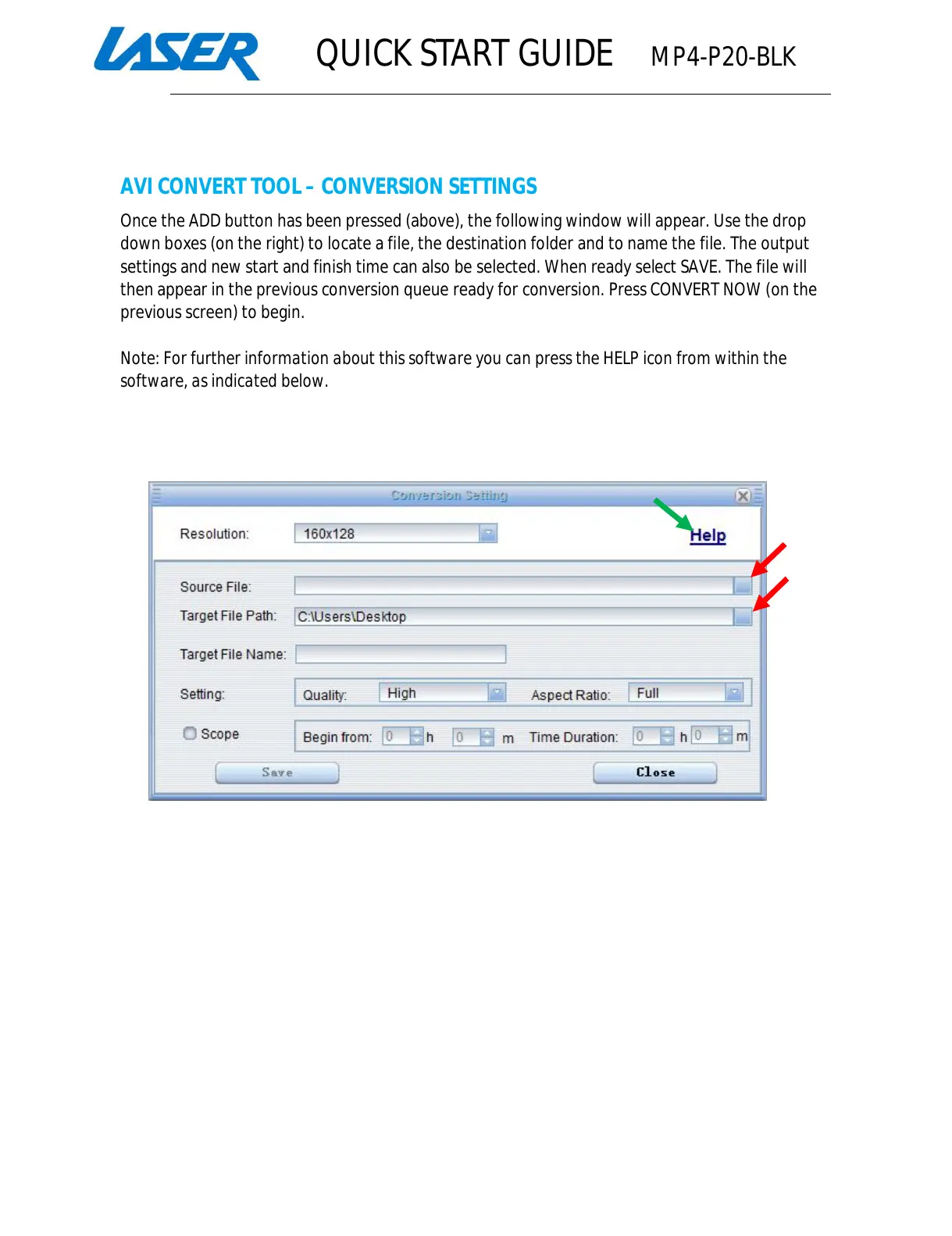
Once the ADD button has been pressed (above), the following window will appear. Use the drop
down boxes (on the right) to locate a file, the destination folder and to name the file. The output
settings and new start and finish time can also be selected. When ready select SAVE. The file will
then appear in the previous conversion queue ready for conversion. Press CONVERT NOW (on the
previous screen) to begin.
Note: For further information about this software you can press the HELP icon from within the
software, as indicated below.



 To Next Page