QUICK START GUIDE MP4-P20-BLK
AVI CONVERT TOOL – MAIN SCREEN OVERVIEW
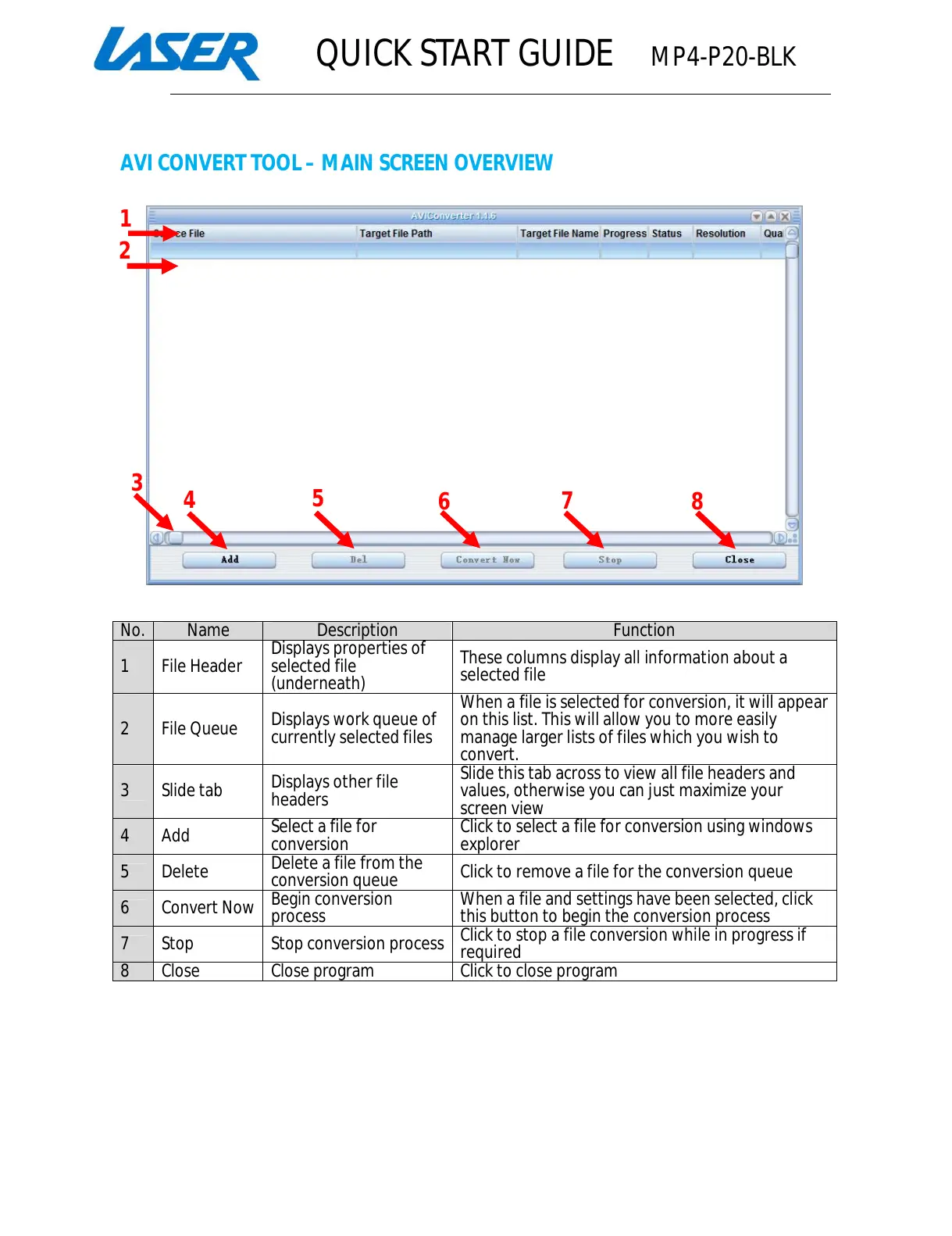
These columns display all information about a
selected file
2 File Queue
Displays work queue of
currently selected files
When a file is selected for conversion, it will appear
on this list. This will allow you to more easily
manage larger lists of files which you wish to
3 Slide tab
Displays other file
headers
Slide this tab across to view all file headers and
values, otherwise you can just maximize your
file for conversion using windows
Click to remove a file for the conversion queue
6 Convert Now
file and settings have been selected,
this button to begin the conversion process
7 Stop Stop conversion process
Click to stop a file conversion
All manuals and user guides at all-guides.com



 To Next Page