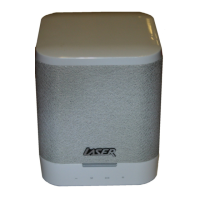
QUICK OPERATION GUIDE SPK-BT660
BUTTON OPERATION IN DIFFERENT MODES
Note: When power to the speaker is turned on, the default mode is Bluetooth. Bluetooth
mode is indicated by a “chime” sound. Repeatedly press the MODE button to scroll
through modes USB Drive, Micro SD Card, Auxiliary (when connected) & FM Radio.
Radio Mode
Description Function
M button Press to change modes (FM, Bluetooth, External Device).
Play / Pause Auto search and save
Previous Press to goto the previous station
Next Press to goto the next station
VOL- Press or press and hold to decrease volume
VOL+ Press or press and hold to increase volume
USB / Micro SD Card
Description Function
M button Press to change modes (FM, Bluetooth, External Device).
Play / Pause Play / Pause music playback
Previous Press to goto the previous track
Next Press to goto the next track
VOL- Press or press and hold to decrease volume
VOL+ Press or press and hold to increase volume
AUX Mode
Description Function
M button Press to change modes (FM, Bluetooth, External Device).
Play / Pause (NO FUNCTION IN THIS MODE)
Previous (NO FUNCTION IN THIS MODE)
Next (NO FUNCTION IN THIS MODE)
VOL- Press or press and hold to decrease volume
VOL+ Press or press and hold to increase volume
Bluetooth mode
Description Function
M button Press to change modes (FM, Bluetooth, External Device).
Play / Pause Play / Pause music playback
Previous Press to goto the previous track
Next Press to goto the next track
VOL- Press or press and hold to decrease volume
VOL+ Press or press and hold to increase volume


 To Next Page