QUICK USER MANUAL SPK-SB120
3
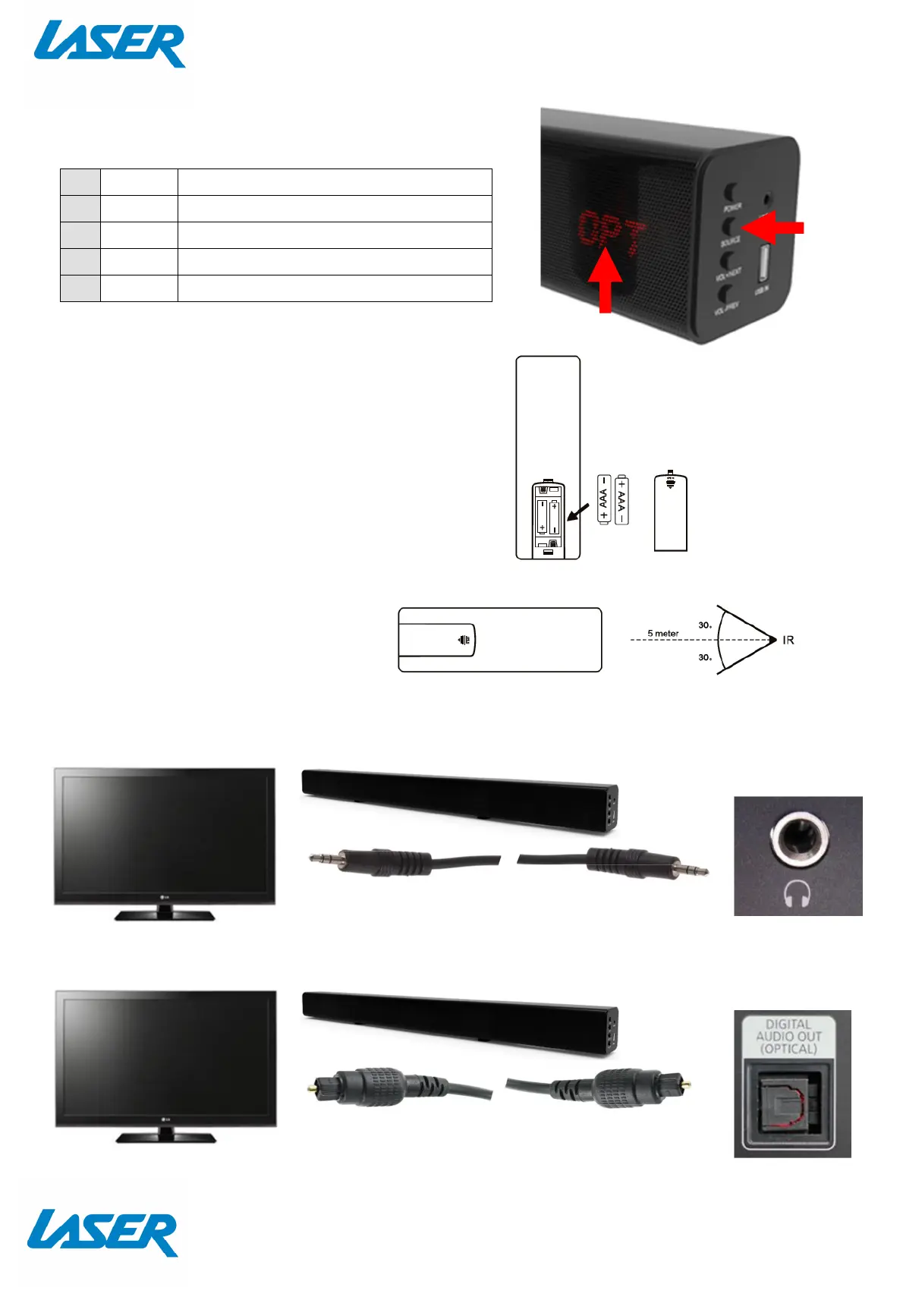
ON DEVICE DISPLAY
REPLACING THE BATTERIES
1. Open the battery compartment by
sliding the cover back.
2. Insert the new battery as pictured
making you have observed the
correct polarity
3. Close the battery compartment.
Note: the remote control has
a usable angle of 30 degrees from
the speaker IR receiver.
CONNECTING YOUR SPEAKER TO YOUR TV
GOOD
You can connect your sound bar to your TV if you have a headphone / Aux 3.5mm jack.
BEST
1 LINE Select LINE IN Audio Input
2 FM Select FM RADIO Audio input
3 USB Select USB Audio input
4 BLUE Select BLUETOOTH Audio input
5 OPT Select Optical Audio input


 To Next Page