SmartVision-Laser
13
A1
A2
2.
1.
Observe the laser receiver‘s operating instructions for
line lasers.
!
4
Hand receiver mode
Optional: Working with the laser receiver GRX
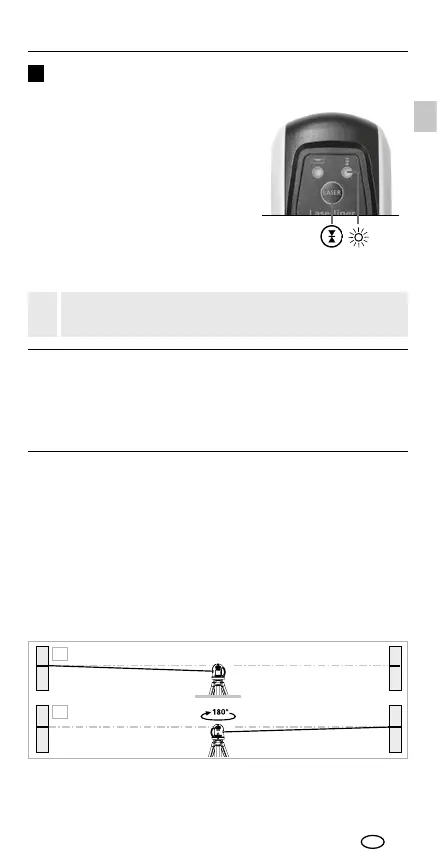
Use an GRX laser receiver (optional)
to carry out levelling at great distances
or when the laser lines are no longer
visible. To work with a laser receiver,
switch the line laser to hand-held
receiver mode by keeping button 1
(handheld receiver mode on / off)
pressed. The laser lines will now
pulsate with high frequency, making
the laser lines darker. The laser receiver
can detect these pulsating laser lines.
Calibration
The measuring device must be calibrated and tested on a
regular basis to ensure it is accurate and working properly.
We recommend carrying out calibration once a year. Contact
your distributor or the UMAREX-LASERLINER service department.
1. Mark point A1 on the wall.
2. Turn the device through 180° and mark point A2. You now
have a horizontal reference between points A1 and A2.
Preparing the calibration check
It is possible for you to check the calibration of the laser.
To do this, position the device midway between 2 walls,
which must be at least 5 metres apart. Switch the device on
(LASER CROSS ON). The best calibration results are achieved
if the device is mounted on a tripod.
EN



 To Next Page