EasyManua.ls Logo

Laskomex CD-2000 - User Manual

Default Icon
36 pages
Print Icon
To Next Page IconTo Next Page
Loading...
CD-2500
DIGITAL DOORPHONE
Instalation, operation
and programming instruction
www.laskomex.com.pl
e-mail:handel@laskomex.com.pl
serwis@laskomex.com.pl
POLAND
All manuals and user guides at all-guides.com

Other manuals for Laskomex CD-2000

Question and Answer IconNeed help?

Do you have a question about the Laskomex CD-2000 and is the answer not in the manual?

Summary

FEATURES OF ENTRYPHONE SYSTEM CD-2500

For the Installer

Key features and capabilities relevant for system installation professionals.

For the Investor

Benefits, advantages, and value propositions for property owners and investors.

For the User

Features and benefits directly experienced by end-users of the system.

1. Components of the CD-2500 System

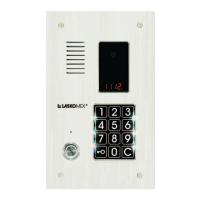
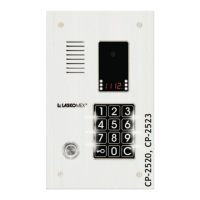
Conversational Cassettes

Details on the various models and types of conversational cassettes available.

Conversational Cassette Casings

Options for mounting and resident list displays for cassettes.

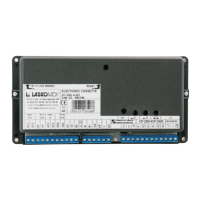
Electronics Cassettes

Description of the different types of electronic control units.

Uniphones

Information on compatible uniphone models for the system.

Feeder and Battery

Details regarding the power supply transformer and optional battery backup.

2. Configuring Interphone Operation

Basic System Configuration

Setup instructions for standard, single-entrance doorphone systems.

Multi-Entrance System Configuration

Configuration steps for systems with multiple entry points.

3 Operational Mode of the Entryphone System CD-2500

Normal Mode

Standard operation where uniphone physical and logical numbers match.

Numbering with Range Transposition Mode

Operation mode for uniphone numbering with shifted ranges.

Hotel Numbering Mode

3. Installation

3.1. Installation of Control Panel

Guidance on mounting and connecting the main door panel.

3.2. Connection of Control Panel with Electronic Cassette

Instructions for wiring the control panel to the central electronic unit.

3.3. Programming the Uniphone

Procedure for setting uniphone numbers using internal jumpers.

3.4. Connecting Uniphones to Electronic Cassette

3.5. Connecting System Power Supply

3.6. Checking of Voltages at Test Points

3.7. Error and Fault Messages

3.8. Adjustments

3.9. Additional Notes

4. Programming

4.1. Access to System Procedures

Steps to enter the system's programming mode using specific codes.

4.2. Description of Installation Programs

P-0 Electric Catch Unlock

Procedure for setting the duration of the electric catch release.

P-1 Main Installation Procedure

Core procedure for system installation and uniphone searching.

P-2 Setting Door Phone Parameters

Door Phone Operation Configuration Parameters

P-3 Service Program

P-4 Test of Uniphones

P-5 Disabling Selection of Defined Uniphones

P-6 Cancellation of Incorrect Codes

P-7 Setting Wiremans Personal Code

P-8 Electric Catch Unlock, Recovery to Door Phone Function

P-9 Setting Range Shift

P-10 Setting Lock Codes for Individual Flats

5. Multi-Entrance System

Designation and Use Cases

System applications and scenarios for multi-entrance setups.

System Construction

Description of cassette types used in multi-entrance configurations.

Electrical Installation

Wiring guidelines for connecting components in multi-entrance systems.

Performing Connection from the Primary Cassette

Local Connections Performed by Secondary Cassettes

Secondary Exchange Connection Issues

Exchange Programming for Multi-Entrance Systems

Multi-Entrance Programming Examples

6. Electronic Key with a Dallas Pellet

Reader Configuration and Connections

Details on Dallas key reader setup, configuration, and wiring.

Key Readout and Master Key Definition

Opening Time Programming

User Key Management (Adding;Removing)

Lock Blocking and Administrator Key

7. Operation

7.1. Control Panel-to-Uniphone Call

Procedure for initiating a call from the control panel to a specific uniphone.

7.2. Coded Lock Operation

7.3. Change of Lock Code

8. Abnormal System Operation

Uniphone Installation;Programming Errors

Common issues arising from incorrect uniphone setup or programming.

Call Signal Fails to Operate

Troubleshooting steps when the call signal or catch fails to function.

Troubles with Number Input

Diagnosing and resolving problems related to keypad number entry.

Technical Specification

Laskomex CD-2000 Specifications

General IconGeneral
BrandLaskomex
ModelCD-2000
CategoryIntercom System
LanguageEnglish

Related product manuals