EasyManua.ls Logo

Laskomex CP-2503 Series - User Manual

Default Icon
12 pages
Print Icon
To Next Page IconTo Next Page
Loading...
INSTALLATION OF PANELS
CP-2502xxx
CD-2503xxx
CP-2510xxx
CP-2513xxx
CP-2511xxx
CP-2520xxx
CP-2523xxx
CP-2521xxx
CP-2530xxx
CP-2533xxx
DIGITAL ENTRY PHONE SYSTEM
CP-2530, CP-2533
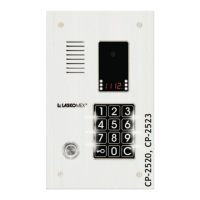
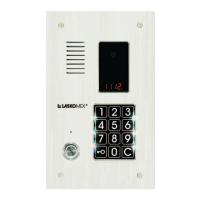
CP-2520, CP-2523
CP-2510, CP-2513
CP-2502, CP-2503
Question and Answer IconNeed help?

Do you have a question about the Laskomex CP-2503 Series and is the answer not in the manual?

Summary

Installation of Panels

Safety and Usage Conditions

Outdoor Panel Assembly

Mounting under the plaster.

Details on mounting the external panel flush with the wall surface.

Mounting on the plaster.

Instructions for surface-mounting the panel casing and frame.

Panel with the tenants list assembly

Guide for preparing and inserting the occupant list into the panel.

Digital Entry Phone System CD-2502 Adjustment

Adjustment of gain the microphone track in the panel

Adjusting microphone sensitivity using potentiometers P4 or P2.

Volume control in external panel

Adjusting speaker loudness in the external panel using potentiometer P1.

Jumpers settings.

Configuring jumper settings for display type and camera supply.

Jumpers settings for video version panel:

Setting jumper JP1 for output impedance in video panels.

Compliance with Previous Versions

Technical Data

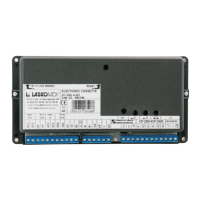
Description of terminals:

Detailed explanation of the function of each terminal connection.

Connections Charts and Elements Dimensions

Version with RFID

Information on connecting external panels in RFID version.

Instruction on Environment Protection

Laskomex CP-2503 Series Specifications

General IconGeneral
BrandLaskomex
ModelCP-2503 Series
CategoryIntercom System
LanguageEnglish

Related product manuals