4
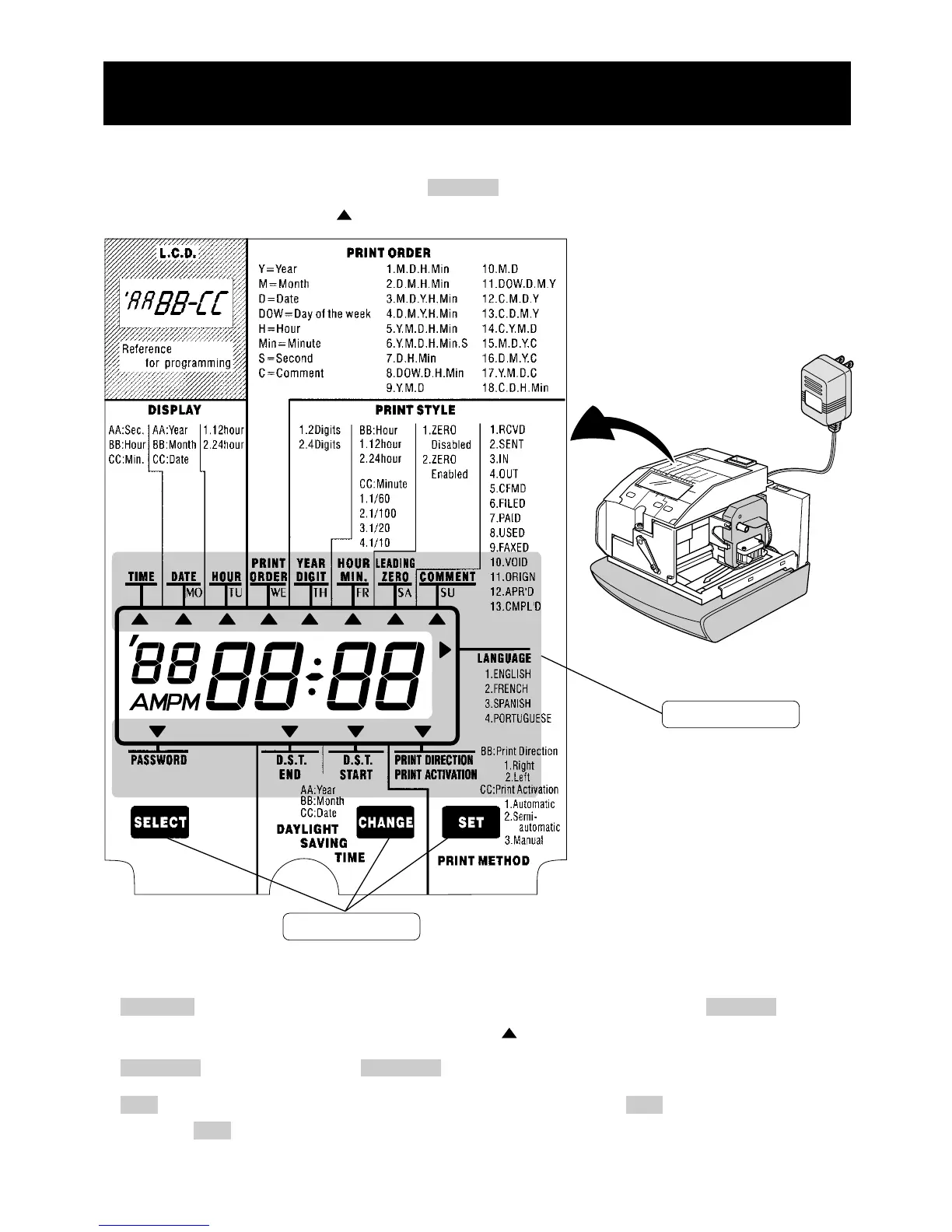
To enter the program setting mode, you should plug the AC adapter into the AC outlet and
remove the cover. Thereafter press the SELECT button once. Then the clock goes into the
program mode showing the " " on the display positioned at the "TIME".
Function of 3 control buttons
SELECT : You can select the desired program setting mode by pressing this SELECT button.
Selected program setting mode is indicated by the " " mark on the display.
CHANGE : When you press the CHANGE button, you can increment the set value.
SET : You can set the value selected on the display by pressing the SET button. Thereafter you
press this SET button again, you can return the clock to the normal operation mode.
HOW TO PROGRAM THE CLOCK
Control buttons
Program modes



 To Next Page