3
QUICK EASY SETUP
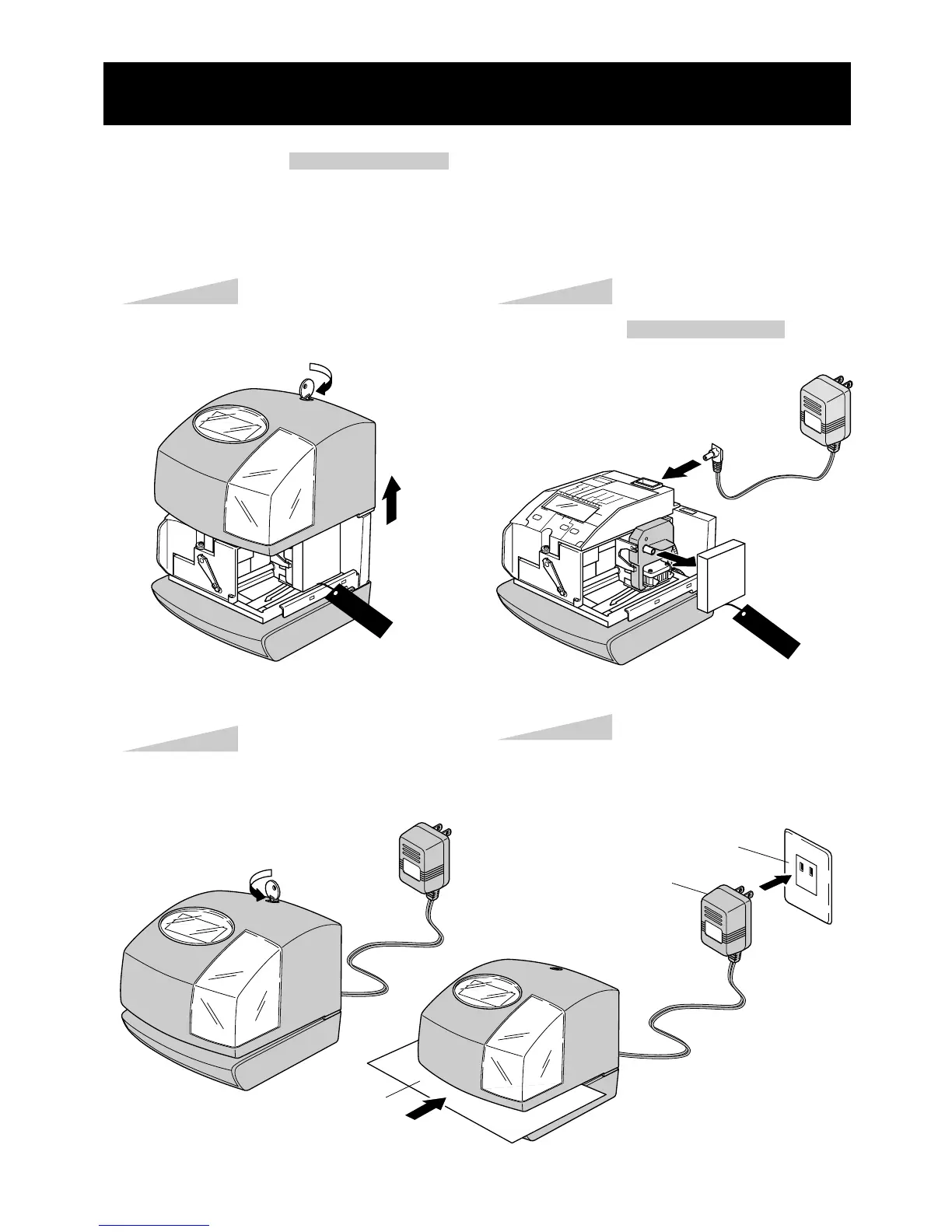
NOTICE: Remove the PROTECTION PAD before you plug the AC adapter into the AC outlet.
To setup your time clock, follow next steps:
Step 1
Unlock the key and remove the cover.
Remove the PROTECTIONPAD , and
plug the AC adapter into the time clock.
Replace the cover and lock.
Plug the AC adapter into the AC outlet
and insert a card.
Step 2
Step 4
Step 3
CAUTION
AC outlet
AC adapter
Card
CAUTION



 To Next Page