3. SETTING THE DISPLAY FORMAT
CANCELING THE PASSWORD
The code "00 00" must be entered to cancel the password.
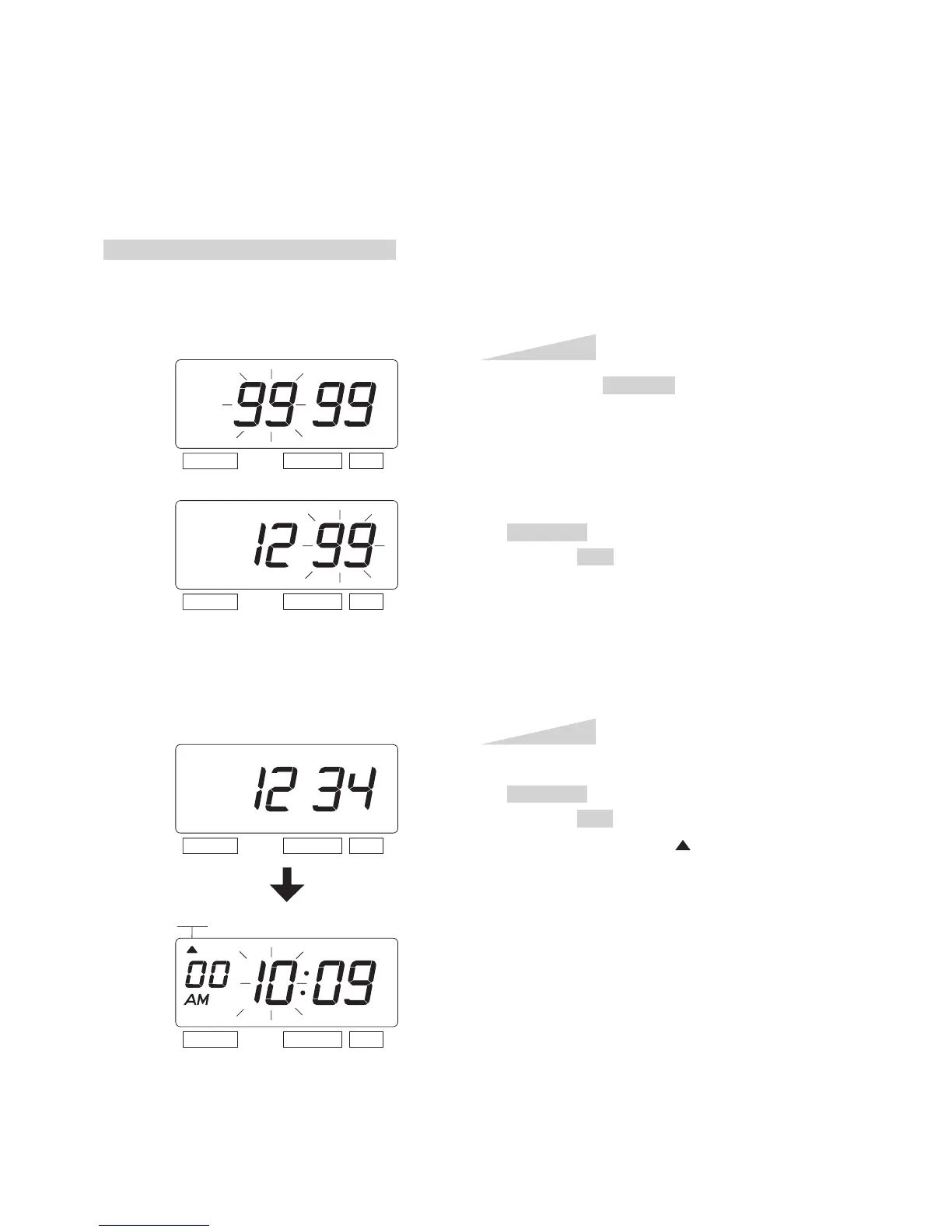
Example: Cancel the password "1234".
Press the SELECT button, at that
moment "99 99" is displayed and first
two digits flashes. (The flashing means it
can be changed.)
In case of the example, press the
CHANGE button to set at "12". And then
press the SET button.
At that moment, the flashing changes to
last two digits.
Step 1
TIME
SELECT CHANGE SET
In case of the example, press the
CHANGE button to set at "34". And then
press the SET button.
At that moment, the " " mark indicates
the "TIME".
Step 2
SELECT CHANGE SET
SELECT CHANGE SET
SELECT CHANGE SET
ENGLISH
29



 To Next Page