PREPROGRAMMING
CHOOSING EMERGENCY CONTACTSCHOOSING EMERGENCY CONTACTS
HOW TO CHOOSE CONTACTS
The device can call and send help text
messages to a maximum of 6 people.
Consider people with mobile phones in
order to use the GPS/Bluetooth location
feature fully.
Only mobile phone contacts will receive the
help text messages with your location on
Google Maps. You can include landline
numbers, but these people will not see your
location on a map. Emergency services use
cell tower triangulation.
Where to order ‘911’ in the call sequence
You can include ‘911’ as one of the contact
numbers. The ‘911’ service will not receive
the help text message. Many people place
‘911’ last in the call sequence as a fallback in
case the other contacts do not answer since
emergency services use cellular technology.
As part of our pre-delivery setup and QA
process, we program your Mobile alarm
with the emergency contacts you provided
during the order process.
If you have instructed us that you wished to
program the emergency contacts yourself
here are some tips to consider when
choosing those contacts.
Page 2 | Latitude USA | 2021
OUTGOING CALL TO CONTACT 1
Side talk button feature (Speed Dial)
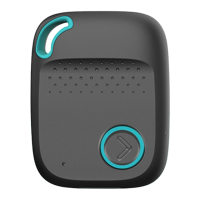
The device has a ‘Side talk button’. Also
known as a Speed Dial. When pressed until
it vibrates it makes an outgoing call to a
single emergency contact (contact 1 by
default). You will then be able to
have a ‘hands-free’ conversation with that
nominated contact person.
Conversations are limited to 3 minutes.
Often the ‘side talk contact’ is someone well
known to the wearer, who lives close by and
is available to offer assistance at
most times of the day.
You may wish to consider this feature when
choosing your emergency contacts and the
order you place them in the call sequence.
You can also have ‘911’ as the number the
Side talk button calls.
CHANGING YOUR CONTACTS
You can change your programmed contact
numbers at any time by sending a simple
text command from a mobile phone to your
device. You can change the numbers,
remove numbers, and change the order of
the contact numbers.
For more information see the "Changing
your settings" section.
*Latitude USA does not take responsibility for the contact
numbers you have chosen. The choice of numbers is completely
up to the user of the mobile alert.
All features are customizable and can
be activated or deactivated by
purchasers' request.
Remember some contacts may have
their phones turned off, be out of range,
have dead batteries or they may not be
able to hear their phones.



 To Next Page