BASIC OPERATION
TURNING ON AND OFF
Turning the device on
When you take the device out of the box it
will be turned off. To turn it on press the top
side button or put it on a charger. The
green, blue and pink LEDs will flash rapidly
and the device will begin to start up.
If you are in a mobile network area it will
usually take between 12 to 20 seconds to
connect to the available mobile network. A
slow green flash every 3 seconds signifies
the device is trying to connect to the
network. Once connected the green LED
will show a fast flash every 3 seconds.
Automatically turning on in charger
If the device is off, when you place it in the
charg er or connect the USB magnetic
charging cable it will automatically turn on.
Hold down both buttons together for 2 seconds till the
device vibrates and turns off. The LEDS will go out.
When to turn the device off
There is no need to turn off the device off
unless you will not be using it for a
prolonged period of weeks or months.
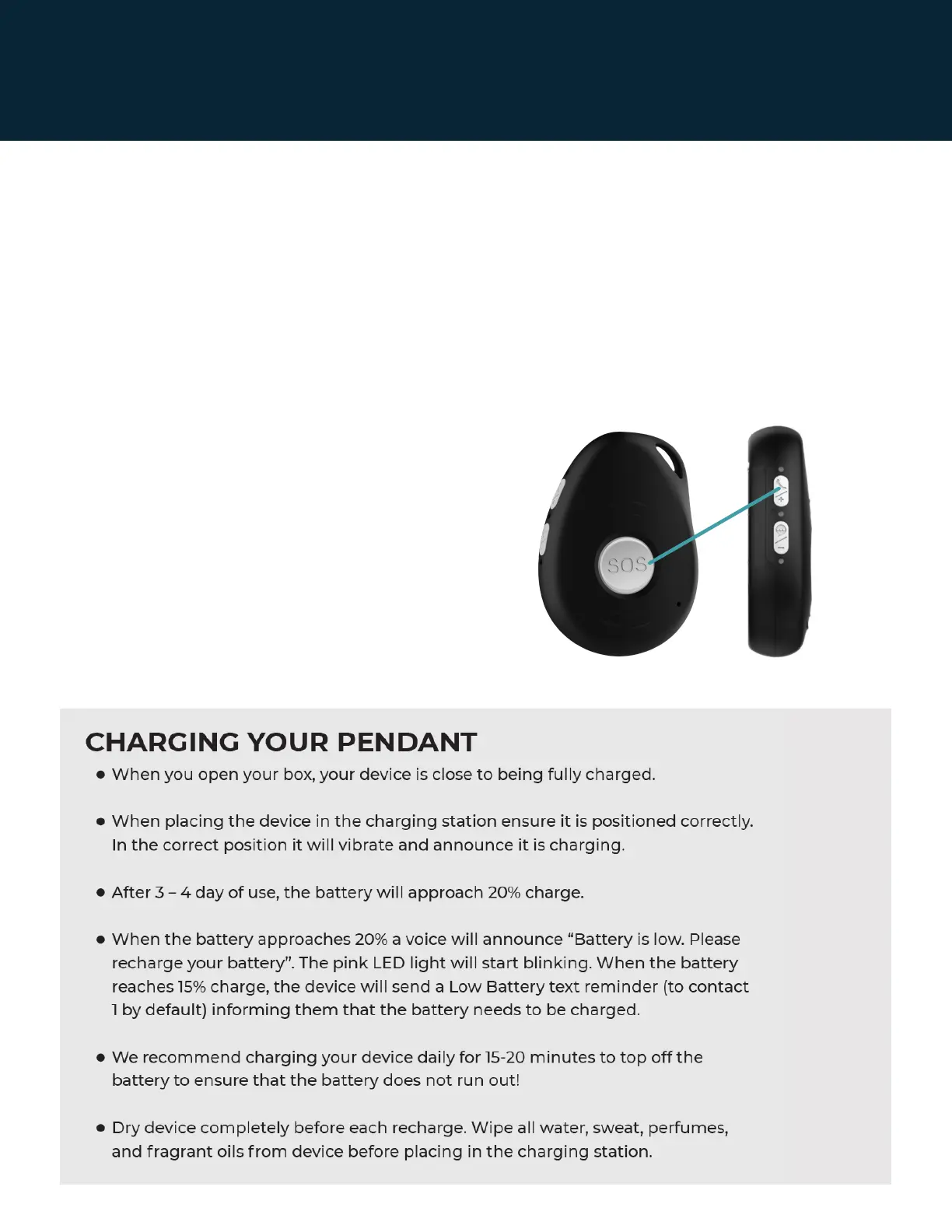
To turn it off, hold down the SOS button and
the grey, upper 'Side talk button' together
till the device vibrates. Do this twice. The
lights will turn off shortly after you feel the
vibration.
Page 4 | Latitude USA | 2021



 To Next Page