EasyManua.ls Logo

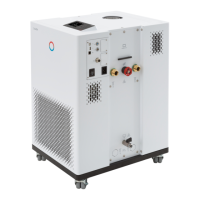
Lauda IN 750 XT - User Manual

Default Icon
200 pages
Print Icon
To Next Page IconTo Next Page
Loading...
Integral Process Thermostats and High-Temperature Thermostats
Operation manual
IN 130 T, IN 230 T, IN 230 TW, IN 530 T, IN 530 TW, IN 1030 T, IN 1330 TW, IN 1830 TW, IN 150 XT,
IN 250 XTW, IN 280 XT, IN 280 XTW, IN 550 XT, IN 550 XTW, IN 590 XTW, IN 750 XT, IN 950 XTW, IN 1590 XTW,
IN 1850 XTW, IN 2560 XTW, IN 2050 PW, IN 2560 PW, IN 4 XTW, IN 8 XTW
V6R9
Read this manual prior to performing any task!

Table of Contents

Questions and Answers

  • P
    patricklatoyaAug 19, 2025
    Why is my Lauda Thermostat cooling so slowly?
    • D
      David RangelSep 12, 2025
      Your Lauda Thermostat might be cooling slowly due to several reasons. The cooling unit might be switched off, so ensure it is on. The controller output limit could be active; if so, switch it off. The condenser may be contaminated, requiring cleaning. Also, check if the temperature limit value is too high and reduce it if necessary.
  • P
    Paul EverettAug 21, 2025
    What to do if my Lauda Thermostat is heating very slightly?
    • G
      Greg GuzmanAug 21, 2025
      If your Lauda Thermostat is heating only very slightly, it could be due to several reasons: the controller output limit might be active, so switch it off. The temperature limit value might be too low, so increase it. The dynamic heating output restriction could be active, so disable it. The pump level might be too low, increase the pump level. The maximum current consumption of the device may be limited, increase the current consumption.
  • G
    Gary ScottAug 23, 2025
    What does 'Low flow (cooling unit)' mean on my Lauda Thermostat display and how to fix it?
    • L
      Logan Lopez DDSAug 25, 2025
      The 'Low flow (cooling unit)' message on your Lauda Thermostat indicates that the flow in the evaporator area is too low. To resolve this, check the hydraulic circuit for blockages like closed valves or jammed hoses and fix the cause. Also, the pump level might be too low, so select a higher pump level. If the hose cross-section is too small, increase it or install a bypass. The cooling output may be too high for the available flow rate, so reduce the cooling output.
  • H
    Heidi FrancisAug 26, 2025
    What does 'Low flow (heater)' mean on my Lauda Thermostat display?
    • B
      Brian GarciaAug 26, 2025
      The 'Low flow (heater)' message on your Lauda Thermostat indicates that the flow in the heater area is too low. Check for blockages in the hydraulic circuit, such as closed valves or jammed hoses, and remedy them. Ensure the pump level isn't too low by selecting a higher pump level. Degas the device again, as insufficient aeration could be the cause. If the hose cross-section is too small, increase it or install a bypass. Reducing the heating output might also help if it's too high for the available flow rate.
  • M
    Michael LawrenceAug 27, 2025
    What does 'Overtemperature protection' mean on Lauda Thermostat display?
    • P
      pricerobertAug 27, 2025
      The 'Overtemperature protection' message on your Lauda Thermostat display means that the outflow temperature is too high. Wait until the outflow temperature has cooled below the overtemperature switch-off point or set the switch-off point higher than the outflow temperature.
  • D
    Daniel TaylorAug 30, 2025
    What does 'Gage pressure (Outflow pressure too high)' mean on Lauda Thermostat display?
    • C
      Christine HebertAug 30, 2025
      The 'Gage pressure (Outflow pressure too high)' message on your Lauda Thermostat display indicates that the outflow pressure is too high. Try selecting a lower pump level. If pressure control is active, reduce the set pressure. If appropriate, increase the maximum pressure, but only if your application, hoses, etc. cannot be damaged.
  • R
    Ronald WilkinsonSep 1, 2025
    What does 'Level very low' mean on Lauda Thermostat display?
    • J
      jillcooperSep 1, 2025
      The 'Level very low' or 'Low level' message on your Lauda Thermostat display means that the liquid level in the expansion vessel is low. Check hoses, connections, and consumers for leaks and fix them. Refill the missing heat transfer liquid if necessary. The liquid level can drop due to cooling or degassing, so refilling might be needed.
  • S
    Sarah HoffmanSep 3, 2025
    How to fix unstable temperature control on Lauda Thermostat?
    • Z
      zlandrySep 3, 2025
      To fix unstable temperature control (temperature fluctuates strongly) on your Lauda Thermostat, increase the pump level. Open the manual bypass in the constant temperature equipment. If necessary, increase the control parameters Xp and Tn. Increase the flow rate through the application. Reduce the load.
  • T
    Tara LawrenceSep 5, 2025
    Why does my Lauda Thermostat switch to degas mode?
    • E
      Elizabeth OwenSep 5, 2025
      Your Lauda Thermostat may switch to degas mode if cooling water enters the hydraulic circuit through a defective heat exchanger. Ensure the suitable cooling water quality. Otherwise there is a risk of corrosion!
  • B
    Brittany HannaSep 7, 2025
    Why is the pump level not setting on my Lauda Thermostat?
    • M
      morrisondavidSep 7, 2025
      The pump level cannot be set if pressure control is active. To resolve this, switch off pressure control by setting the set pressure to 0 bar.

Summary

Safety

1.1 Safety information

Essential preliminary safety guidelines for device operation.

1.2 Obligations of the operator

Operator responsibilities and compliance with regulations.

1.10 Requirements for the heat transfer liquid

Guidelines for selecting and using appropriate heat transfer liquids.

1.13 Personal protective equipment

Details necessary protective gear like gloves, clothing, and glasses.

1.15 Safety fittings on the device

Describes safety features like overtemperature and low-level protection.

Unpacking

Electric shock

Critical safety warning regarding electric shock during unpacking.

Before starting up

4.1 Install device

Step-by-step instructions for correctly installing the device.

4.3 Connecting an external application

Instructions for connecting external applications to the device.

4.4 LAUDA heat transfer liquids

Comprehensive guide on permissible heat transfer liquids and their properties.

4.7.8 Error messages

Explains error codes and messages for Ethernet interface communication.

Commissioning

5.1 Establishing a mains connection

Instructions for safely connecting the device to the mains power supply.

5.2 Switching on the device for the first time

Detailed steps for the initial device power-on and setup sequence.

5.3 Operating the device with the operating unit

Guide to using the device's main control interface and navigation.

5.4 Setting heat transfer liquid

Critical steps for selecting and configuring the heat transfer liquid.

5.5 Fill the device with heat transfer liquid

Procedures and safety precautions for filling the device with heat transfer liquid.

5.6 Degas heat transfer liquid (low boiling point expulsion)

Steps for degassing the heat transfer liquid to remove air and low boilers.

5.8 Control parameters

Information on adjusting control parameters to optimize device performance.

Operation

6.1 General warning

General safety warnings covering fire, splashing, and overheating risks.

6.4 Setting Tmax

Critical safety setting for the maximum temperature limit.

6.14 Calibrating the temperature probe

Procedure for calibrating temperature probes for accurate measurements.

6.18 Programmer

Functionality for creating and running temperature-time programs.

6.23 Safe Mode safety fittings

Configuring an emergency operating mode for device and application safety.

Operation of a high-temperature thermostat

Safety instructions for high-temperature thermostats with water counter-cooling

Critical safety guidelines for high-temperature thermostats using water cooling.

Operating a device with pressure overlay

8.1 Warnings, safety instructions and further information

Essential safety guidelines and warnings specific to pressure overlay operation.

8.4 Setting the parameters for a pressure-stable application up to the maximum system pressure

Configuring parameters for stable operation up to maximum system pressure.

8.5 Setting the parameters for a pressure-stable application

Adjusting parameters for stable operation, considering steam pressure.

8.6 Filling and operating a device with pressure overlay

Procedures for filling and operating the device with the pressure overlay feature.

Maintenance

9.1 Warning notes for maintenance

Critical safety warnings and required protective equipment before performing maintenance.

9.2 Maintenance intervals

Table outlining recommended maintenance tasks at different intervals.

9.6 Checking the overtemperature protection

Procedure to verify the functionality of the overtemperature protection system.

9.8 Check the heat transfer liquid

Guidelines for checking the usability and condition of the heat transfer liquid.

Faults

10.1 Alarms, errors and warnings

Overview of how alarms, errors, and warnings are displayed and handled.

10.2 Alarms

Detailed list of constant temperature equipment alarms and user actions.

10.3 Troubleshooting

Guide to resolving common device faults and issues.

General

14.4 Contact LAUDA

Contact details and reasons for contacting LAUDA Service for support.

Lauda IN 750 XT Specifications

General IconGeneral
BrandLauda
ModelIN 750 XT
CategoryThermostat
LanguageEnglish

Related product manuals