
EasyManua.ls Logo

Lauda IN 130 T - User Manual

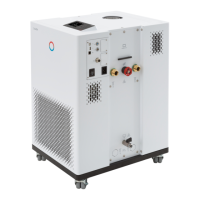
Lauda IN 130 T
200 pages
Print Icon
To Next Page IconTo Next Page
Loading...
Integral Process Thermostats and High-Temperature Thermostats
Operation manual
IN 130 T, IN 230 T, IN 230 TW, IN 530 T, IN 530 TW, IN 1030 T, IN 1330 TW, IN 1830 TW, IN 150 XT,
IN 250 XTW, IN 280 XT, IN 280 XTW, IN 550 XT, IN 550 XTW, IN 590 XTW, IN 750 XT, IN 950 XTW, IN 1590 XTW,
IN 1850 XTW, IN 2560 XTW, IN 2050 PW, IN 2560 PW, IN 4 XTW, IN 8 XTW
V6R9
Read this manual prior to performing any task!

Table of Contents

Questions and Answers

  • D
    David HallAug 19, 2025
    Why is my Lauda Thermostat cooling so slowly?
    • J
      Jeffrey HudsonAug 19, 2025
      Your Lauda Thermostat might be cooling slowly due to several reasons. The cooling unit might be switched off, so ensure it is on. The controller output limit could be active; if so, switch it off. The condenser may be contaminated, requiring cleaning. Also, check if the temperature limit value is too high and reduce it if necessary.
  • H
    hpearsonAug 21, 2025
    What to do if my Lauda Thermostat is heating very slightly?
    • H
      Hannah DorseyAug 21, 2025
      If your Lauda Thermostat is heating only very slightly, it could be due to several reasons: the controller output limit might be active, so switch it off. The temperature limit value might be too low, so increase it. The dynamic heating output restriction could be active, so disable it. The pump level might be too low, increase the pump level. The maximum current consumption of the device may be limited, increase the current consumption.
  • H
    holtrichardAug 23, 2025
    What does 'Low flow (cooling unit)' mean on my Lauda Thermostat display and how to fix it?
    • C
      caleb85Aug 23, 2025
      The 'Low flow (cooling unit)' message on your Lauda Thermostat indicates that the flow in the evaporator area is too low. To resolve this, check the hydraulic circuit for blockages like closed valves or jammed hoses and fix the cause. Also, the pump level might be too low, so select a higher pump level. If the hose cross-section is too small, increase it or install a bypass. The cooling output may be too high for the available flow rate, so reduce the cooling output.
  • M
    Marie MayAug 26, 2025
    What does 'Low flow (heater)' mean on my Lauda Thermostat display?
    • H
      Heidi SanchezAug 26, 2025
      The 'Low flow (heater)' message on your Lauda Thermostat indicates that the flow in the heater area is too low. Check for blockages in the hydraulic circuit, such as closed valves or jammed hoses, and remedy them. Ensure the pump level isn't too low by selecting a higher pump level. Degas the device again, as insufficient aeration could be the cause. If the hose cross-section is too small, increase it or install a bypass. Reducing the heating output might also help if it's too high for the available flow rate.
  • J
    josephmarksAug 28, 2025
    What does 'Overtemperature protection' mean on Lauda Thermostat display?
    • J
      Janet HorneAug 28, 2025
      The 'Overtemperature protection' message on your Lauda Thermostat display means that the outflow temperature is too high. Wait until the outflow temperature has cooled below the overtemperature switch-off point or set the switch-off point higher than the outflow temperature.
  • L
    Leah TaylorAug 30, 2025
    What does 'Gage pressure (Outflow pressure too high)' mean on Lauda Thermostat display?
    • J
      James PrinceAug 30, 2025
      The 'Gage pressure (Outflow pressure too high)' message on your Lauda Thermostat display indicates that the outflow pressure is too high. Try selecting a lower pump level. If pressure control is active, reduce the set pressure. If appropriate, increase the maximum pressure, but only if your application, hoses, etc. cannot be damaged.
  • A
    alicia19Sep 1, 2025
    What does 'Level very low' mean on Lauda Thermostat display?
    • D
      Dawn GarciaSep 1, 2025
      The 'Level very low' or 'Low level' message on your Lauda Thermostat display means that the liquid level in the expansion vessel is low. Check hoses, connections, and consumers for leaks and fix them. Refill the missing heat transfer liquid if necessary. The liquid level can drop due to cooling or degassing, so refilling might be needed.
  • C
    Christian LawrenceSep 3, 2025
    How to fix unstable temperature control on Lauda Thermostat?
    • M
      Michael WhiteSep 3, 2025
      To fix unstable temperature control (temperature fluctuates strongly) on your Lauda Thermostat, increase the pump level. Open the manual bypass in the constant temperature equipment. If necessary, increase the control parameters Xp and Tn. Increase the flow rate through the application. Reduce the load.
  • A
    Austin Wright DVMSep 5, 2025
    Why does my Lauda Thermostat switch to degas mode?
    • C
      Carolyn RobertsonSep 5, 2025
      Your Lauda Thermostat may switch to degas mode if cooling water enters the hydraulic circuit through a defective heat exchanger. Ensure the suitable cooling water quality. Otherwise there is a risk of corrosion!
  • J
    Jessica SmallSep 7, 2025
    Why is the pump level not setting on my Lauda Thermostat?
    • A
      Amy SantosSep 7, 2025
      The pump level cannot be set if pressure control is active. To resolve this, switch off pressure control by setting the set pressure to 0 bar.

Summary

Safety

Safety information

Essential safety guidelines and warnings for device operation.

Obligations of the operator

Operator responsibilities and compliance with regulations.

Limits of the device

Defines intended, unintended, and foreseeable misuse of the device.

Requirements for the heat transfer liquid

Specifies requirements and recommendations for heat transfer liquids.

Personnel qualification

Defines requirements for operating and specialized personnel.

Personal protective equipment

Lists required PPE: gloves, work clothing, and safety glasses.

Safety fittings on the device

Covers overtemperature and low-level protection safety units.

Unpacking

Electric shock

Warns about electric shock hazards during unpacking and handling.

Device description

Overall view of Integral (small casing version)

Detailed view and labels of the small casing Integral device.

Mains switch

Explains the function and types of the device's mains switch.

Hydraulic circuit

Describes the hydraulic circuit for Integral T and Integral XT devices.

Interfaces

Details standard and accessory interface modules for device communication.

Before starting up

Install device

Provides warnings and conditions for installing the device correctly.

LAUDA heat transfer liquids

Lists permissible heat transfer liquids and provides usage notes.

Cooling water requirements

Specifies purity requirements for cooling water to prevent corrosion.

Configuring interfaces

Explains how to configure potential-free contact and Ethernet interfaces.

Commissioning

Switching on the device for the first time

Guides through the initial device startup and safety entry sequence.

Operating the device with the operating unit

Explains the home window, navigation, softkeys, and basic operation.

Setting heat transfer liquid

Guides on setting heat transfer liquid and overtemperature protection points.

Fill the device with heat transfer liquid

Provides instructions and warnings for filling the device with heat transfer liquid.

Control parameters

Explains PID controller terms and parameter settings.

Calibrating the temperature probe

Guides on calibrating temperature probes using offset or 2-point methods.

Operation

General warning

Lists general warnings for hot liquid, splashing, boiling, and overheating.

Operating modes

Explains the two operating modes: Operation and Standby.

Setting Tmax

Guides on setting the maximum temperature switch-off point (Tmax).

Self adaptation

Explains automatic control parameter adjustment for optimal application performance.

Programmer

Introduces programmer functions like ramps, jumps, and segment settings.

Operator and viewer

Defines operator and viewer roles and access privileges for device control.

Web server LAUDA Command

Explains accessing the device via web browser or LAUDA Command app.

Safe Mode safety fittings

Explains Safe Mode as an emergency operating mode for device and application.

Operation of a high-temperature thermostat

Safety instructions for high-temperature thermostats with water counter-cooling

Highlights safety aspects for HT thermostats with water cooling.

Operating a device with pressure overlay

Warnings, safety instructions and further information

Lists warnings and safety instructions specific to devices with pressure overlay.

Setting the parameters for a pressure-stable application

Sets parameters like Tmax, Tmax_return, Tih for stable applications.

Filling and operating a device with pressure overlay

Details compressed air supply and filling with heat transfer liquid.

Maintenance

Warning notes for maintenance

Lists DANGER and CAUTION warnings for maintenance procedures.

Maintenance intervals

Specifies compulsory maintenance tasks and their recommended intervals.

Checking the overtemperature protection

Explains how to check the overtemperature switch-off points Tmax and TmaxTank.

Checking the low-level protection

Describes how to check the low-level protection and alarm function.

Faults

Alarms, errors and warnings

Explains how alarms, errors, and warnings are displayed and handled.

Troubleshooting

Provides a table of common faults, their causes, and possible remedies.

Decommissioning

Information on decommissioning

Provides safety warnings and steps for decommissioning the device.

Drain and clean the device

Guides on draining and cleaning the device before storage or disposal.

Disposal

Disposing of refrigerant

Outlines regulations and safety precautions for refrigerant disposal.

Device disposal

Specifies disposal regulations for devices according to EU WEEE directive.

Accessories

Module Bay Accessories

Lists available accessories for module bay installation.

General

Contact LAUDA

Provides contact information for LAUDA Service for support and inquiries.

Technical data

General data

Provides general specifications like display, installation, and environmental data.

Heating output and power supply

Details heating output and current consumption for various models and voltages.

Cooling output

Provides cooling output data for air-cooled and water-cooled units.

Pump characteristics for Integral T

Shows pump performance curves (pressure vs. flow rate) for Integral T.

Pump characteristics for Integral XT

Provides pump performance curves for Integral XT devices.

Declaration of Conformity and certificates

Includes EC Declaration of Conformity and cTUVus certification details.

Glossary

IP address

Defines IP address as a unique network identifier for device identification.

MAC (Media Access Control)

Defines MAC address as a unique hardware address for Ethernet identification.

Lauda IN 130 T Specifications

General IconGeneral
BrandLauda
ModelIN 130 T
CategoryThermostat
LanguageEnglish

Related product manuals