X-431 HTT Professional Automotive Diagnosis Handset
52
8.2 My device
This option is used to manage all your activated X-431 HTT handsets.
If several X-431 HTT handsets are activated on this tool, a list of X-431 HTT will
be displayed on the screen. Once you choose the X-431 HTT that belongs to
other account, you have to log out, and then input the right account to continue.
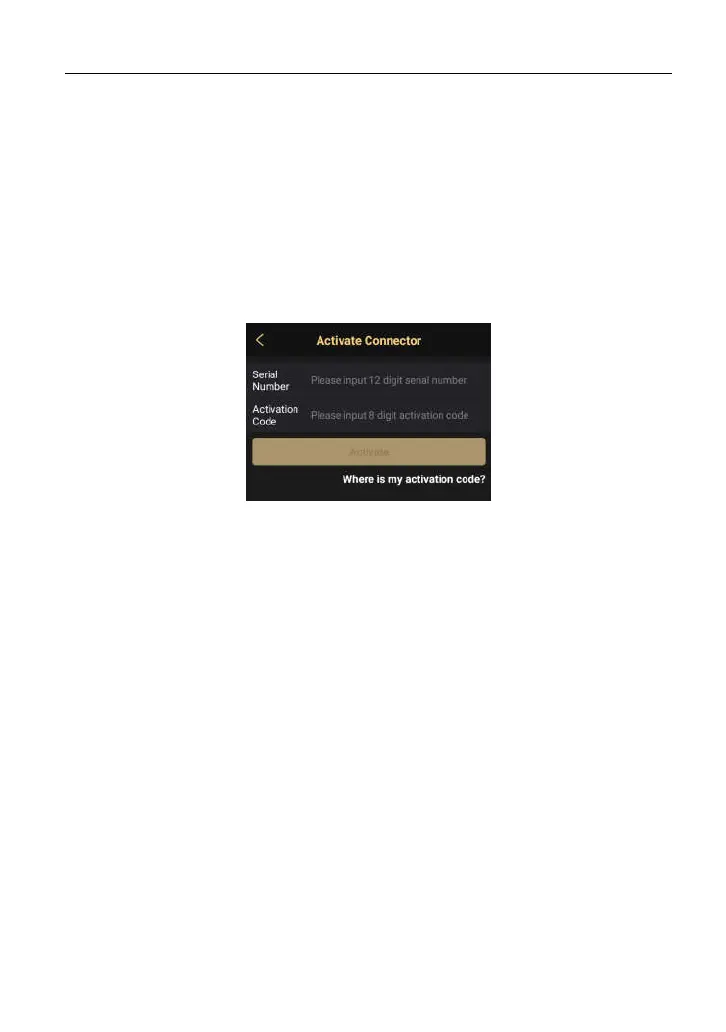
8.3 Activate connector
It is used to activate your X-431 HTT.
Fig. 8-2
Input the Serial Number and Activation Code, and then tap “Activate” to activate
it.
For details on how to obtain Serial Number and Activation Code, tap the link
below to get help.
8.4 Firmware fix
Use this item to upgrade and fix diagnostic firmware. During fixing, please do not
cut power or switch to other interfaces.
8.5 Diagnostic feedback
This item allows you to feedback your diagnostic problems to us for analysis and
troubleshooting.
8.6 Profile
Use this item to view and configure personal information.



 To Next Page