X-431 HTT Professional Automotive Diagnosis Handset
53
8.7 Change password
This item allows you to modify your login password.
8.8 Settings
It enables you to make some application settings and view software version
information etc.
8.8.1 Units of measurement
It is designed to set the measurement unit. Metric System and English System
are available.
8.8.2 Print information
This option lets you define your print information. It mainly includes Workshop,
Address, Telephone, Fax and License Plate.
After inputting, tap on “Save” to save it.
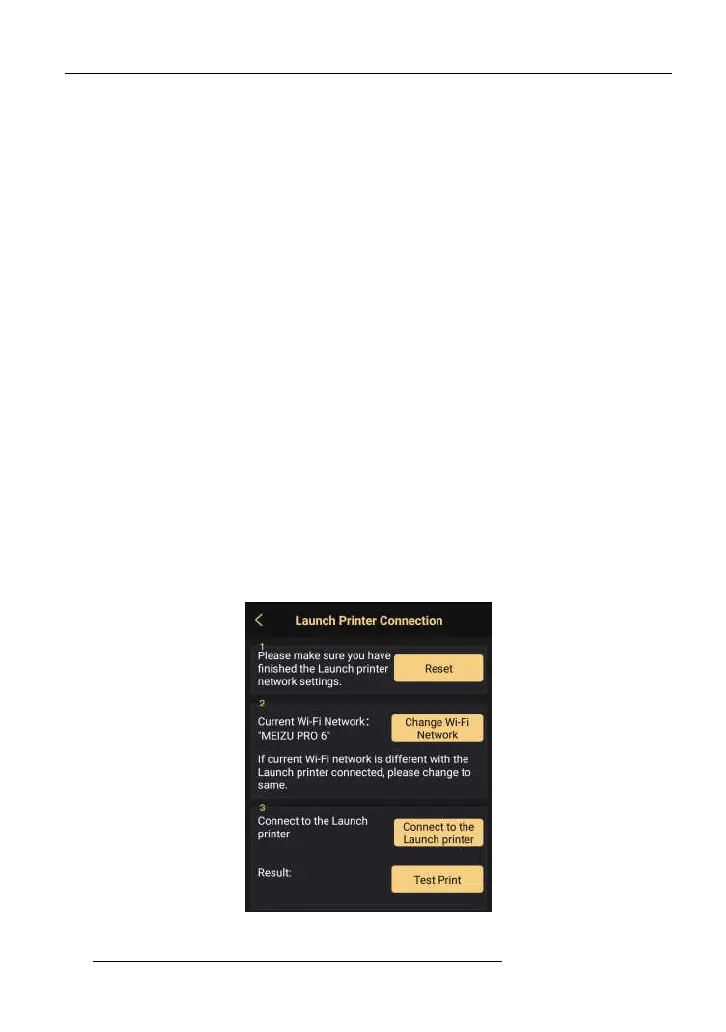
8.8.3 Launch printer connection
This option is designed to establish a wireless connection between X-431 PRO
MINI and the Wi-Fi printer (sold separately) while performing printing operations.
Follow the steps below to connect the printer.
1. Tap “Launch Printer Connection”.
Fig. 8-3
A. If it is the first time you have operated this printer, please proceed the



 To Next Page